Retail POS

Inventory Management Software Built for
multi-location Supermarkets & Retail Chains

Inventory Management Software Built for multi-location Supermarkets & Retail Chains

RetailPOS ERP is an advanced inventory management system for multiple-location stores,
built for supermarkets, FMCG retailers, and growing retail chains. Manage inventory across outlets,
track batches and expiry dates, handle EAN and barcode-based stock, record
damages, and optimize stock levels in real time from a centralized platform.

RetailPOS ERP is an advanced inventory management system for multiple-location stores, built for supermarkets, FMCG retailers, and growing retail chains. Manage inventory across outlets, track batches and expiry dates, handle EAN and barcode-based stock, record damages, and optimize stock levels in real time from a centralized platform.

Some customers who found success with our

multi-store inventory management system

Kaveri Super Market

Location: Trichy
Business Type: Multi-Outlet Supermarket

Kurinji Metro Bazaar

Outlets Across: Trichy, Thanjavur, Mannargudi, Kumbakonam, and Mayiladuthura
Retail Format: Supermarket

Paarr Ever Supermarket

City: Chennai
Outlet Count: 13
Retail Format: Supermarket

How to manage a multi-store
retail business with multi-store
inventory management software

one

RetailPOS ERP is a multi-store inventory management software built for supermarkets, FMCG retailers, and retail chains operating across multiple stores, warehouses, and locations.


It helps businesses centralize inventory management, monitor real-time inventory levels, and control stock movement across all outlets from a single inventory management system.

fmcg-retailers
two

With RetailPOS, retailers can manage batch-wise inventory, track expiry dates, handle barcode and EAN-based stock, and maintain accurate inventory across multiple locations.


The system supports store-to-store transfers, automated replenishment, and stock optimization to ensure shelves are refilled on time and stockouts are avoided.

retail-chains
three

By capturing every inventory transaction purchase, inward, outward, transfer, return, and audit RetailPOS improves inventory accuracy, increases data transparency, and enables better decision-making.


This structured approach to multi-store inventory management helps retailers reduce losses, control margins, and achieve a higher ROI across all stores.

warehouses

Benefits of multi-store inventory management with RetailPOS

centralized-inventory-control-icon

Centralized
inventory control

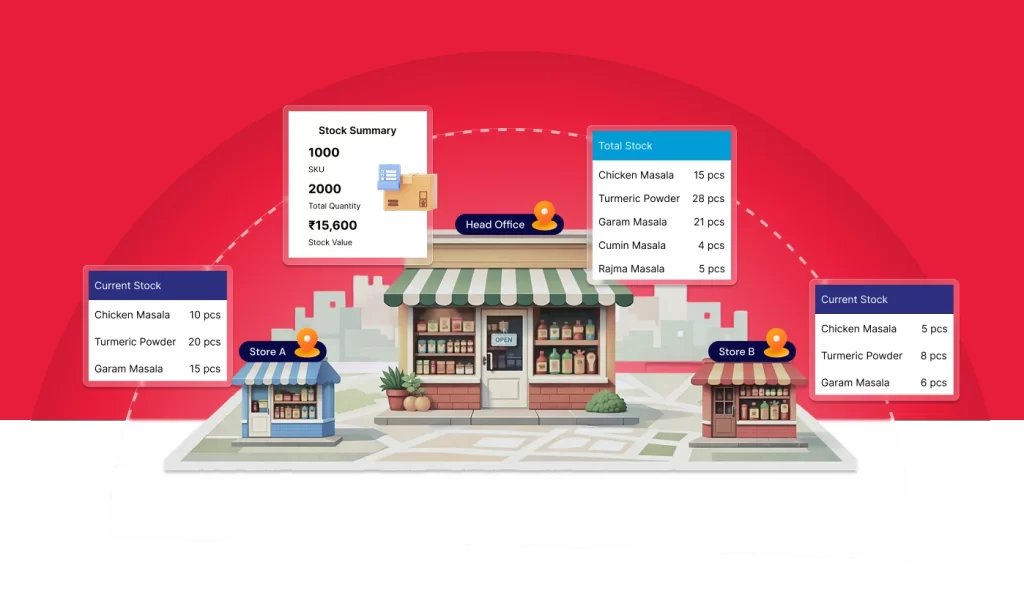
Get centralized inventory visibility across multiple stores and warehouses from one RetailPOS system. Track stock movement in real time and control inventory distribution based on demand across locations.

faster-order-fulfillment-icon

Faster order 

fulfillment

Enable faster order processing by managing inter-store transfers and warehouse dispatch efficiently. Reduce inventory holding days, receive items on time, and minimize expiry risks.
timely-stock-replenishment

Timely stock
replenishment

Monitor shelf-level and counter-level stock across outlets. Use sales trends to replenish stock at the right time, avoid stockouts, and maintain consistent customer availability.

Flexible bulk and 
unit repacking

Flexible bulk and
unit repacking

Record bulk inward stock at the warehouse and repack into smaller quantities based on outlet demand. Reduce frequent purchasing, optimize procurement costs, and prevent spoilage.

Reduced stockouts and overstocking

Reduced stockouts and
overstocking

Analyze sales patterns, track real-time stock movement, and plan optimal inventory levels using multi-store inventory management software to avoid excess stock and shortages.

omnichannel-inventory-sync-icon

Omnichannel
inventory sync

Manage inventory across POS, online sales, and multiple channels with real-time stock synchronization. Set batch-wise pricing and ensure accurate stock availability for every sales channel.
Key features of multi-store inventory management

Batch-level returns and wastage tracking across stores

Consolidate stock requirements from multiple outlets and raise centralized purchase orders through RetailPOS ERP.
Record inward stock at the warehouse, manage bulk inventory, and repack items into outlet-wise quantities as required.

RetailPOS ERP enables real-time inventory tracking for every inward, transfer, and outward movement ensuring accurate stock visibility across warehouses and stores at all times.

batch-level-returns-and-wastage-tracking-across-stores

Stop inventory leakage from returns, damage, and expiry

RetailPOS ERP captures batch-wise returns, damaged stock, and expired inventory at the outlet level with centralized visibility.

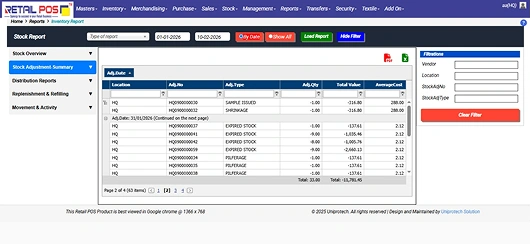
Each wastage entry updates stock in real time, applies accurate price corrections, and posts adjustments directly to accounts ensuring inventory accuracy, audit readiness, and financial clarity across all stores.
stop-inventory-leakage-from-returns-damage-and-expiry

Turn slow-moving inventory into
profitable sales

RetailPOS ERP identifies slow-moving and aging stock using stock holding days and outlet-wise aging reports. You can create centralized offers, combo packs, and bundle deals to move excess inventory faster, protect margins, and reduce expiry losses across multiple stores.

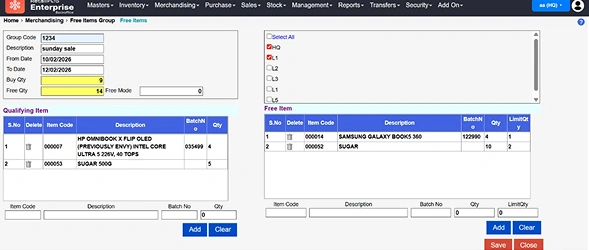
Run HQ-controlled promotions on long holding items and push offers instantly via POS, WhatsApp, and SMS, ensuring consistent pricing, faster liquidation, and better stock optimization before expiry.
turn-slow-moving-inventory-into-profitable-sales

Turn inventory data into 
actionable business insights

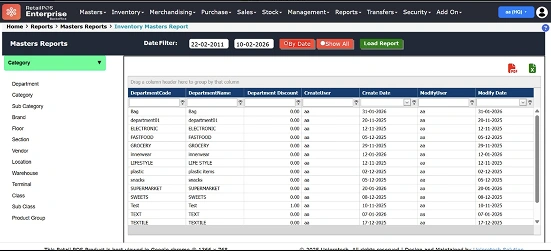
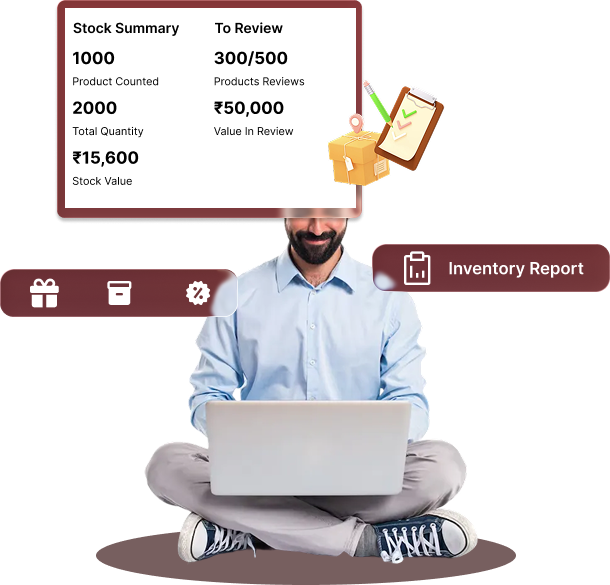
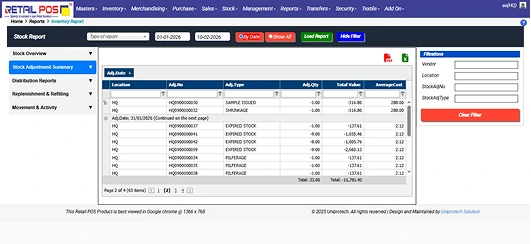
RetailPOS ERP provides real-time inventory and sales reports to track opening stock, closing stock, stock-in, and stock-out across all stores. Use stock ledger and fast/slow-moving reports to understand item-wise performance, outlet-wise stock levels, stock value, category contribution, and margins.

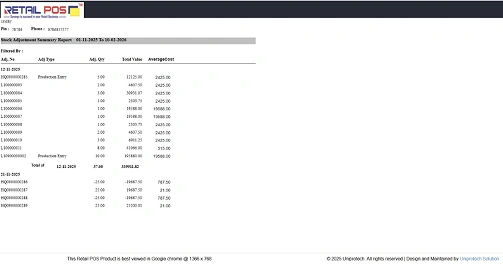
Access 30+ built-in inventory and MIS reports, including top-N item productivity, stock adjustments, shrinkage analysis, and profitability reports—helping management take faster, data-backed decisions across multi-store operations.

turn-inventory-data-into-actionable-business-insights

Barcode-driven inventory accuracy at every touchpoint

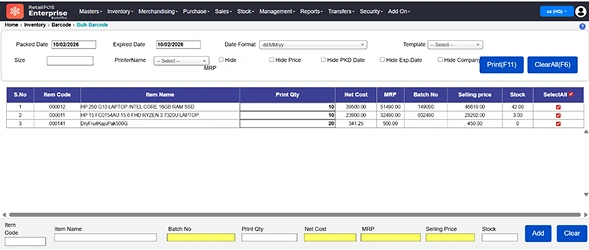
RetailPOS ERP enables built-in barcode generation for private labels and supports batch-wise EAN and barcode management to reduce manual errors across the supply chain. Generate unique barcodes centrally and link them directly to item, batch, expiry, MRP, and stock quantity.

With barcode scanning integrated into inward, stock audit, picking, and billing workflows, store staff can identify items instantly in their preferred language and ensure accurate inventory tracking across warehouses and multiple store locations.

Barcode-driven inventory accuracy at every touchpoint

Built-in controls for stock integrity and audit compliance

RetailPOS ERP enforces controlled inventory operations by routing all stock adjustments through configurable approval workflows. Any variance in physical stock, wastage, or corrections raised at store level is automatically logged and sent to headquarters for review.

With role-based approvals, managers can authorize stock-in, stock-out, and adjustments only after verification, creating a clear audit trail for every transaction. Real-time discrepancy reports and out-of-stock alerts help teams act quickly while ensuring inventory data remains accurate, traceable, and tamper-resistant across all locations.

Scale confidently with Uniprotech's RetailPOS
ERP built for retail verticals

Looking for a multi-store ERP solution designed for your specific retail business?
UniproTech’s RetailPOS ERP delivers industry-focused workflows that help retailers manage inventory,
billing, procurement, and reporting across multiple outlets with accuracy and control.
scale-confidently-with-vertical-specific-erp-solutions
retailpos-unipro-logo

Complete inventory control
with purpose-built mobile apps

Vector
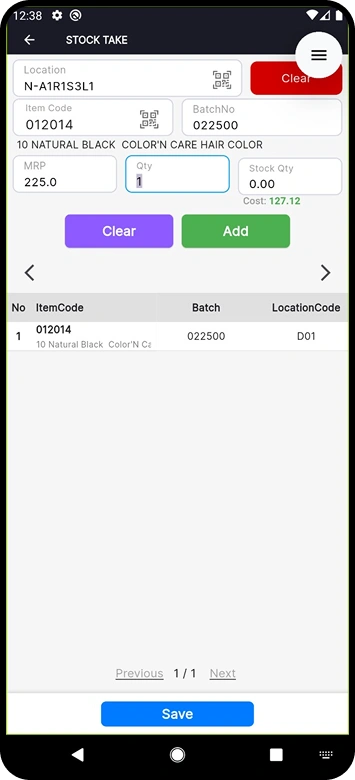
Run perpetual stock audits across multiple outlets and warehouses without shutting down billing or daily operations.
Vector
Perform live stock counting during business hours, instantly reconcile mismatches, and close audit gaps on the spot.
Vector
Assign audit tasks automatically based on staff availability to reduce audit effort and turnaround time.
Vector
Capture batch-wise counts using barcode scanning to improve audit accuracy across SKUs and locations.
Vector
Log damaged and expired inventory directly from mobile, enabling faster returns, write-offs, and automatic accounting updates.

Complete inventory control
with purpose-built mobile apps

complete-inventory-control-mobile-apps
Vector
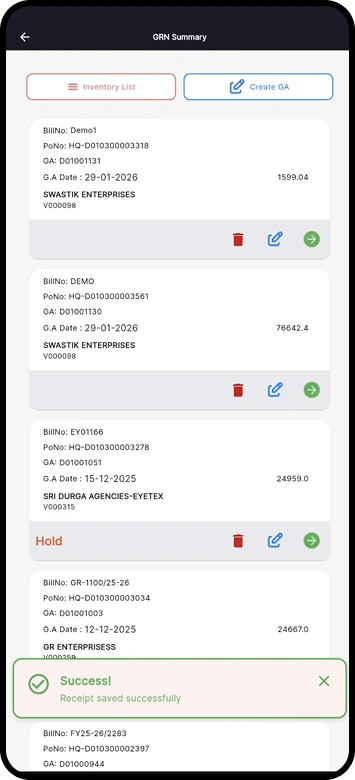
Create and receive purchase orders on the go. Map supplier invoices to GRNs and reconcile quantity or price variations directly from your mobile.
Vector
Inward stock faster using barcode scanning, so items move from godown to racks quickly and sales aren’t delayed.
Vector
Track purchase history and prices to make smarter buying decisions from anywhere.
Vector
Process purchase returns from the mobile app with real-time inventory updates and automatic adjustments in future purchases.
Vector
Simplify goods receipt for staff using parcel entry, and convert entries into proper GRNs later with full system control.

Complete inventory control
with purpose-built mobile apps

inventory-control-purpose-built-mobile-apps
Vector

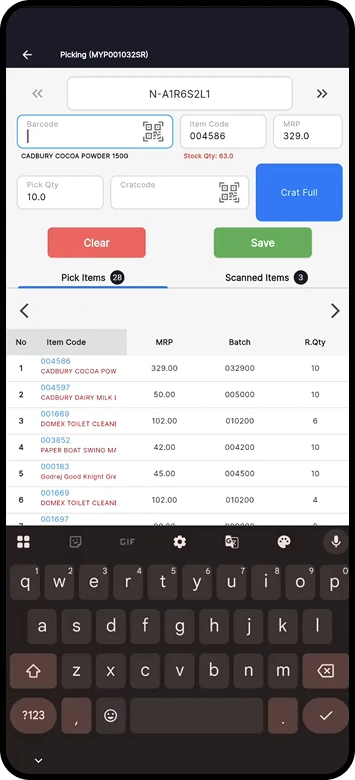
Pick multiple orders faster by consolidating common items across customer orders and reducing walking and picking time.

Vector
Improve picking accuracy with barcode scanning, ensuring the right batch and quantity are picked every time.
Vector
Track order picking status in real time, reassign tasks instantly based on staff availability and workload.
Vector
Automate picking workflows with smart task allocation so orders are fulfilled quickly with minimal supervision.
Vector
Handle orders from multiple sales channels through a single picking screen and deliver accurately every time.

Why Uniprotech's RetailPOS ERP is the right software for
multi-store inventory management

RetailPOS is built for retailers managing multiple stores, warehouses, and high-volume inventory. With RetailPOS, you can:
star-icon
Control inventory centrally from a head office or warehouse with complete visibility across all stores.
star-icon
Create centralized purchase orders, inward stock at warehouses, and distribute inventory to outlets efficiently.
star-icon
Control inventory centrally from a head office or warehouse with complete visibility across all stores.
star-icon
Manage stock transfers and allocations between multiple locations to ensure products are always available on time.
star-icon
Perform stock audits, stock picking, and material inwards accurately using dedicated mobile apps.
star-icon
Track waste, damage, batch, and expiry with real-time inventory updates to avoid losses and stockouts.
star-icon
Process returns from any outlet seamlessly while maintaining consistent inventory and pricing across locations.

Read a few success stories of efficient
inventory management

paarrever-stores-case-study

The rapid expansion of Paarrever Stores from 1 store to 9 in a short span reflects Kaleesuwari’s leadership strength and deep retail intuition. UniproTech’s RetailPOS suite provided the robust technological foundation needed for central control, operational accuracy, and scalable growth.

pasuparthy-super-market-case-study
The RetailPos ERP implementation at Pasuparthy Super Market has transformed operations across departments achieving higher accuracy, smoother workflows, better customer experiences, and faster financial reporting.


Pasuparthy is equipped to confidently expand into multiple outlets and compete effectively in the evolving retail landscape.
alagendran-supermart-case-study

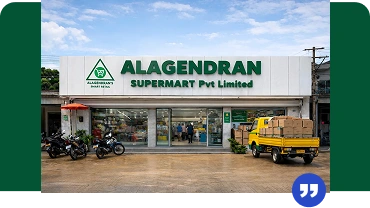
The ERP implementation at Alagendran Supermart has transformed how the business handles procurement, warehousing, retail sales, and operational control. With accurate, real-time data powering every decision, the business now operates with greater efficiency, transparency, and speed.

Why Uniiprotech's RetailPOS ERP is the right software for
multi-store inventory management

RetailPOS is built for retailers managing multiple stores, warehouses, and high-volume inventory. With RetailPOS, you can:
What is multi-store
inventory management?

Multi-store inventory management is the process of tracking, managing, and controlling inventory across multiple stores, warehouses, and sales channels from a single system. It ensures accurate stock visibility across all locations in real time.

Why is multi-store inventory
management important?

Multi-store inventory management is important because it provides real-time stock visibility, accurate demand forecasting, and controlled stock transfers between outlets. It helps businesses plan purchases in advance, avoid stockouts, and maintain consistent availability across stores.

What are the common challenges of
managing inventory in multiple locations?

Managing inventory across multiple locations often leads to limited real-time visibility, inaccurate demand planning, stock imbalance between stores, and higher operational costs. It can also increase logistics expenses during stock transfers and returns if inventory is not centrally controlled.

How does multi-store inventory management
help with demand forecasting?

Multi-store inventory management software captures outlet-wise sales, returns, transfers, and online order data at a granular level. By analyzing purchase history, seasonal trends, and current stock levels, businesses can forecast demand accurately and plan inventory efficiently.

How does multi-store inventory management software reduce inventory holding costs?

Multi-store inventory management software captures outlet-wise sales, returns, transfers, and online order data at a granular level. By analyzing purchase history, seasonal trends, and current stock levels, businesses can forecast demand accurately and plan inventory efficiently.

How can I track inventory in real time across all store locations?

RetailPOS uses cloud-based multi-location inventory management software to sync stock across all outlets in real time. Inventory updates happen instantly for sales, returns, transfers, and inward entries.
With mobile apps and barcode scanning, staff can update inventory from anywhere, ensuring faster transactions, accurate stock records, and centralized inventory control.

Can I manage stock transfers between outlets without manual updates?

Yes. RetailPOS automates inter-store stock transfers using centralized inventory rules. Stock movement between outlets is updated automatically without manual intervention.
The system supports smart stock allocation, auto-indents, and demand-based replenishment, ensuring the right stock reaches the right outlet at the right time.

How does the system prevent stockouts or overstocking at specific outlets?
RetailPOS allows you to define outlet-wise reorder points to automatically trigger stock requests when inventory reaches a minimum level. The system tracks real-time stock levels, suggests internal stock transfers, and helps balance inventory across locations—preventing both stockouts and excess inventory during demand fluctuations.
Can I set location-wise reorder levels and stock alerts?

Yes. RetailPOS enables location-wise minimum and maximum stock levels for each outlet. When stock reaches a critical threshold, the system triggers alerts automatically.
Based on these alerts, you can raise purchase orders, initiate stock transfers, or replenish inventory to maintain optimal stock levels across all stores.

Can I view consolidated and location-wise inventory reports in one dashboard?

Yes. RetailPOS provides a consolidated inventory dashboard that gives you a real-time view of stock across all stores and warehouses. You can also access location-wise inventory reports to drill down into outlet-level stock details.
The HQ dashboard is fully configurable, allowing you to pin key reports such as flash stock, stock value, aging, and movement reports for quick review and faster decision-making.

Will it support barcode-based inventory management across multiple stores?

Yes. RetailPOS supports barcode-based inventory management across multiple locations using batch-wise and item-level barcodes.

You can generate and print custom barcodes with EAN codes, include relevant product details, and use them across stores for faster billing, accurate stock audits, and reliable inventory tracking with minimal manual errors.The HQ dashboard is fully configurable, allowing you to pin key reports such as flash stock, stock value, aging, and movement reports for quick review and faster decision-making.

Is the system scalable if I add new locations or warehouses?

Yes. RetailPOS is built on a scalable, enterprise-ready architecture that grows with your business.

You can easily add new stores or warehouses, configure inventory rules, allocate stock centrally, and start operations in new locations without disrupting existing workflows.

Trusted by 10,000+ businesses across the globe

Retail POS Clients

Get started with Unipro Tech’s retail POS today!

Experience a free trial of Unipro Tech’s retail POS software and see how it simplifies billing, inventory,
and business operations.