Retail POS

Powered by Unipro Tech

Retail Inventory Management Systems Built for
Multi-Location Supermarkets and Retail Chains

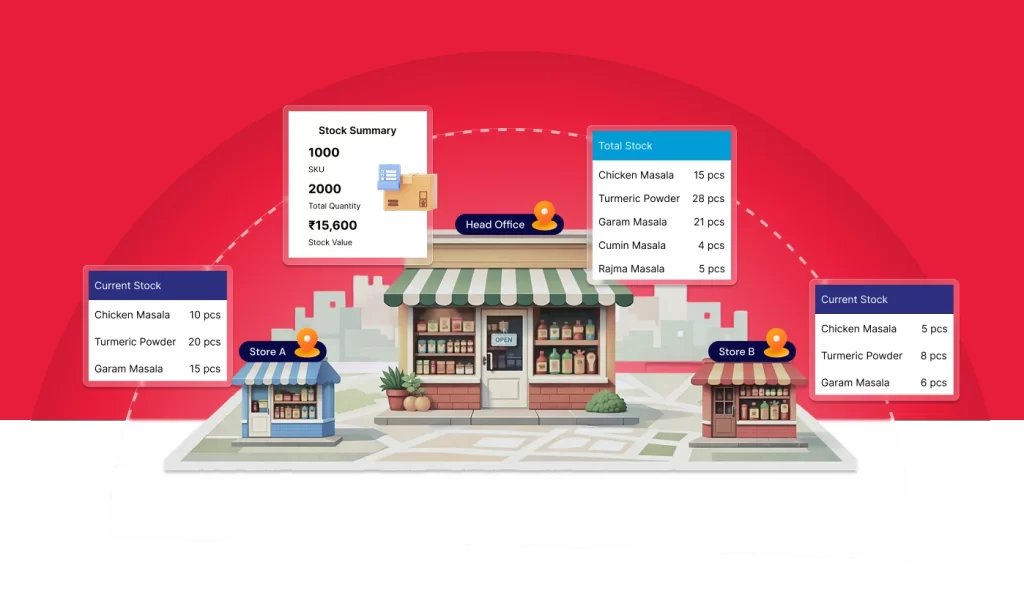
RetailPOS ERP is an advanced inventory management system for multi-location retail. Built for supermarkets,
FMCG retailers, and growing retail chains, it helps you manage inventory across outlets, track batches and expiry dates,
handle EAN and barcode-based stock, record damages, and optimize stock levels in real time from a centralized platform.
inventory-management-software-built-for multi-location-supermarkets-and-retail-chain-image

Some customers who found success with our

multi-store inventory management system

Kaveri Super Market

Location: Trichy
Business Type: Multi-Outlet Supermarket

Kurinji Metro Bazaar

Outlets Across: Trichy, Thanjavur, Mannargudi, Kumbakonam, and Mayiladuthura
Retail Format: Supermarket

Paarr Ever Supermarket

City: Chennai
Outlet Count: 13
Retail Format: Supermarket

How to Manage a Multi-Store Retail
Business with the Right Inventory
Management System

one

Centralize visibility across every location

RetailPOS ERP is a retail inventory management system built for supermarkets, FMCG retailers, and retail chains operating across multiple stores, warehouses, and locations. It helps businesses centralize inventory management, monitor real-time inventory levels, and control stock movement across all outlets from a single system.

fmcg-retailers
two

Track stock at the batch and expiry level

With RetailPOS, retailers can manage batch-wise inventory, track expiry dates, handle barcode and EAN-based stock, and maintain accurate inventory across multiple locations. The system supports store-to-store transfers, automated replenishment, and stock optimization to ensure shelves are refilled on time and stockouts are avoided.

retail-chains
three

Turn every transaction into a decision-ready record

By capturing every inventory transaction, purchase, inward, outward, transfer, return, and audit, RetailPOS improves inventory accuracy, increases data transparency, and enables better decision-making. This structured approach to retail chain inventory management helps retailers reduce losses, control margins, and achieve a higher ROI across all stores.

warehouses

Benefits of multi-store inventory management with RetailPOS

centralized-inventory-control-icon

Centralized
inventory control

Get centralized visibility across multiple stores and warehouses from one retail inventory management system. Track stock movement in real time and control inventory distribution based on demand across locations.

faster-order-fulfillment-icon

Faster order 

fulfillment

Enable faster order processing by managing inter-store transfers and warehouse dispatch efficiently. Reduce inventory holding days, receive items on time, and minimize expiry risks.
timely-stock-replenishment

Timely stock
replenishment

Monitor shelf-level and counter-level stock across outlets. Use sales trends to replenish stock at the right time, avoid stockouts, and maintain consistent customer availability.

Flexible bulk and 
unit repacking

Flexible bulk and
unit repacking

Record bulk inward stock at the warehouse and repack into smaller quantities based on outlet demand. Reduce frequent purchasing, optimize procurement costs, and prevent spoilage.

Reduced stockouts and overstocking

Reduced stockouts and
overstocking

Analyze sales patterns, track real-time stock movement, and plan optimal inventory levels using retail stock management software to avoid excess stock and shortages.

omnichannel-inventory-sync-icon

Omnichannel
inventory sync

Manage inventory across POS, online sales, and multiple channels with real-time stock synchronization. Set batch-wise pricing and ensure accurate stock availability for every sales channel.
Key features of multi-store inventory management

From Warehouse to Shelf, One Continuous Record

 Retail chains lose the most inventory accuracy at handoff points: warehouse to store, store to store, and shelf to till. RetailPOS’s retail store inventory software tracks stock as it moves through each stage, so a transfer initiated at the warehouse and received at an outlet updates both locations’ records simultaneously, not on a delayed batch sync.

batch-level-returns-and-wastage-tracking-across-stores

Batch and Expiry Tracking Built for FMCG-Scale Retail

For grocery, pharma, and FMCG retail chains, expiry management isn’t optional. RetailPOS’s inventory tracking pos capabilities log batch numbers and expiry dates at the point of inward, so aging stock is flagged automatically instead of discovered during a manual shelf check.

stop-inventory-leakage-from-returns-damage-and-expiry

Consolidated Purchasing, Distributed Fulfillment

Stock requirements from every outlet consolidate into centralized purchase orders. Goods are received at the warehouse, inspected, and repacked into outlet-wise quantities, keeping your retail inventory software aligned with actual store-level demand instead of each branch ordering independently.

turn-slow-moving-inventory-into-profitable-sales

Chain-Wide Reporting That Reaches Every Location

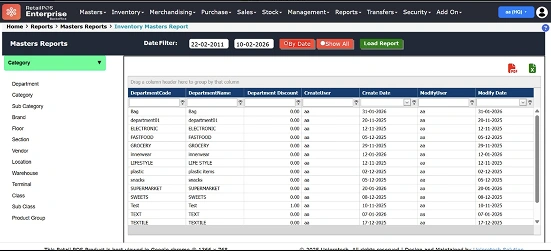
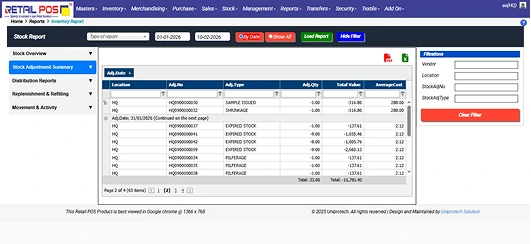
Real-time inventory and sales reports track opening stock, closing stock, stock-in, and stock-out across every store from one dashboard. Fast and slow-moving item reports, stock value, and category-level margins are visible chain-wide, not reconstructed outlet by outlet.

turn-inventory-data-into-actionable-business-insights

Scale Confidently with Retail ERP Built for Your Vertical

Looking for an inventory solution designed for your specific retail business?
Unipro Tech’s RetailPOS ERP delivers industry-focused workflows that help retailers manage inventory,
billing, procurement, and reporting across multiple outlets with accuracy and control.
scale-confidently-with-vertical-specific-erp-solutions
retailpos-unipro-logo

Complete inventory control
with purpose-built mobile apps

mobile-inventory-control-apps
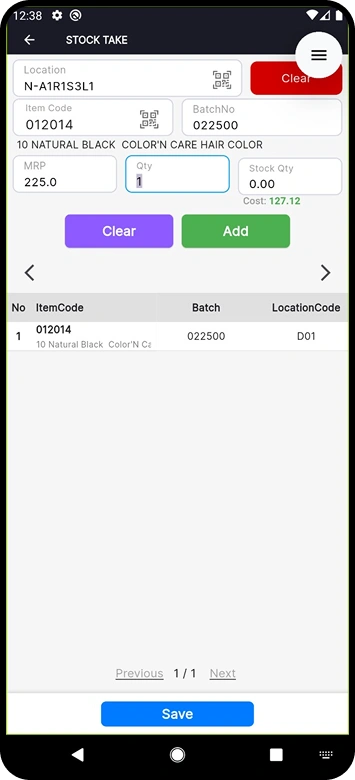
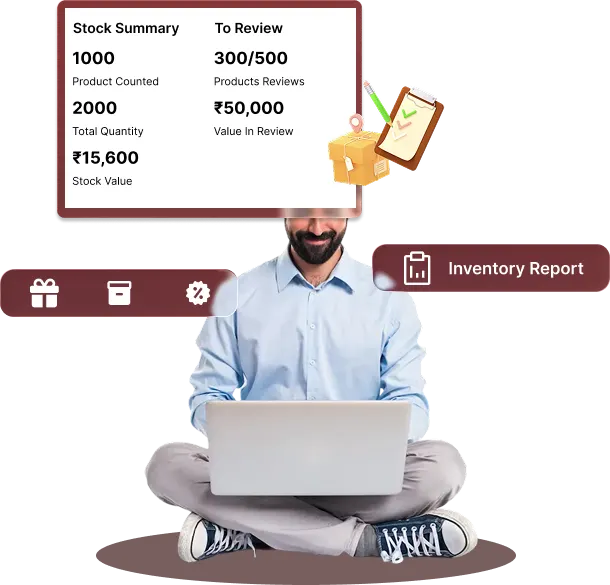
UniBolt StockTake: Perpetual Stock Audits Without Stopping Billing

Run perpetual stock audits across multiple outlets and warehouses without shutting down billing or daily operations. Perform live stock counting during business hours, instantly reconcile mismatches, and close audit gaps on the spot. Assign audit tasks automatically based on staff availability to reduce audit effort and turnaround time. Capture batch-wise counts using barcode scanning to improve audit accuracy across SKUs and locations, and log damaged or expired inventory directly from mobile for faster returns, write-offs, and automatic accounting updates.

Complete inventory control
with purpose-built mobile apps

complete-inventory-control-mobile-apps
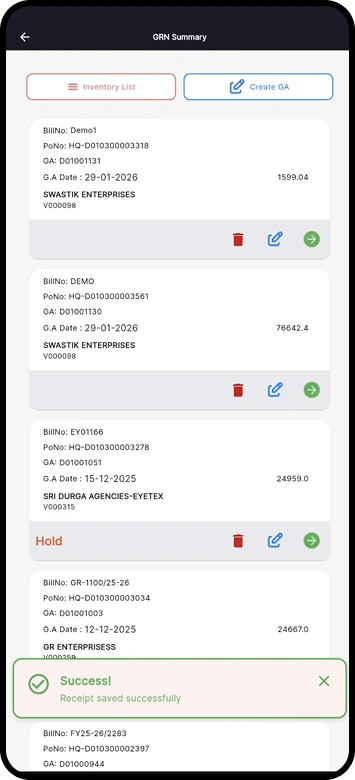
UniBolt GRN: Purchase Orders and Goods Receiving from Anywhere

Create and receive purchase orders on the go. Map supplier invoices to GRNs and reconcile quantity or price variations directly from your mobile. Inward stock faster using barcode scanning, so items move from godown to racks quickly and sales aren’t delayed. Track purchase history and prices to make smarter buying decisions from anywhere, process purchase returns with real-time inventory updates, and simplify goods receipt for staff using parcel entry, converting entries into proper GRNs later with full system control.

Complete inventory control
with purpose-built mobile apps

inventory-control-purpose-built-mobile-apps
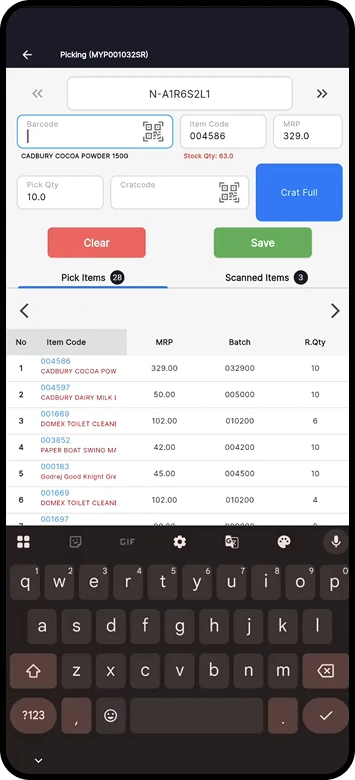
UniBolt StockPick: Faster, More Accurate Order Fulfillment

Pick multiple orders faster by consolidating common items across customer orders and reducing walking and picking time. Improve picking accuracy with barcode scanning, ensuring the right batch and quantity are picked every time. Track order picking status in real time, reassign tasks instantly based on staff availability and workload, and handle orders from multiple sales channels through a single picking screen for accurate fulfillment every time.

Why RetailPOS Is the Right Inventory
Management System for Retail Chains

RetailPOS is built for retailers managing multiple stores, warehouses, and high-volume inventory. With RetailPOS, you can:
Faster decision making with real-time retail dashboard
Control inventory centrally from a head office or warehouse with complete visibility across all stores
Faster decision making with real-time retail dashboard
Create centralized purchase orders, inward stock at warehouses, and distribute inventory to outlets efficiently
Faster decision making with real-time retail dashboard
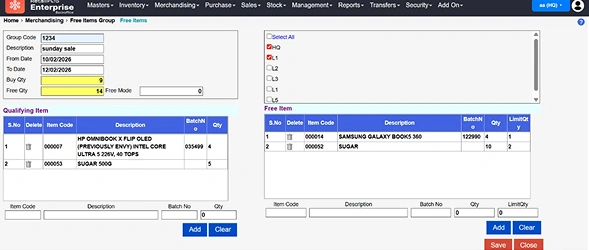
Manage stock transfers and allocations between multiple locations to ensure products are always available on time
Faster decision making with real-time retail dashboard
Perform stock audits, stock picking, and material inwards accurately using dedicated mobile apps
Faster decision making with real-time retail dashboard
Track waste, damage, batch, and expiry with real-time inventory updates to avoid losses and stockouts
Faster decision making with real-time retail dashboard
Process returns from any outlet seamlessly while maintaining consistent inventory and pricing across locations

Read a few success stories of efficient
inventory management

paarrever-stores-case-study

The rapid expansion of Paarrever Stores from 1 store to 9 in a short span reflects Kaleesuwari’s leadership strength and deep retail intuition. UniproTech’s RetailPOS suite provided the robust technological foundation needed for central control, operational accuracy, and scalable growth.

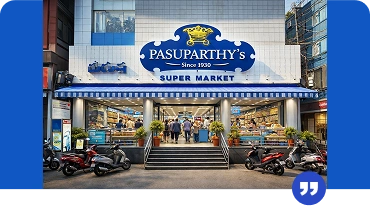
pasuparthy-super-market-case-study
The RetailPos ERP implementation at Pasuparthy Super Market has transformed operations across departments achieving higher accuracy, smoother workflows, better customer experiences, and faster financial reporting.


Pasuparthy is equipped to confidently expand into multiple outlets and compete effectively in the evolving retail landscape.
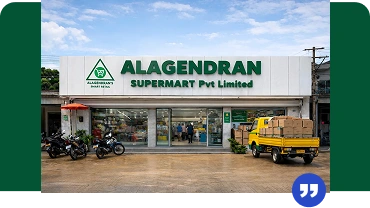
alagendran-supermart-case-study

The ERP implementation at Alagendran Supermart has transformed how the business handles procurement, warehousing, retail sales, and operational control. With accurate, real-time data powering every decision, the business now operates with greater efficiency, transparency, and speed.

Why Uniiprotech's RetailPOS ERP is the right software for
multi-store inventory management

RetailPOS is built for retailers managing multiple stores, warehouses, and high-volume inventory. With RetailPOS, you can:
question-mark
What is multi-store
inventory management?

Multi-store inventory management is the process of tracking, managing, and controlling inventory across multiple stores, warehouses, and sales channels from a single system. It ensures accurate stock visibility across all locations in real time.

question-mark
Why is multi-store inventory
management important?

Multi-store inventory management is important because it provides real-time stock visibility, accurate demand forecasting, and controlled stock transfers between outlets. It helps businesses plan purchases in advance, avoid stockouts, and maintain consistent availability across stores.

question-mark
What are the common challenges of
managing inventory in multiple locations?

Managing inventory across multiple locations often leads to limited real-time visibility, inaccurate demand planning, stock imbalance between stores, and higher operational costs. It can also increase logistics expenses during stock transfers and returns if inventory is not centrally controlled.

question-mark
How does multi-store inventory management
help with demand forecasting?

Multi-store inventory management software captures outlet-wise sales, returns, transfers, and online order data at a granular level. By analyzing purchase history, seasonal trends, and current stock levels, businesses can forecast demand accurately and plan inventory efficiently.

question-mark
How does multi-store inventory management software reduce inventory holding costs?

By keeping stock levels visible across every location in real time, RetailPOS reduces the need for each outlet to hold excess safety stock “just in case.” Centralized purchasing and inter-store transfers mean surplus stock at one location can fulfill demand at another instead of triggering a fresh purchase order, reducing both holding costs and capital tied up in slow-moving inventory.

question-mark
How can I track inventory in real time across all store locations?

RetailPOS uses cloud-based multi-location inventory management software to sync stock across all outlets in real time. Inventory updates happen instantly for sales, returns, transfers, and inward entries.
With mobile apps and barcode scanning, staff can update inventory from anywhere, ensuring faster transactions, accurate stock records, and centralized inventory control.

question-mark
Can I manage stock transfers between outlets without manual updates?

Yes. RetailPOS automates inter-store stock transfers using centralized inventory rules. Stock movement between outlets is updated automatically without manual intervention.
The system supports smart stock allocation, auto-indents, and demand-based replenishment, ensuring the right stock reaches the right outlet at the right time.

question-mark
How does the system prevent stockouts or overstocking at specific outlets?
RetailPOS allows you to define outlet-wise reorder points to automatically trigger stock requests when inventory reaches a minimum level. The system tracks real-time stock levels, suggests internal stock transfers, and helps balance inventory across locations—preventing both stockouts and excess inventory during demand fluctuations.
question-mark
Can I set location-wise reorder levels and stock alerts?

Yes. RetailPOS enables location-wise minimum and maximum stock levels for each outlet. When stock reaches a critical threshold, the system triggers alerts automatically.
Based on these alerts, you can raise purchase orders, initiate stock transfers, or replenish inventory to maintain optimal stock levels across all stores.

question-mark
Can I view consolidated and location-wise inventory reports in one dashboard?

Yes. RetailPOS provides a consolidated inventory dashboard that gives you a real-time view of stock across all stores and warehouses. You can also access location-wise inventory reports to drill down into outlet-level stock details.
The HQ dashboard is fully configurable, allowing you to pin key reports such as flash stock, stock value, aging, and movement reports for quick review and faster decision-making.

question-mark
Will it support barcode-based inventory management across multiple stores?

Yes. RetailPOS supports barcode-based inventory management across multiple locations using batch-wise and item-level barcodes.

You can generate and print custom barcodes with EAN codes, include relevant product details, and use them across stores for faster billing, accurate stock audits, and reliable inventory tracking with minimal manual errors.The HQ dashboard is fully configurable, allowing you to pin key reports such as flash stock, stock value, aging, and movement reports for quick review and faster decision-making.

question-mark
Is the system scalable if I add new locations or warehouses?

Yes. RetailPOS is built on a scalable, enterprise-ready architecture that grows with your business.

You can easily add new stores or warehouses, configure inventory rules, allocate stock centrally, and start operations in new locations without disrupting existing workflows.

Trusted by 10,000+ businesses across the globe

Logos of retail chains and supermarkets using RetailPOS

Get started with Unipro Tech’s retail POS today!

Experience a free trial of Unipro Tech’s retail POS software and see how it simplifies billing, inventory,
and business operations.