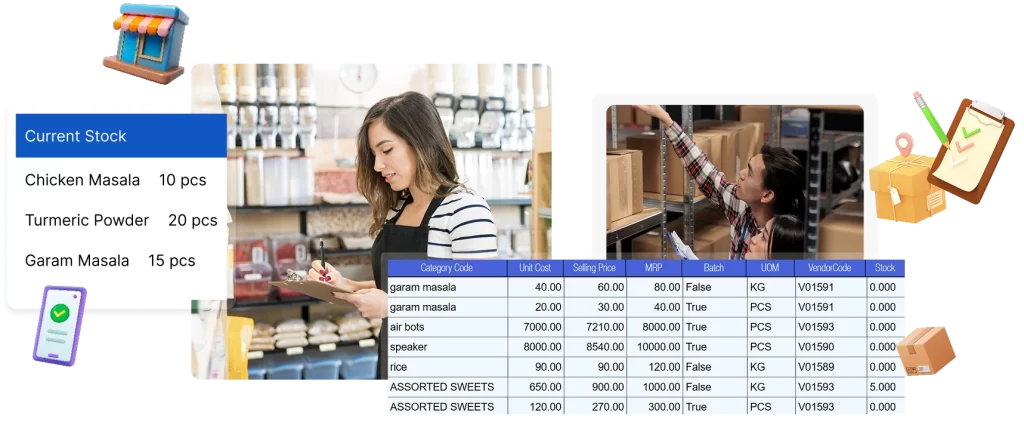
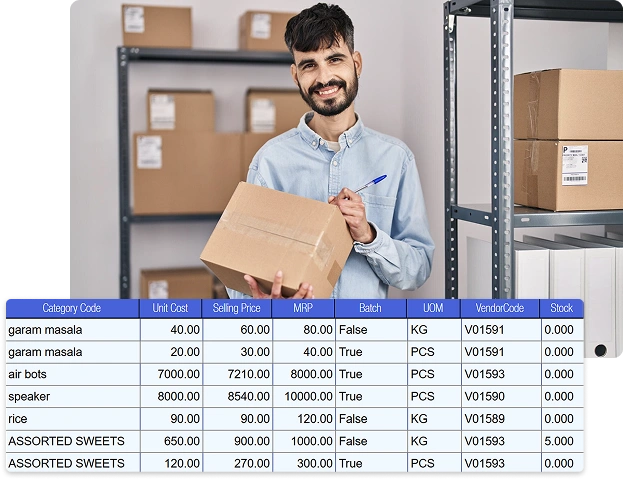
Inventory Management Software for Supermarkets, Hypermarkets & Multi-Store Retail Chains

Inventory Control Built for the Way Supermarkets Actually Operate
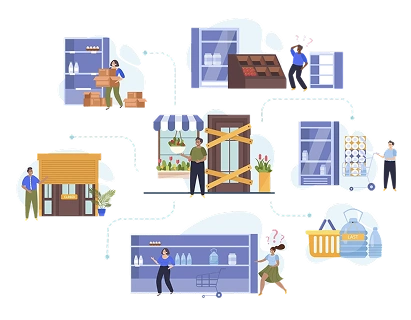
Running a supermarket or a multi-store chain on spreadsheets and manual stock registers isn’t just inefficient. It’s expensive. Every miscounted carton, every expired batch you didn’t catch in time, and every emergency purchase order eats directly into your margin.
Inventory management software fixes this by giving you one connected system from purchase entry to billing. Stock levels update in real time, movement is tracked across every counter and location, and reordering happens automatically before shelves run empty, not after customers notice.
For enterprise retailers managing thousands of SKUs across multiple outlets, that shift from reactive firefighting to proactive control is what separates a chain that scales profitably from one that scales into chaos.

The Real Cost of Manual Stock Tracking
As a supermarket or retail chain grows past a handful of stores, manual stock tracking stops being a minor inconvenience and starts becoming a structural risk. Head office loses visibility, stores drift out of sync, and decisions get made on outdated numbers.
Stock management software solves this by giving every store, and head office, the same real-time picture of what’s on the shelf, what’s in transit, and what needs to be reordered. That visibility translates directly into fewer lost sales, healthier cash flow, and a leaner working capital position.
RetailPOS was built specifically for this scale of complexity. It keeps every counter and every outlet in sync, so growth doesn’t come at the cost of control.
- Real-time stock visibility across every store, not just head office
- Faster inward entry, stock-taking, and inter-store transfers
- Fewer manual errors and less shrinkage from mismatched counts
- Automated replenishment alerts before stockouts happen
- Sharper supplier and purchase planning based on real demand
- Higher cashier and store-floor productivity
- Centralised control built for multi-store and multi-warehouse chains
- Clear, decision-ready reports instead of raw data dumps

Why Retailers Rely on Inventory Management Software

Live Stock Visibility Across Stores
Get one accurate, up-to-the-minute view of stock across every outlet. When system stock and shelf stock stay in sync, ordering gets sharper, out-of-stock complaints drop, and store managers stop second-guessing the numbers.

Batch and Expiry Tracking Built Into Daily Operations
Track batches and expiry dates as part of your normal workflow, not as a separate compliance chore. Retailers who manage expiry at the system level consistently see lower product write-offs and tighter shelf discipline, a must for grocery and FMCG categories.

Demand Forecasting That Replaces Guesswork
Turn your own sales history into a forecasting engine. By spotting real movement patterns, RetailPOS helps you avoid overstocking slow sellers and running out of fast movers, freeing up working capital that's otherwise trapped in the wrong stock.

Fewer Errors Through Barcode-Led Processes
Barcode-based inward, outward, and audit workflows remove manual entry from the equation almost entirely. The result is cleaner inventory accuracy across departments and far less time spent chasing reconciliation errors.

Scalable Control for Multi-Store Operations
Run inventory for 5 outlets or 500 from a single system, without losing store-level detail. Centralised control means faster decisions at head office and consistent stock availability as you open new locations.

Purchase Planning That Reflects Real Demand
Reorder points and purchase suggestions are calculated from actual movement, not static assumptions set once and forgotten. That means fewer emergency orders, less capital tied up in dead stock, and purchasing decisions your CFO will actually like.
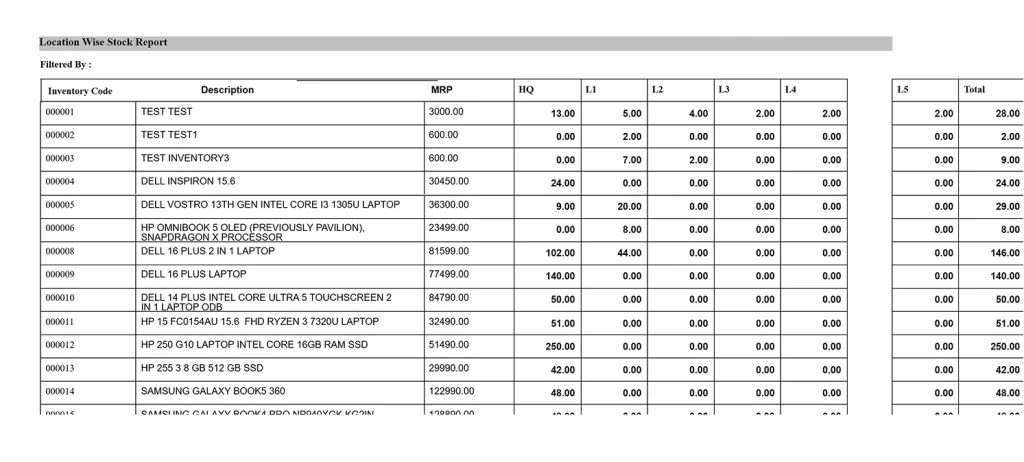
Key features of inventory management software
Multi-Store Inventory Control That Actually Stays in Sync
For a retail chain, the hardest part of scaling isn't opening a new store. It's keeping that store's inventory in sync with everyone else's. RetailPOS captures every sale, inward entry, transfer, return, and adjustment as it happens, so all connected outlets work off the same live numbers instead of waiting for an end-of-day reconciliation.

How it works:
Inventory updates are captured at the exact point of activity: billing counters, receiving docks, transfers, and returns, and pushed automatically across every connected store. There's no manual sync step and no spreadsheet consolidation to wait on.
Operational impact
- Far fewer stock mismatches between stores and head office
- No more manual consolidation eating into someone’s day
- Faster response when one store is short and another is overstocked
Real-world result:
A growing grocery chain used central inventory visibility to rebalance stock between its own outlets instead of raising emergency purchase orders, cutting stockouts during peak periods without adding a single rupee of extra inventory.
Barcode, Batch & Expiry Control Built for Daily Retail, Not Just Audit Day
RetailPOS treats barcode, batch, and expiry tracking as part of everyday store activity, not a once-a-month compliance exercise. Every SKU is scanned at inward, billing, transfer, and audit, so stock accuracy holds from the moment goods arrive to the moment they're sold. Batch number, expiry date, MRP, and cost are captured once and carried through automatically. No re-keying, no duplicate entry, no last-minute surprises during reconciliation.

How it works:
Store teams scan items during inward, billing, or audits. RetailPOS records batch, expiry, and pricing data at the source and carries it consistently through inventory, billing, and reporting.
Operational impact
- Significantly fewer manual entry errors
- Reliable batch-level visibility across every outlet
- Lower expiry write-offs through earlier identification
- Cleaner, faster audits with a traceable stock history
Real-world result:
A multi-outlet grocery and FMCG retailer used RetailPOS to spot near-expiry stock early across locations, redistribute it proactively, and avoid the desperate last-minute discounting that usually eats into margin at month end.
Intelligent Reordering Based on How Products Actually Move
Static reorder rules break the moment your business grows past a few stores. RetailPOS instead analyses real sales velocity, lead times, and store-level consumption to recommend reorder points that reflect actual demand, not assumptions set once and never revisited.

How it works:
The system continuously evaluates historical sales and recent trends at SKU and store level, calculates practical reorder points against defined thresholds, and flags what needs attention, so managers review and approve instead of analysing spreadsheets from scratch.
Operational impact
- Fewer panic-driven emergency purchase orders
- Less capital tied up in slow-moving stock
- More predictable stock availability across every outlet
- Better use of working capital tied to inventory
Real-world result:
A multi-store grocery retailer aligned purchasing with actual sales velocity across locations using RetailPOS reorder insights, reducing last-minute replenishment scrambles during high-demand periods without increasing total inventory holding.
Mobile-Led Stock Audits That Don't Shut Down Your Store
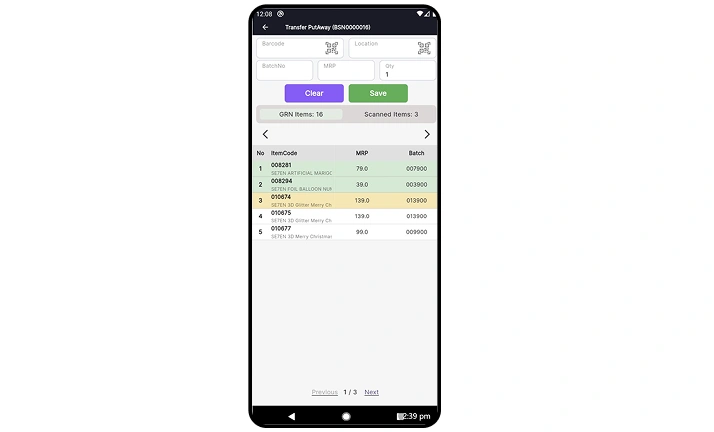
Traditional stock audits mean closing a store or pulling an overnight shift. RetailPOS lets teams count inventory on the floor during business hours using mobile devices, with mismatches flagged in real time so issues get resolved the same day instead of weeks later.

How it works:
Staff scan products with mobile devices during counts. RetailPOS instantly compares physical quantities against system stock and flags differences on the spot, so supervisors can review and approve corrections immediately.
Operational impact
- Faster audits without closing counters
- Stock variances caught early, not after the fact
- Less dependence on after-hours counting
- Cleaner reconciliation with fewer surprise adjustments
Real-world result:
A multi-outlet grocery retailer shifted from overnight stock counts to in-store audits during low-traffic hours using RetailPOS, cutting weekly audit effort and letting store managers fix stock issues before they hit replenishment or billing.
Fast, Accurate Order Picking & Fulfilment at Retail Scale
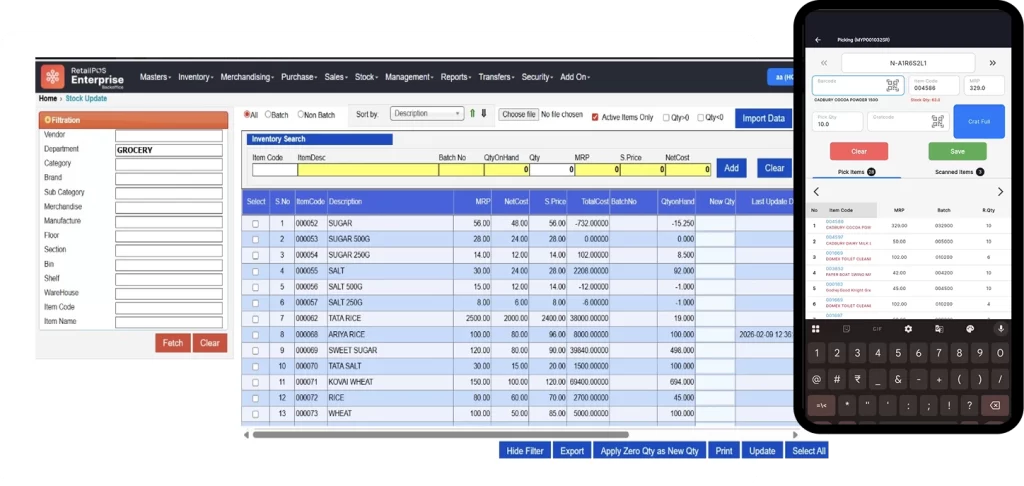
Built for high-volume grocery, supermarket, and hypermarket operations, RetailPOS streamlines how orders are picked, verified, and dispatched, whether that's internal store transfers, bulk B2B orders, or online fulfilment. Live inventory visibility combined with scan-based verification means what gets picked is what gets shipped, every time.

How it works:
Orders are auto-grouped by priority or location. Staff pick by barcode scan while RetailPOS verifies SKU and quantity in real time.
Operational impact
- Faster picking during peak-hour rushes
- Near-zero dispatch errors
- More fulfilment capacity without adding headcount
Real-world result:
A multi-store grocery chain improved order turnaround time and cut picking mistakes during high-volume periods with scan-based fulfilment.
Actionable Inventory Insights & Operational Analytics
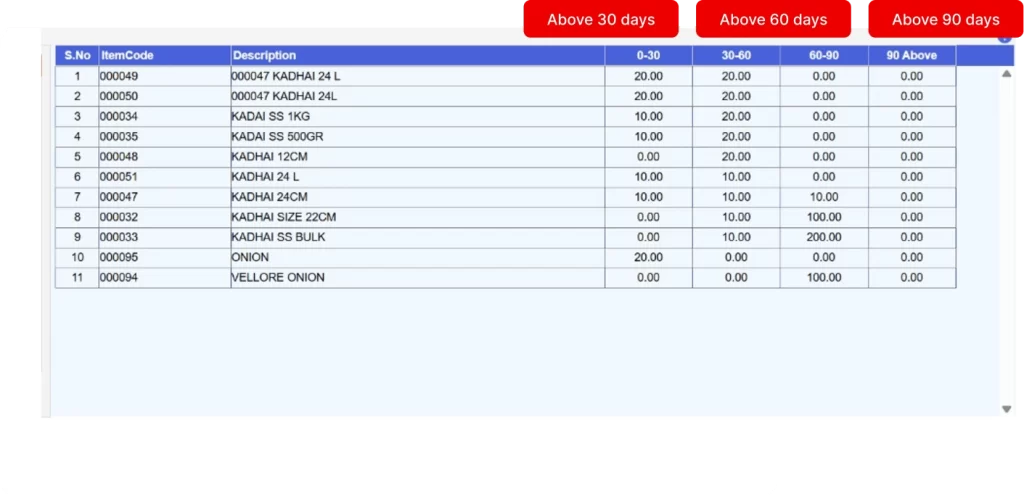
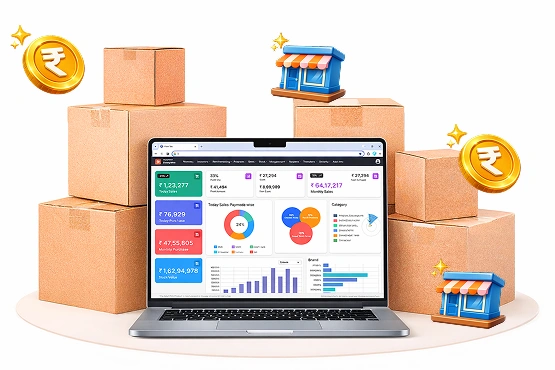
Get clear visibility into stock ageing, fast and slow moving SKUs, stock cover days, outlet-wise performance, and margin trends, without building a single manual report.

How it works:
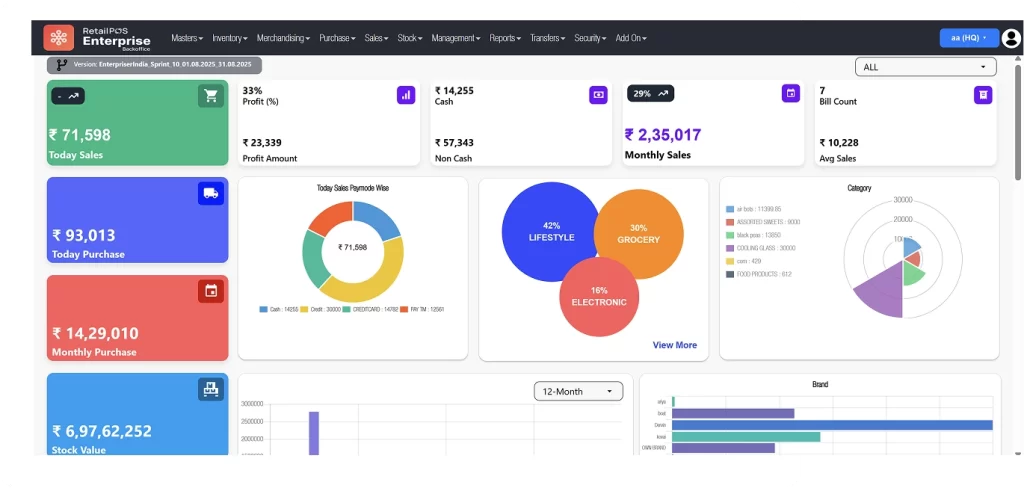
Inventory data is captured at the point of every activity, including billing, receiving, transfers, and returns, and flows automatically into live dashboards, so reporting is always current, never a weekly export job.
Operational impact
- Stock decisions based on current data, not last month’s spreadsheet
- Early visibility into dead stock and ageing inventory before it becomes a write-off
- Outlet-level performance comparisons that inform where to invest next
Real-world result:
A growing grocery chain used real-time analytics to spot underperforming outlets early and reallocate stock and promotions accordingly, rather than waiting on quarter-end reviews.
Real Results From Retailers Running RetailPOS

From 1 store to 9 in a short span, Paarrever Stores scaled with RetailPOS as the operational backbone behind central control, inventory accuracy, and repeatable growth.

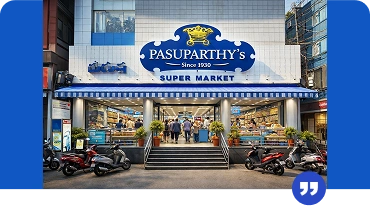
RetailPOS ERP transformed operations across departments with sharper accuracy, smoother workflows, better customer experience, and faster financial reporting, positioning Pasuparthy to expand confidently into new outlets.

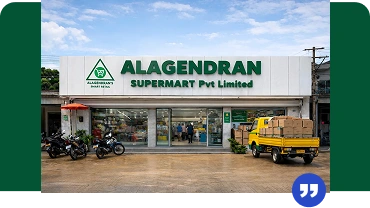
With real-time data now powering procurement, warehousing, and retail sales, Alagendran Supermart runs with greater efficiency, transparency, and speed than manual processes ever allowed.
How to choose the best inventory management software
Pricing & cost of inventory management software
What Does Inventory Management Software Actually Cost?
Pricing for inventory management software isn’t really about user counts. It’s about operational complexity. For grocery, FMCG, and multi-outlet retailers, the real cost drivers are outlet count, transaction volume, inventory depth, and how much automation you need across stores and warehouses.
RetailPOS, from UniproTech Solutions, uses a modular, scale-ready pricing model built to grow alongside your business, not force a costly re-platform two years in.

Why choose UniproTech's inventory management software


Streamline Everyday Operations With Accuracy and Consistency
Evaluate RetailPOS before you commit. Explore automated replenishment, stock tracking, batch control, and reporting without heavy setup costs or long training cycles. It's built for real retail floors, not sales demos.
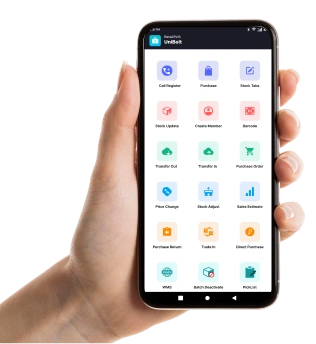

Manage Stock From Anywhere, on Any Device
Whether you're on the shop floor, at head office, or on the move, RetailPOS keeps your inventory data live and accessible. Continuous stock audits, instant inward updates, barcode scanning at billing, and real-time refills all run through apps designed for busy teams managing complex retail environments.


Make Decisions With Clarity, Not Guesswork
RetailPOS doesn't just show you numbers. It helps you act on them. Get a clear view of stock movement, ageing products, reorder needs, and pricing impact across outlets and categories, with dashboards built to help you cut stockouts, prevent excess inventory, and protect margin as demand shifts.


Start Strong With Minimal Upfront Commitment
Test the essentials, including automated replenishment, stock tracking, batch control, and reporting, before scaling up. No forced heavy setup, no lengthy onboarding just to see if it fits your operation.

A Platform Built for Real Retail Conditions
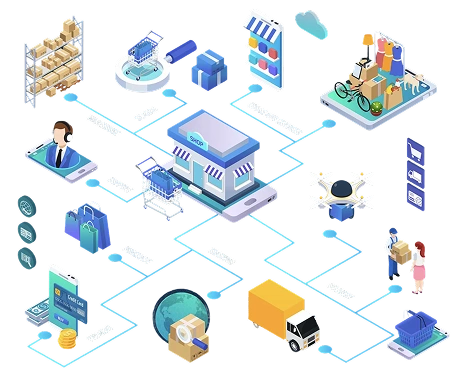
Peak-hour rushes, staff turnover, connectivity drops, and multi-store complexity aren't edge cases. They're daily reality for supermarkets and chains. RetailPOS is engineered to hold up under exactly these conditions, with reliable uptime and deep integration across billing, purchase, fulfilment, and reporting, so it supports both day-to-day operations and long-term growth.
Trusted by Multi-Outlet Retailers
Kaveri Super Market
Location: Trichy Business Type: Multi-Outlet Supermarket
Kurinji Metro Bazaar
Outlets Across: Trichy, Thanjavur, Mannargudi, Kumbakonam, and Mayiladuthura Retail Format: Supermarket
Paarr Ever Supermarket
City: Chennai Outlet Count: 13 Retail Format: Supermarket
Overview of Inventory Management System - RetailPOS ERP
What is inventory management software?
Inventory management software is the operational backbone that helps retailers track, control, and plan stock across stores and warehouses in real time. In RetailPOS ERP by UniproTech, inventory isn’t a standalone module. It’s directly connected to billing, purchasing, audits, transfers, pricing, and analytics, so every stock movement reflects instantly across the entire system. That connection is what reduces manual errors, prevents stock mismatches, and keeps store teams, operations managers, and head office working from the same numbers.
How does RetailPOS ERP help growing retail businesses get started?
RetailPOS ERP is designed to scale with you, not ahead of you. Most retailers start with core capabilities such as billing, stock tracking, and barcode management, and expand into multi-store control, automated reordering, mobile audits, and analytics as operations grow. That lets you validate real-world usage, including daily billing, inward entries, returns, audits, and transfers, before committing to deeper automation.
How do grocery and FMCG retailers use RetailPOS inventory management?
Grocery and FMCG retailers run on thin margins, high volumes, and fast-moving stock, which leaves little room for error. RetailPOS ERP helps these businesses track batch-wise and expiry-based inventory, monitor fast and slow moving SKUs, reduce expiry losses and over-ordering, control shrinkage through regular audits, and maintain shelf availability during peak hours. Because inventory movement is directly tied to billing and sales data, retailers get tighter control without slowing down the checkout line.
What is demand forecasting in RetailPOS ERP?
Demand forecasting in RetailPOS ERP uses past sales trends, seasonal patterns, and outlet-level consumption to project future stock requirements, instead of relying purely on fixed reorder levels. That means fewer stockouts during high-demand periods, less excess inventory sitting in slow categories, and purchasing plans that are more accurate across every outlet, all of which improves working capital efficiency without sacrificing service levels.
How does multi-store inventory management work in RetailPOS ERP?
RetailPOS ERP centralises inventory control across every store and warehouse in your network. You can view outlet-wise stock availability in real time, transfer stock between stores based on actual demand, track inward, outward, and returns centrally, and generate both consolidated and store-level reports. The result is consistency across locations, with no more scenario where one store is overstocked while another runs empty.
What are the key features of inventory management in RetailPOS ERP?
RetailPOS ERP supports the full inventory lifecycle: real-time stock tracking across stores and warehouses, demand-based reorder planning built on historical sales and movement patterns, barcode-enabled control for billing, inward, audits, and picking, multi-store and multi-warehouse visibility from a single system, purchase management with reorder thresholds and vendor workflows, physical stock audits via mobile or desktop tools, and mobile access for audits, approvals, and operational checks. These features work together as one system, not as disconnected modules, which is what reduces manual intervention and improves accuracy as you scale.
Is RetailPOS ERP suitable for small and mid-sized retailers?
Yes. RetailPOS ERP supports single-store retailers as well as growing chains, with simple setups for standalone stores, gradual expansion into multi-store operations, and custom workflows that match your business’s actual complexity. As you grow, the same system adapts with you, with no forced migrations and no operational resets.
What is the cost of inventory management software in RetailPOS ERP?
Cost depends on the number of stores and warehouses, the modules and integrations you need, and your required level of automation and reporting. RetailPOS ERP uses a scalable pricing model, so you pay for what your operation actually needs rather than a fixed bundle, making it viable for both small retailers and large, high-volume formats.
Can RetailPOS ERP be used on mobile devices?
Yes. RetailPOS ERP supports mobile-first operations for stock audits, barcode scanning, approvals and validations, and general operational checks, so store teams can handle inventory tasks directly on the floor without disrupting daily operations.
How does barcode scanning work in RetailPOS ERP?
RetailPOS ERP uses barcode scanning throughout purchase, billing, audits, and stock movement, enabling faster and more accurate stock entry, fewer manual errors, real-time stock updates, and better SKU-level traceability. Barcode-based workflows are core to the platform, particularly for retailers managing large SKU counts.
Why do retailers choose RetailPOS ERP for inventory management?
Retailers choose RetailPOS ERP because it adapts to how stores actually run, across different formats, varying staff skill levels, peak-hour pressure, and real-world exceptions, rather than forcing rigid processes onto the business. That operational flexibility, paired with strong inventory control, is what helps retail chains run consistently as they scale.
Trusted by 10,000+ businesses across the globe