
Powered by Unipro Tech
Retail Systems POS: The Complete Guide to Point of Sale Systems for Indian Retail Businesses in 2026
A complete educational and buying guide for retail store owners, supermarket operators, apparel businesses, and multi-outlet chain managers across India
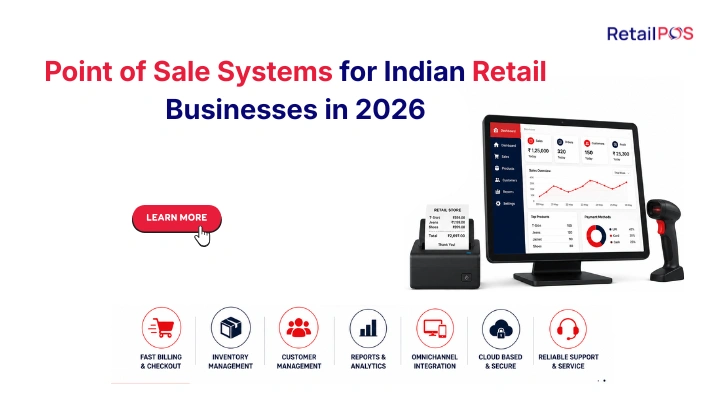
Section 1: What Is a Retail POS System and What Does It Actually Do
A retail POS system, short for Point of Sale system, is the software and in some cases hardware that a retail business uses to process sales transactions and manage the operations connected to those transactions. In its most basic form, a retail POS system replaces the cash register. In its most complete form, it becomes the operational backbone of the entire retail business.
The term retail systems POS covers a wide spectrum of products in India in 2026, ranging from a free billing application on a tablet that a kirana store uses to print invoices, to an enterprise retail management platform that connects 50 outlets across multiple states to one centralised management dashboard in real time. Both are technically retail POS systems. What they make possible for the businesses using them is completely different.
Understanding what a retail POS system actually does at each level of sophistication is the starting point for making the right software decision for your specific retail business.
At the most basic level, a retail POS system:
- Processes a sale transaction at the billing counter
- Generates a GST-compliant invoice for the customer
- Records what was sold, at what price, with what discount
- Accepts payment in cash, card, UPI, or wallet
- Provides an end-of-day sales summary
At the intermediate level, a retail POS system additionally:
- Tracks inventory and updates stock counts automatically after every sale
- Manages customer records and loyalty programmes
- Generates GST returns from transaction data
- Provides daily, weekly, and monthly sales reports
- Manages supplier purchases and goods receipt
At the enterprise level, a retail POS system additionally:
- Connects multiple outlets to one centralised database in real time
- Pushes pricing and promotions from head office to all outlets simultaneously
- Manages inter-outlet stock transfers with full documentation
- Provides a live dashboard showing all outlets’ performance simultaneously
- Generates consolidated GST compliance for the entire chain automatically
- Tracks customers and loyalty across every outlet in the chain
Most retail businesses in India start at the basic level and find, as they grow, that the system they chose is no longer adequate for the operational complexity they are managing. Understanding the full spectrum from the beginning saves the cost and disruption of migrating to a more capable system mid-growth.
Section 2: How a Retail POS System Works: From Barcode Scan to Business Intelligence
Understanding the mechanics of how a retail POS system works helps retail owners make better decisions about which system is right for their business format and scale.
The transaction workflow in a retail POS system:
Step | What Happens in the System | What the Customer Experiences |
Product scan | Barcode scanned, product identified, price and GST rate loaded automatically | Fast, accurate item loading at the counter |
Quantity and discount | Quantity confirmed, any applicable promotion or discount applied | Correct price with any offer applied visibly |
Payment processing | Payment mode selected, amount recorded, change calculated if cash | Fast, accurate payment acceptance |
Invoice generation | GST-compliant invoice generated with correct HSN code and tax amount | Clean, professional invoice in hand or via WhatsApp |
Inventory update | Stock count for every item sold deducted from inventory database immediately | Not visible to customer but critical for chain operations |
Loyalty update | Customer’s loyalty points credited based on purchase value | Points balance updated, customer informed |
Reporting feed | Transaction data feeds into daily sales report, GST record, and analytics | Not visible to customer, enables management decisions |
In a multi-outlet system, the inventory update and reporting feed steps are what distinguish an enterprise retail POS from a single-store system. In a basic system, these updates happen only in the local outlet’s database. In an enterprise system, they update a centralised database shared by every outlet in the chain, instantly, so that management can see what is happening across the entire business in real time.
Section 3: The Four Types of Retail POS Systems in India and Who Each One Is For
The Indian retail POS market in 2026 offers four meaningfully different types of systems. Understanding which type serves which retail format prevents the costly mistake of choosing the wrong category of system.
Type | What It Is | Best For | Key Limitation |
Basic billing application | A lightweight app for generating invoices and tracking basic stock | Single-outlet kirana stores, small specialty shops, and first-time retail businesses | Cannot support genuine multi-outlet management, limited reporting, often no offline capability |
Accounting-based POS | Accounting software (like Tally) with a billing module added | Businesses where financial accounting is the primary need | Retail operations are secondary, no chain management capability, slow at high-volume billing counters |
Sector-specific POS adapted for retail | Restaurant, pharmacy, or distribution software that has been extended to cover general retail | Businesses that started in one sector and expanded to retail | Not optimised for retail-specific workflows, variant management, or seasonal retail patterns |
Purpose-built retail POS and ERP | A system designed from the ground up specifically for Indian retail chain operations | Supermarket chains, apparel chains, electronics retailers, pharmacy chains, and any multi-outlet retail business | Higher implementation investment than basic billing apps, more powerful than a single-outlet business typically needs |
The critical insight: Most retail businesses in India outgrow their initial basic billing application by the time they reach their second or third outlet. The cost of migrating to a more capable system after the chain has grown to five outlets, with all the data migration, staff retraining, and operational disruption this involves, is far higher than choosing a scalable system at two outlets. The right time to evaluate enterprise-grade retail POS software is before you need it, not after the limitations of your current system have already created operational problems.
Section 4: The Core Features Every Retail POS System Must Have in 2026
Regardless of store type, scale, or retail category, every retail POS system in India in 2026 must deliver these baseline capabilities reliably.
4.1 Fast, Accurate Billing at the Counter
The billing counter is where the customer experience is made or broken. A POS system that is slow to load products, prone to errors on barcodes, or unreliable during peak hours directly costs revenue and customer loyalty. Billing speed is not a luxury feature. It is the minimum acceptable baseline.
What fast, accurate billing requires:
- Barcode scanning that loads product information in under one second
- Price and GST rate applied automatically with no manual selection required
- Promotional discounts calculated and applied automatically
- All payment modes including UPI, card, cash, and wallet processed seamlessly
- Receipt generated and delivered digitally via WhatsApp or printed instantly
4.2 Full Offline Capability
India’s retail environment does not guarantee reliable internet connectivity in every location. Older commercial areas in Chennai, Kochi, Hyderabad, and smaller towns across every state experience connectivity interruptions that a cloud-only POS system converts into billing counter failures. A retail POS system that cannot operate at full speed without internet access is a business risk at exactly the moments when you need it most.
Every retail POS system must:
- Process sales at full speed with no internet connection
- Update inventory, apply promotions, and accept all payment modes offline
- Synchronise all offline transactions to the cloud automatically when connectivity returns
- Lose zero transactions during any connectivity interruption
4.3 GST Compliance Built Into Every Transaction
GST compliance is not optional for any retail business above the registration threshold. The right retail POS system builds compliance into the transaction workflow so that every invoice is automatically correct, HSN codes are applied without manual selection, and monthly GSTR reports are generated from transaction data rather than compiled manually.
GST requirements in a retail POS:
Compliance Requirement | What the System Must Do |
Correct GST rate application | Apply the right rate automatically based on product HSN code, no manual selection |
HSN code mapping | Map every product to its correct HSN code at the product master level |
GSTR-1 generation | Generate GSTR-1 report directly from transaction data |
GSTR-3B generation | Generate GSTR-3B summary from the same transaction data |
E-invoice generation | Generate IRN-validated e-invoices for qualifying B2B transactions automatically |
E-way bill generation | Create e-way bills within the billing workflow for qualifying deliveries |
Credit note generation | Correctly generate and account for returns and credit notes |
4.4 Real-Time Inventory Management
Inventory inaccuracy is the root cause of the most financially damaging problems in retail: stockouts that lose sales, over-purchasing that locks up capital, shrinkage that is discovered too late to address, and dead stock that must be cleared at a loss. A retail POS that does not update inventory in real time after every transaction is not managing inventory. It is recording the past.
- Every sale, purchase, return, and transfer updates stock counts instantly
- Low-stock alerts fire before shelves empty, not after a customer cannot find the product
- Physical stocktake variances are recorded and reconciled within the system
- Purchase recommendations are generated based on current stock and historical sales velocity
4.5 Customer Loyalty and CRM
Repeat customers are the foundation of profitable retail. A retail POS system that has no mechanism to recognise, reward, and re-engage repeat customers is leaving customer lifetime value on the table every day.
- Customer purchase history linked to every transaction
- Loyalty points earned automatically at billing, without manual calculation
- Points redeemable at any outlet in the chain seamlessly
- Customer segmentation enabling targeted promotions based on purchase behaviour
Section 5: Advanced Features That Separate Enterprise Retail POS From Basic Billing
For retail chains managing two or more outlets, these advanced capabilities are the difference between a system that enables chain operations and one that creates daily coordination overhead.
5.1 Real-Time Multi-Outlet Inventory
Every sale at every outlet updates a single centralised inventory count the moment it happens. Staff at any outlet can check stock at every other outlet in the chain instantly, with the answer coming from a live system rather than a phone call to another manager.
5.2 Centralised Pricing and Promotion Management
Pricing changes and promotional offers are configured once at head office and pushed to all selected outlets simultaneously. A festival promotion that applies across 10 outlets goes live at all 10 at exactly the same moment without any outlet manager needing to manually update their local system.
5.3 Inter-Branch Stock Transfer Management
Stock imbalances across outlets are a constant operational reality in any retail chain. An enterprise retail POS manages transfers from request through dispatch through receipt confirmation, with stock counts at both outlets updating automatically and a complete audit trail maintained throughout.
5.4 Chain-Wide Analytics Dashboard
A live dashboard showing every outlet’s sales, inventory levels, staff performance, and compliance status simultaneously, accessible on any device from anywhere. Management decisions are made from current data, not from yesterday’s reports compiled manually from individual outlet records.
5.5 Category-Specific Inventory Modules
Retail Category | Specific Module Requirement |
Supermarkets and grocery chains | Weighing scale integration, batch and expiry tracking, near-expiry alerts |
Apparel and fashion chains | Size-colour variant matrix, slow-mover detection, season-wise inventory |
Electronics and appliances | Serial number and IMEI tracking, warranty management, brand-wise schemes |
Pharmacy chains | FEFO enforcement, Schedule H drug tracking, distributor-linked batch records |
Jewellery and gold retail | Weight-based pricing, unique item tracking, exchange and buyback |
Section 6: Retail POS System Requirements by Store Type: Comparison Table
Feature | Kirana and Small Grocery | Supermarket Chain | Apparel Chain | Electronics Chain | Pharmacy Chain |
Fast billing | Essential | Essential | Essential | Essential | Essential |
GST compliance | Essential | Essential | Essential | Essential | Essential |
Offline billing | Essential | Essential | Essential | Essential | Essential |
Basic inventory tracking | Essential | Essential | Essential | Essential | Essential |
Weighing scale integration | Recommended | Essential | Not required | Not required | Not required |
Batch and expiry tracking | Recommended | Essential | Not required | Not required | Essential |
Size-colour variant matrix | Not required | Not required | Essential | Not required | Not required |
Serial number tracking | Not required | Not required | Not required | Essential | Not required |
FEFO enforcement | Not required | Recommended | Not required | Not required | Essential |
Not applicable | Essential | Essential | Essential | Essential | |
Centralised pricing management | Not applicable | Essential | Essential | Essential | Essential |
Inter-branch transfer management | Not applicable | Essential | Essential | Essential | Essential |
Chain-wide analytics dashboard | Not applicable | Essential | Essential | Essential | Essential |
Unified loyalty programme | Recommended | Essential | Essential | Essential | Essential |
Consolidated GST reporting | Not applicable | Essential | Essential | Essential | Essential |
Section 7: How Much Do Retail POS Systems Cost in India
Retail POS system pricing in India varies significantly based on the type of system, the deployment model, and the scale of implementation. Here is a realistic framework for understanding what different levels of retail POS investment look like.
System Type | Typical Annual Investment | What Is Included | What Is Not Included |
Basic billing application | Rs 5,000 to Rs 15,000 per year | Billing, basic stock tracking, GST invoices | Multi-outlet management, advanced analytics, offline capability |
Mid-range single-outlet POS | Rs 15,000 to Rs 40,000 per year | Complete single-outlet management, GST returns, loyalty, offline | Genuine multi-outlet centralised management |
Enterprise multi-outlet retail POS | Rs 40,000 to Rs 2 lakh+ per year depending on outlets | Complete chain management, all features, implementation support | Typically priced per outlet or per user at scale |
Implementation and setup | Rs 10,000 to Rs 1 lakh+ | Data migration, configuration, training | Varies by chain size and complexity |
Hardware (if required) | Rs 15,000 to Rs 80,000 per counter | POS terminal, scanner, printer, weighing scale if applicable | Separate from software investment |
The total cost of ownership calculation every retail business must make:
- Software license or subscription across all outlets at three-year target scale
- Implementation and data migration fees
- Hardware per outlet counter
- Annual maintenance and support subscription
- Training cost for all staff across all outlets
- The cost of staying on inadequate software for another year (often the largest hidden cost)
Section 8: The Seven Questions to Ask Before Buying Any Retail POS System
Question 1: Does the system operate at full speed when the internet is disconnected?
Test this during the demonstration by physically disconnecting the internet and completing a full transaction. If anything pauses or requires a workaround, the system is not ready for Indian retail operations.
Question 2: How does the system handle GST for my specific product mix?
Ask the vendor to generate a GSTR-1 report from sample transaction data during the demonstration. If they cannot do this live, the compliance capability is theoretical.
Question 3: How does the system handle multiple outlets if I plan to expand?
Even if you have one outlet today, ask to see the multi-outlet management capability. The cost of switching systems when you open your second outlet is higher than choosing the right system at one outlet.
Question 4: Does the system have specific features for my retail category?
A supermarket needs weighing scale integration. An apparel chain needs variant management. A pharmacy needs FEFO enforcement. A general-purpose system without category-specific capability creates operational workarounds that cost more than the software saves.
Question 5: What is the total cost at my three-year target scale, not my current scale?
Per-outlet and per-user pricing compounds as you grow. Get the cost at your target outlet count before comparing.
Question 6: How long does implementation take and what is included?
A realistic implementation for a mid-size retail chain takes four to six weeks. A vendor who promises complete deployment in three days is not accounting for data migration, training, and parallel run.
Question 7: Can I speak with three customers of similar size and retail category who are currently live on the system?
References from live customers in your retail category and at your scale are the most reliable indicator of whether the system delivers what it promises.
Section 9: How RetailPOS Serves Retail Businesses Across India
RetailPOS by Unipro Tech Solutions, headquartered in Chennai with over 20 years of experience and 10,000 plus businesses served across India, provides purpose-built retail POS and ERP software for Indian retail chains across every major retail category.
RetailPOS Enterprise is the core platform for multi-outlet retail chain management, connecting every outlet through a single centralised database with real-time inventory, centralised pricing, inter-branch transfer management, and consolidated GST compliance.
Cockpit is the multi-outlet analytics dashboard providing live visibility into every outlet’s sales, inventory, staff performance, and compliance status from one screen on any device.
TapZap is the tablet-based mobile POS for retail formats requiring flexible billing beyond a fixed counter.
WeighSense AI provides intelligent weighing scale integration for supermarket and grocery chains.
Category-specific modules cover the unique requirements of apparel chains (variant matrix), pharmacy chains (FEFO and Schedule H), and electronics chains (serial number and warranty tracking).
Retail Category | RetailPOS Solution | Key Capability |
Supermarket and grocery chains | Enterprise + WeighSense AI | Weighing scale, batch expiry, multi-counter billing |
Apparel and fashion chains | Enterprise + variant module | Size-colour matrix, slow-mover reports, season inventory |
Electronics chains | Enterprise + serial module | Serial number, IMEI, warranty management |
Pharmacy chains | Enterprise + pharma module | FEFO, Schedule H, near-expiry alerts |
Jewellery chains | Enterprise + high-value module | Weight billing, unique item tracking |
Multi-format retail groups | Full Enterprise suite with Cockpit | Cross-category chain management |
Section 10: Frequently Asked Questions
A retail POS system manages the transaction at the billing counter: billing, inventory update, payment processing, and receipt generation. A retail ERP connects the billing function to every other operational function of the business including purchasing, supplier management, financial accounting, HR, and analytics. For single-outlet businesses, a strong POS is often sufficient. For multi-outlet retail chains, an ERP that includes a POS front end is typically necessary to manage the full operational complexity of running multiple locations from one system.
The best retail POS systems for India offer full offline functionality, meaning billing, inventory updates, payment processing, and receipt generation all work at full speed without internet connectivity. Data synchronises to the central system automatically when connectivity is restored. This is a non-negotiable requirement for Indian retail operations where connectivity cannot always be guaranteed.
For a retail chain with five outlets migrating from Tally or basic billing software, a realistic implementation timeline including data migration, configuration, staff training, and a parallel run period is four to six weeks. Rushing this process creates data quality problems and staff confusion that take months to resolve.
A properly configured retail POS system applies the correct GST rate to every transaction automatically based on the product's HSN code, generates GSTR-1 and GSTR-3B reports directly from transaction data, creates e-invoices for qualifying B2B transactions, and generates e-way bills for qualifying deliveries. The degree of automation varies between systems. Always verify by asking the vendor to generate a live GST report during the demonstration.
The best approach for most Indian retail chains is a hybrid system that operates fully offline at every outlet, with cloud synchronisation running in the background when connectivity is available. This gives the operational reliability of on-premise deployment with the remote visibility and management capability of cloud deployment.
Enterprise retail POS systems connect every outlet to a single centralised database. Every transaction at any outlet updates the shared database in real time, making inventory, loyalty, pricing, and compliance data consistent across the entire chain simultaneously. Basic POS systems maintain separate databases per outlet, which prevents genuine centralised chain management.
References from live customers in your retail category and at your scale are the most reliable indicator of whether the system delivers what it promises.
Conclusion: The Right Retail POS System Is the One That Matches Where Your Business Is Going
India’s retail sector is growing rapidly, and the businesses capturing the most of that growth are the ones operating with the technological infrastructure to execute at scale. A retail POS system is not simply a billing tool. It is the operational foundation on which every other retail function, inventory management, customer relationships, compliance, purchasing, and management intelligence, is built.
The right retail POS system for your business in 2026 is the one that handles your specific retail category’s requirements, operates reliably regardless of internet connectivity, keeps your GST compliance accurate and automated, and scales with your business from your current outlet count to wherever your growth takes you.

 Book your demo
 Talk to our POS experts
- 📧 Email: salesenquiry@uniprotech.co.in
Book a free demo and see how RetailPOS gives you complete financial visibility across your operations..
Or WhatsApp our team directly – we respond within minutes.
Or call us at 95662 44611
About RetailPOS
RetailPOS is an enterprise retail POS and ERP solution by Unipro Tech Solutions Pvt Ltd, headquartered in Chennai, Tamil Nadu. With over 20 years of experience and 10,000 plus businesses served across India and globally, RetailPOS provides purpose-built retail systems POS and ERP technology for supermarket chains, apparel chains, electronics retailers, pharmacy chains, and multi-format retail groups across India. Products include RetailPOS Enterprise, Cockpit multi-outlet dashboard, TapZap mobile POS, WeighSense AI, Analytics, and consumer loyalty integration.