
Powered by Unipro Tech
POS System for Restaurant in India: The Complete 2026 Buyer Guide for Dine-In, QSR, and Delivery Businesses
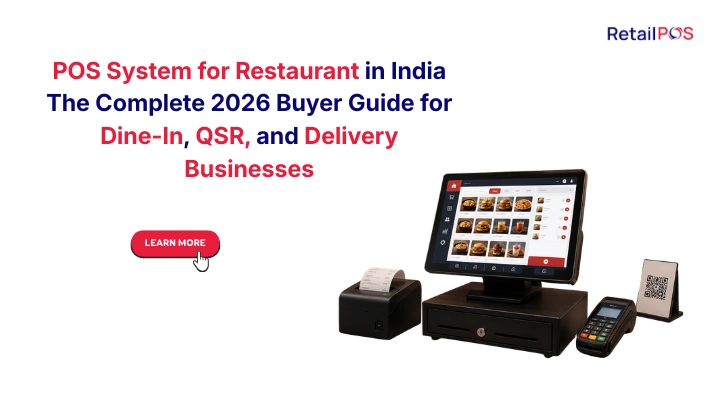
Section 1: What a POS System for Restaurant Actually Does in 2026
The phrase POS system for restaurant covers an enormous range of products in the Indian market in 2026, from a free tablet app that a small cafe uses to print bills to an enterprise restaurant management platform that connects 20 outlets across three cities to one centralised operational dashboard.
Understanding what a POS system for a restaurant must do, specifically for Indian restaurant operations in 2026, is the starting point for choosing the right one.
At the most basic level, a restaurant POS system:
- Takes a customer’s order and prints or displays a KOT for the kitchen
- Generates a GST-compliant invoice at the end of the meal
- Accepts payment in cash, card, UPI, or wallet
- Provides a daily sales summary
At an intermediate level, a restaurant POS system additionally:
- Sends orders to a Kitchen Display System automatically
- Tracks ingredient inventory against recipe quantities
- Integrates with Zomato and Swiggy for delivery order management
- Manages customer loyalty points and CRM
- Generates GST returns from transaction data
At an enterprise level, a restaurant POS system additionally:
- Connects all outlets to one centralised database in real time
- Provides a live dashboard showing all outlets’ performance simultaneously
- Tracks food cost percentage per dish and per outlet automatically
- Manages all delivery platforms from one system across all outlets
- Provides demand forecasting for prep quantity planning per outlet
Most restaurant owners who are unhappy with their current POS system are not unhappy because the system is bad at basic billing. They are unhappy because it stops at basic billing when their business now needs everything above it.
Section 2: How a Restaurant POS System Works: The Complete Flow
Stage | What Happens | What the System Does |
Order taken | Server takes table order on handheld or at counter | Order entered into POS, KOT generated |
KOT sent to kitchen | Kitchen receives the order | KOT printed or displayed on KDS per station |
Delivery order arrives | Zomato or Swiggy order received | Order auto-imported into same POS queue as dine-in |
Ingredient deduction | Dish prepared by kitchen | Recipe-defined ingredient quantities deducted from live inventory |
Low-stock alert | Ingredient approaching threshold | Alert fires to kitchen manager and head office |
Payment processing | Customer ready to pay | Bill generated with correct GST, all payment modes available |
Invoice generation | Payment confirmed | GST-compliant invoice with correct HSN generated and sent |
Loyalty update | Customer identified | Points credited automatically, balance updated |
Reporting feed | Transaction complete | Added to daily sales, food cost report, GST record, analytics |
Dashboard update | Chain owner monitoring | Outlet’s current metrics updated on Cockpit dashboard instantly |
The quality of the POS system is determined by how reliably every one of these steps executes, how accurately every calculation is made, and how completely every background update happens every single time across every channel and every outlet.
Section 3: The Six Types of Restaurant POS Systems and Who Each One Is For
Type | What It Is | Best For | Key Limitation |
Basic billing app | A simple tablet application for generating bills and basic KOTs | Small cafes and first-time restaurant owners | No kitchen display, no inventory, no delivery integration |
Standalone restaurant POS | A single-outlet system with billing, KDS, and basic inventory | Single-outlet dine-in restaurants with straightforward menus | No genuine multi-outlet management capability |
Cloud-based restaurant POS | A SaaS restaurant system with remote access and delivery integration | Growing restaurants needing remote visibility | Requires reliable internet, varies widely in offline capability |
Multi-outlet restaurant management platform | A centralised system connecting all outlets to one database | Restaurant chains with two or more locations | Higher implementation investment than single-outlet systems |
QSR-specific POS | A high-speed system optimised for quick service formats | Fast food chains, food courts, and high-volume counters | Not designed for dine-in table management or fine dining |
Integrated restaurant ERP | A full enterprise system connecting POS, accounting, HR, and supply chain | Large restaurant groups with complex operational and financial requirements | Enterprise-scale investment |
Section 4: The 10 Non-Negotiable Features in Any Restaurant POS System in India
4.1 Fast KOT Generation and Kitchen Communication
The speed from order to kitchen is the single most visible quality indicator in a restaurant from the customer’s perspective. A POS system that takes more than a few seconds to generate a KOT, or that requires a printer to physically produce it before the kitchen can start, is adding unnecessary time to every single order.
- KOT sent to kitchen display or printer immediately on order confirmation
- Multiple kitchen stations receiving only the items relevant to each station
- Order modification and cancellation communicated to kitchen instantly
- Running KOT visible at all times showing every open table’s status
4.2 Full Offline Capability
Indian restaurant operations cannot depend on uninterrupted internet connectivity. A dinner service that stops taking orders because the router rebooted is not a theoretical risk. It is a real and recurring scenario across every city and format.
- Full order taking, KOT generation, payment processing, and receipt printing in offline mode
- Kitchen display continues operating independently of internet status
- Automatic synchronisation to the cloud system when connectivity returns
- Zero lost transactions or data gaps during any connectivity interruption
4.3 Zomato and Swiggy Integration
Delivery platforms are a primary revenue channel for most Indian restaurants in 2026, not a secondary add-on. The integration between your POS system and delivery platforms must be genuine and real-time, not a manual copy-paste workflow.
What genuine delivery platform integration means:
Feature | What It Does |
Auto-import of orders | Delivery orders appear in POS automatically, no manual entry |
Unified kitchen queue | Delivery orders join dine-in KOTs in one kitchen display |
Shared inventory deduction | Every delivery order deducts from the same ingredient count as dine-in |
Auto dish-pausing | When ingredient hits zero, dish is paused on Zomato and Swiggy automatically |
Per-channel reporting | Sales and profitability reported separately per delivery platform |
4.4 Recipe-Level Inventory Management
A restaurant POS that only tracks gross ingredient stock without linking it to recipes is not tracking food cost. It is recording purchases and estimating usage. The difference between these two approaches is the difference between knowing your food cost and guessing your food cost.
- Every dish mapped to exact ingredient quantities in grams or millilitres
- Every order sold deducts recipe-defined quantities from live inventory
- Food cost percentage per dish calculated automatically and updated as prices change
- Sub-recipes for bases, sauces, and marinades cascading to raw ingredient counts
4.5 Kitchen Display System Integration
Paper KOT tickets get lost, misread, and reprioritised incorrectly. A Kitchen Display System eliminates paper from the kitchen order workflow and gives every kitchen station a digital, real-time view of all pending orders in the correct preparation sequence.
4.6 GST Compliance Built In
Every restaurant transaction in India must carry the correct GST treatment automatically. The rate depends on the restaurant’s registration category, whether air-conditioned seating is offered, and whether alcohol is served.
Restaurant Category | GST Rate | What the POS Must Apply |
Non-AC restaurant, no alcohol | 5% | Applied automatically per outlet configuration |
AC restaurant or serving alcohol | 18% | Applied automatically per outlet configuration |
Delivery order | Same as restaurant’s dine-in rate | Applied based on the restaurant’s registration |
Catering and banquet | 18% | Applied to banquet and catering specific billing |
4.7 Customer CRM and Loyalty Programme
Repeat customers are the foundation of a profitable restaurant. A POS system that has no mechanism to recognise, record, and reward loyal customers is choosing not to build the most valuable asset a restaurant has.
4.8 Staff Performance Tracking
Every billing transaction records which staff member processed it. A POS system that does not use this data to generate individual staff performance metrics is ignoring one of the most powerful management tools available without any additional cost.
4.9 Daily Reports and Business Intelligence
Restaurant owners who check their sales only when the accountant calls are managing their business with a significant delay between what is happening and when they find out. Daily and real-time reporting from the POS system closes this gap.
4.10 Table Management for Dine-In Restaurants
A visual floor plan showing every table’s current status, occupied, available, order in progress, bill requested, with the ability to merge, split, and transfer tables, is a requirement for any dine-in restaurant with more than a handful of tables.
Section 5: Restaurant Format Specific POS Requirements
Format | Must-Have Beyond the Baseline | What Breaks Without It |
Traditional dine-in | Full table management, course-wise KOT, reservation management | Table confusion, course timing errors, walk-in guest management failures |
QSR and fast food | Sub-60-second billing, pre-configured combos, queue management | Long queues, missed combos, customer frustration at speed |
Cloud kitchen | Multi-brand order management, per-brand profitability reporting | Brands consuming shared ingredients without visibility |
South Indian tiffin | Unlimited meal flat-rate billing, high counter volume | Slow billing, revenue leakage on add-ons |
Biryani and Mughlai | Large portion batch management, peak festival capacity | Stockouts during Eid and Ramadan, kitchen overload |
Bakery and cafe | Daily production planning, unsold item tracking | Over-production waste, no visibility on yield |
Hotel restaurant | Room charge posting, multi-outlet within one property | Manual billing errors, disconnected F&B and rooms revenue |
Section 6: POS System for Restaurant: Feature Comparison by Format
Feature | Dine-In | QSR | Cloud Kitchen | Cafe | Bakery Chain |
Table management | Essential | Not required | Not required | Basic | Not required |
Fast counter billing | Important | Essential | Not applicable | Essential | Essential |
Pre-configured combos | Optional | Essential | Recommended | Recommended | Not required |
Multi-channel order queue | Essential | Essential | Essential | Recommended | Not required |
KDS integration | Essential | Essential | Essential | Recommended | Recommended |
Recipe-level inventory | Essential | Essential | Essential | Essential | Essential |
Delivery platform integration | Essential | Essential | Essential | Recommended | Not required |
Production planning | Not required | Not required | Recommended | Not required | Essential |
Loyalty programme | Essential | Essential | Recommended | Essential | Essential |
GST compliance | Essential | Essential | Essential | Essential | Essential |
Multi-outlet management | For chains | For chains | Essential | For chains | Essential |
Section 7: How Much Does a Restaurant POS System Cost in India
System Type | Typical Investment | What Is Included |
Basic billing app | Rs 0 to Rs 8,000 per year | Billing, basic KOT, simple stock tracking |
Mid-range single-outlet POS | Rs 8,000 to Rs 30,000 per year | Full POS, KDS, basic inventory, GST returns |
Enterprise multi-outlet platform | Rs 30,000 to Rs 1.5 lakh+ per year | Full chain management, all features, implementation support |
Hardware per counter | Rs 15,000 to Rs 60,000 | Terminal, printer, KDS screen if applicable |
Implementation and setup | Rs 10,000 to Rs 75,000 | Data migration, menu configuration, training |
The total cost of ownership calculation for a restaurant:
- Software annual subscription at target outlet count in three years
- Hardware per billing counter and per kitchen display
- Implementation and menu setup
- Staff training across all locations
- Annual support and maintenance
- The operational cost of staying on an inadequate system for another year
Section 8: The Eight Tests to Run Before Buying Any Restaurant POS System
Test 1: Offline billing. Disconnect the internet. Take an order, send it to the kitchen, process a payment, and print a receipt. Everything must work at full speed with zero workarounds.
Test 2: Delivery integration. Ask the vendor to simulate a Zomato order arriving and show it joining the dine-in KOT queue automatically without any manual step.
Test 3: Ingredient stockout auto-pause. Reduce a shared ingredient to zero in the demo. Confirm the affected dish is automatically paused on the connected delivery platform without any staff action.
Test 4: Food cost calculation. Configure a recipe for one dish, sell the dish, and confirm the food cost percentage updates automatically in the system.
Test 5: GST rate application. Process a dine-in bill and confirm the correct GST rate applies automatically based on the outlet’s registration category, without any manual selection.
Test 6: Multi-outlet dashboard. Ask to see a live view of multiple outlets’ performance simultaneously on one screen. If the vendor cannot demonstrate this with real data, chain management is theoretical.
Test 7: Your own menu. Bring three dishes from your actual menu with their real recipes and ask the vendor to configure them during the demonstration. This reveals how the system handles your specific cuisine and recipe complexity.
Test 8: Speed under load. Ask the vendor to demonstrate the system with a high number of simultaneous open orders, equivalent to your typical peak service, to confirm performance does not degrade under real operational conditions.
Section 9: Common Mistakes Indian Restaurant Owners Make When Choosing a POS
Mistake | Why It Happens | The Real Cost |
Choosing on monthly subscription price alone | Lowest visible cost seems safest | Missing implementation, hardware, and operational limitation costs |
Buying a single-outlet system before opening the second outlet | Second outlet not yet open, seems premature | Full migration required 6 to 12 months later at far higher cost and disruption |
Not testing offline capability | Vendor assures it works | Billing stops during peak service every time internet has a problem |
Treating delivery integration as a checkbox feature | Basic API connection sounds sufficient | Separate tablet management, manual order entry, kitchen confusion at peak hours |
Choosing global software built for international restaurants | Feature list looks impressive | GST compliance gaps, no India-specific festival management, support from overseas time zones |
Not testing with your own menu and recipes | Demo data makes everything look easy | Post-implementation discovery that your cuisine’s complexity exceeds the system’s capability |
Evaluating for today’s one outlet, not tomorrow’s five | Feels like the right reference point | Expensive migration when second and third outlets reveal the system’s limitations |
Section 10: How RetailPOS Dineazy Serves Every Restaurant Format in India
RetailPOS Dineazy is purpose-built restaurant management software and POS system for Indian F&B operations, designed from its foundation for the specific operational realities of Indian restaurant formats, Indian compliance requirements, and Indian customer expectations.
For dine-in chains: Full table management with visual floor plan, course-wise KOT, reservation management, and server-level performance tracking across every outlet.
For QSR chains: Pre-configured combo billing, ultra-fast counter performance, peak hour management, and KDS integration optimised for sub-60-second service cycles.
For cloud kitchens: Multi-brand order management with all brands sharing one kitchen display queue, per-brand profitability reporting after all commissions, and shared ingredient inventory tracking across every brand.
For South Indian formats: High-volume unlimited meal billing, banana leaf set menu configuration, and peak period demand management for Pongal and Onam seasons.
For delivery-heavy restaurants: Genuine unified Zomato and Swiggy integration with automatic dish pausing, shared inventory deduction across all channels, and per-channel profitability reporting after commission.
For multi-outlet chains: The Cockpit dashboard providing live visibility into every outlet’s sales, food cost percentage, delivery platform status, and staff performance from one screen on any device.
Dineazy Module | What It Does |
Dineazy core POS | Fast billing, KOT, all payment modes, GST compliance |
KDS integration | Kitchen display for all channels at every outlet |
Delivery integration | Unified Zomato and Swiggy management |
Recipe management | Ingredient-level food cost tracking per dish |
Loyalty and CRM | Customer recognition across all outlets |
Cockpit dashboard | Live multi-outlet chain management view |
QSR+ module | High-speed QSR-specific billing configuration |
QR+ ordering | Customer self-ordering via QR code at table |
Section 11: Frequently Asked Questions
For a single-outlet restaurant, offline billing capability is the most important feature because it determines whether your service continues uninterrupted regardless of connectivity issues. For a multi-outlet chain, centralised menu and pricing management combined with a live Cockpit dashboard becomes equally important because these are the capabilities that make chain management operationally viable.
A restaurant POS system handles the transaction at the billing counter: order taking, KOT generation, payment, and invoice. Restaurant management software connects the billing function to kitchen management, recipe-level inventory, food cost tracking, delivery platform management, customer loyalty, staff performance, GST compliance, and multi-outlet business intelligence. The best systems in India combine both functions in one integrated platform rather than requiring separate tools.
For any restaurant generating more than 20% of its revenue from delivery platforms, genuine integration is essential rather than optional. Basic integration that only imports orders from Zomato and Swiggy is insufficient. A properly integrated system also deducts shared ingredients from the same inventory count, automatically pauses dishes when ingredients run out, and reports per-channel profitability after commission.
A five-outlet restaurant chain should budget for annual software subscription costs of Rs 75,000 to Rs 2 lakh depending on the system and outlet-based pricing, plus hardware costs of Rs 15,000 to Rs 60,000 per billing counter, plus implementation costs of Rs 30,000 to Rs 1 lakh for data migration, menu setup, and training.
For a single-outlet restaurant implementing a POS system for the first time, the process including menu configuration, recipe setup, and staff training typically takes five to ten working days. For a chain with five outlets, a phased implementation including all outlets typically takes four to six weeks, with go-live at one outlet at a time to minimise operational risk.
Conclusion: The Right POS System for Restaurant Is the One Built for How Indian Restaurants Actually Operate
India’s restaurant industry in 2026 is operating at a level of complexity that did not exist five years ago. Every restaurant manages dine-in service and delivery platform operations simultaneously. Every chain must maintain consistent quality, pricing, and customer experience across multiple locations without the owner being physically present at any of them. Every restaurant must file accurate GST returns every month from transaction data that is generated across dozens of channels and counters.
The POS system for restaurant that serves this environment is not the one with the longest feature list or the lowest monthly subscription. It is the one that was built specifically for Indian restaurant operations, that handles Indian GST compliance automatically, that integrates genuinely with Indian delivery platforms, that performs at full speed when Indian internet connectivity is not at its best, and that scales from one outlet to twenty without ever requiring the restaurant to change its operating system.

Book a free demo and see how RetailPOS gives you complete financial visibility across your operations..
Or WhatsApp our team directly – we respond within minutes.
Or call us at 95662 44611
About RetailPOS
RetailPOS is an enterprise restaurant and retail POS solution by Unipro Tech Solutions Pvt Ltd, headquartered in Chennai, Tamil Nadu. With over 20 years of experience and 10,000 plus businesses served across India and globally, RetailPOS provides purpose-built POS systems for restaurant chains, QSR operators, cloud kitchens, and multi-outlet F&B groups across India. Restaurant products include Dineazy, KDS, Kitchenserve, Kioskserve, QSR+, QR+, and the Cockpit multi-outlet dashboard