
Powered by Unipro Tech
Best POS System for Retail Business in India: Complete Buying Guide (2026)
Search “best POS system” and you’ll get a hundred listicles ranking software most of them have never actually installed in a real store. What none of those lists tell you is that the “best” point of sale system depends entirely on what you sell, how many outlets you run, and where your current process actually breaks down. A supermarket’s checkout speed problem is not a boutique’s size-and-color inventory problem, and neither is a bar’s fast-round-of-drinks problem.
India’s POS market reflects how fast this decision now matters. Industry analyst IHL Group projects India’s POS terminal market will grow from $1.2 billion in 2025 to $2 billion by 2030, making it the fastest-growing POS market in the world. The number of POS terminals in the country has already grown from 5.8 million in 2022 to over 10.7 million as of early 2025, according to RBI data. Mobile is now the largest and fastest-growing segment of that market.
This guide breaks down what a POS system actually needs to do, the types available, how to match one to your specific business, and the mistakes that cost retailers the most time and money when they choose wrong.
What Is a POS System, Really?
A point of sale system is the software (and often hardware) that processes a sale at the moment it happens, but that definition undersells what a modern POS actually does. A basic POS solution handles billing. A genuinely useful one connects billing to inventory, GST compliance, customer data, and reporting, so every transaction updates more than just a cash drawer total.
This distinction matters because it’s where most “best POS” comparisons go wrong. They rank systems on checkout speed and interface polish, both real factors, but ignore whether the system actually gives you usable data afterward. A POS system with inventory management built in tells you what to reorder. A pure billing terminal just tells you what you sold, and leaves the reordering decision to memory.
Types of POS Systems Explained
Cloud POS systems A cloud based POS system stores data on remote servers rather than a local machine, syncing sales, stock, and reporting across every outlet in real time. This is the direction the market has clearly moved, cloud POS software eliminates the need for on-site servers and lets you check store performance from anywhere. The trade-off is a dependency on internet connectivity, which good cloud POS systems handle with offline billing that syncs automatically once you’re back online.
Mobile POS systems A mobile point of sale system runs on a phone or tablet instead of a fixed counter terminal, useful for queue-busting during rush hours, delivery-first operations, or businesses that don’t have a traditional counter at all (think pop-ups or market stalls). Mobile POS is now the single largest deployment segment globally, and India is following the same trend given its mobile-first retail landscape.
Online POS systems Sometimes used interchangeably with “cloud POS,” an online POS system specifically refers to one that operates through a web browser or connected app rather than dedicated hardware, useful for businesses that want to get started without a large upfront hardware investment.
Electronic point of sale (EPOS) terminals The physical hardware side of the equation, a dedicated point of sale terminal built for high-volume, high-speed billing, still common and often preferred in busy supermarkets, hypermarkets, and quick-service formats where transaction speed at the counter is the single biggest operational metric.
Ecommerce POS For businesses selling both online and offline, ecommerce POS integration keeps a single stock count synced across your website, marketplace listings, and physical counter, so a product marked “in stock” online is actually available at the store fulfilling it.
Key Features Every Retail POS System Should Have
Feature | Why it matters |
Real-time inventory sync | Every sale updates stock instantly, no manual reconciliation at day’s end |
GST-compliant billing and e-invoicing | Keeps every invoice audit-ready without a separate manual process |
Multi-payment support (cash, card, UPI, wallets) | Reduces checkout friction and abandoned transactions |
Offline billing with auto-sync | Sales continue uninterrupted even when connectivity drops |
Barcode scanning | Speeds up billing accuracy at busy counters |
Multi-store / multi-outlet visibility | Centralizes stock, sales, and pricing control across every branch |
Mobile access | Lets managers check performance and staff bill on the move |
Customer loyalty and CRM tools | Turns one-time buyers into repeat customers with targeted offers |
Purchase order and reorder automation | Prevents stockouts and overbuying based on real sales velocity |
Reporting and analytics | Converts raw transaction data into decisions you can act on |
Role-based access control | Limits sensitive actions (discounts, voids, price changes) to authorized staff |
A system missing several of these isn’t necessarily a bad point of sale terminal, it’s just solving a narrower problem than most growing retail businesses actually have.
Best POS System by Business Type
There’s no single “best POS system,” only the right one for a specific kind of retail operation. Here’s how the decision typically breaks down.
Best POS for supermarkets and grocery stores High transaction volume and thin margins make speed and accuracy at the counter non-negotiable. Look for touchscreen billing built specifically for grocery and FMCG checkout, strong supermarket billing software with weight-based pricing support, and barcode scanning fast enough to keep queues moving during peak hours.
Best POS system for small retail businesses A POS system for small business use should prioritize simplicity and fast setup over enterprise-scale features you won’t touch for years. Cloud based POS software with a low upfront hardware requirement lets a single-store retailer get running quickly, with room to add inventory and loyalty features as the business grows.
Best POS system for restaurants A strong restaurant point of sale system needs KOT generation, kitchen display integration, table and order management across dine-in, takeaway, and delivery, plus recipe-level costing that most generic POS software doesn’t offer. Cloud based restaurant POS systems that sync front-of-house orders with kitchen operations in real time cut down on order errors significantly.
Best bar POS system Bars need speed above almost everything else, fast round-based ordering, tab management, and the ability to split or combine bills quickly during peak hours. A POS built for restaurants generally, without bar-specific workflow support, tends to slow staff down during exactly the hours that matter most.
Liquor store software Compliance and batch tracking set liquor retail apart from general retail. Purpose-built liquor store software should handle age-verification prompts, license-linked billing requirements, and tight stock control given the high per-unit value and regulatory sensitivity of the category.
Best POS for grocery and supermarket billing at scale For multi-outlet grocery chains, the priority shifts from single-counter speed to centralized control, consistent pricing and promotions across every branch, and consolidated purchasing so individual store managers aren’t reordering independently and duplicating stock.
Retail ERP vs Standalone POS Software
This is one of the most common points of confusion for growing retailers, and getting it wrong leads to either overpaying for capability you don’t need yet, or under-buying and outgrowing your system within a year.
| Standalone POS Software | Retail ERP Software |
Core function | Billing and basic inventory at one or a few counters | Billing, inventory, purchasing, GST, and reporting across the whole business |
Best fit | Single-store or very small multi-store retailers | Multi-outlet chains, growing retail businesses, businesses with complex purchasing |
Data visibility | Store-level, often manually consolidated across outlets | Centralized, real-time across every outlet from one dashboard |
Purchasing | Manual or loosely tracked | Centralized purchase order management with supplier and approval workflows |
Scalability | Often requires a full platform switch to scale | Built to add outlets and complexity without a migration project |
A retail ERP system isn’t automatically “better,” it’s built for a different scale of problem. A single boutique doesn’t need multi-branch purchase order workflows. A 15-outlet supermarket chain running on standalone POS software with no central visibility is almost certainly losing money to duplicate buying and stock mismatches it can’t see.
How to Choose the Right POS System for Your Business
Start with your actual bottleneck. If checkout speed at a single busy counter is the daily pain point, prioritize a fast, purpose-built terminal. If the pain is not knowing what’s actually in stock across three branches, prioritize centralized, real-time visibility over pure billing speed.
Confirm cloud vs on-premise fits your connectivity reality. Cloud POS systems offer real-time multi-outlet visibility and lower upfront infrastructure cost, and they now dominate new deployments. But confirm the system handles offline billing gracefully, connectivity in India isn’t uniformly reliable, and a POS that can’t bill during an outage is a real operational risk.
Check GST and e-invoicing handling specifically. As e-invoicing turnover thresholds have been progressively lowered, more mid-sized retailers now fall under mandatory compliance. A POS system that treats this as a manual add-on rather than a built-in billing step will create ongoing risk as your turnover grows.
Ask whether it’s built for your vertical, not retail in general. A POS built primarily for apparel won’t handle grocery’s weight-based pricing well. One built for restaurants won’t handle a supermarket’s SKU volume well. “Works for retail” is a weaker signal than “built for businesses like yours.”
Test mobile and multi-store visibility before committing, not after. If you’re likely to open a second location within a year or two, evaluate the system’s multi-store capabilities now, migrating later is far more disruptive than choosing correctly the first time.
Get a demo using your own products and pricing structure, not a generic walkthrough. This is the fastest way to see whether a “best POS system” on a listicle is actually the best one for your specific business.
Common Mistakes Retailers Make When Choosing POS Software
Choosing based on price alone. The cheapest POS solution often lacks GST compliance depth, offline resilience, or multi-store support, costs that show up later as lost sales or compliance risk, not as a line item you can compare upfront.
Ignoring inventory integration entirely. A POS that only bills, without updating stock in real time, leaves you back at manual stock counts within months, defeating much of the point of digitizing billing in the first place.
Underestimating training time. Even a well-designed POS with inventory management software slows operations down if counter staff aren’t properly trained on it, particularly during the first few weeks of a switch.
Not planning for growth. Retailers who choose the cheapest single-store option often find themselves migrating to a completely different platform within two years once they open a second location, a switch that’s far more disruptive than choosing a scalable system from the start.
Overlooking after-sales support. A point of sale system is infrastructure your business runs on daily. A vendor with weak support response times turns every glitch into a lost-sales event, evaluate support responsiveness with the same seriousness as features.
Why Businesses Across India Choose RetailPOS
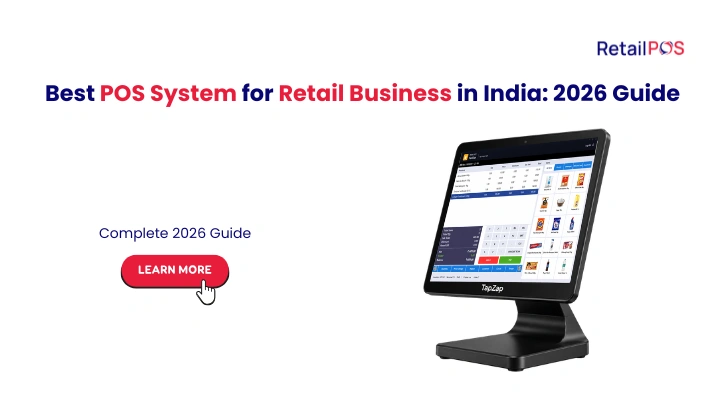
RetailPOS is built as a genuine retail ERP, not just a billing terminal, with dedicated tools for the exact scenarios covered above. Enterprise delivers barcode-ready POS billing with real-time stock sync for busy, multi-counter retail. TapZap is a high-speed touchscreen POS purpose-built for supermarket and grocery checkout counters. CockPit gives owners a mobile point of sale system for monitoring sales and stock remotely, and UniBolt handles mobile inventory, purchase orders, and stock audits from a handheld device.
For multi-outlet retailers, RetailPOS’s multi-store control centralizes purchasing, pricing, and stock visibility across every branch, and Analytics turns transaction data into 350+ live reports so decisions are based on actual sales patterns, not guesswork. GST compliance and e-invoicing are built directly into billing, not bolted on separately, and the platform has purpose-built configurations for supermarkets, apparel and footwear, pharma, electronics, and specialized retail.
Trusted by 10,000+ businesses across India, RetailPOS is designed to scale from a single counter to a multi-branch retail chain without forcing a platform switch along the way.
Frequently Asked Questions
The best point of sale system depends on your business type and scale. Single-store retailers generally do best with a simple, fast cloud POS system. Multi-outlet retail chains need centralized retail ERP software that connects billing, inventory, and purchasing across every branch. Vertical-specific businesses (grocery, restaurant, bar, liquor) benefit most from POS software purpose-built for that category rather than generic retail software.
A POS system focuses on billing and, at best, basic inventory tracking at one or a few counters. A retail ERP system connects billing, inventory, purchasing, GST compliance, and reporting across an entire multi-outlet business from one centralized platform.
For most growing retailers, yes, cloud based POS systems offer real-time multi-outlet visibility, lower upfront infrastructure costs, and remote access to sales data. On-premise systems can still make sense for businesses with specific connectivity or data residency constraints, but that's increasingly the exception.
It should. A POS system without real-time inventory management only tells you what was sold, not what you have left or what needs reordering, which pushes stock decisions back to manual tracking within a few months.
Prioritize fast setup, straightforward billing, GST compliance, and basic inventory tracking over enterprise features you won't need immediately. Choose a system that can scale into fuller retail ERP capability later rather than one you'll need to replace entirely as you grow.
Restaurant and bar POS needs differ meaningfully from general retail POS. Look for KOT generation, kitchen display integration, and fast round-based billing for bars specifically, features that generic retail POS software typically doesn't support well.
A properly built one should. GST-compliant billing and automatic e-invoicing should happen as part of the normal billing flow at the counter, not as a separate manual upload step handled later by an accounts team.
Pricing varies significantly by business size, number of outlets, and whether you need standalone POS or full retail ERP capability. Most vendors, RetailPOS included, price based on business scale rather than a single fixed rate, so it's worth requesting a quote based on your specific outlet count and feature needs rather than comparing generic published price ranges.
Ready to see which RetailPOS solution actually fits how your business runs? Book your free demo today →
Or WhatsApp our team directly, we respond within minutes: 95662 44611

Book a free demo and see how RetailPOS gives you complete financial visibility across your operations..
Or WhatsApp our team directly – we respond within minutes.
Or call us at 95662 44611