
Powered by Unipro Tech
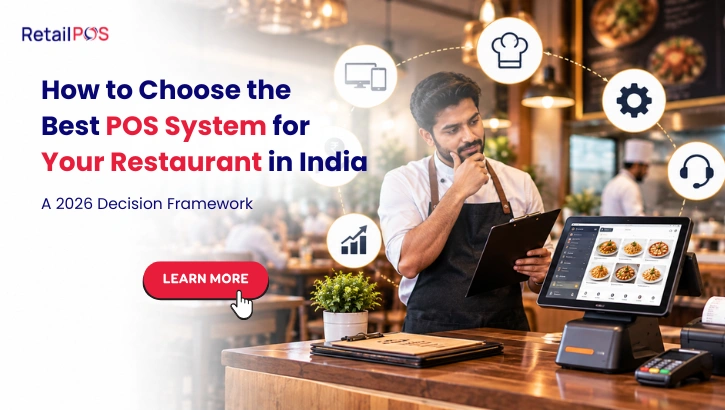
How to Choose the Best POS System for Your Restaurant in India: A 2026 Decision Framework
A complete evaluation guide for restaurant owners, QSR operators, and F&B chain managers who want to make the right POS decision the first time
The Cost Nobody Calculates Until It Is Too Late
A restaurant owner in Hyderabad calculated this recently. In the twelve months ending June 2026, her three-outlet restaurant chain had replaced 34 staff members across billing, service, and kitchen roles. Each replacement involved recruitment time averaging 8 days, training time averaging 14 days, and a period of below-standard productivity averaging 21 days while the new hire reached competence.
When she added the cost of lost productivity, training investment, recruitment effort, and the operational errors that new and undertrained staff make at rates significantly above experienced staff, the annual cost of staff turnover across her three outlets came to approximately Rs 18.7 lakh.
She had never calculated this number before. She had noticed that she was always recruiting. She had felt the frustration of training someone for two weeks only to have them leave for a Rs 500 higher monthly salary at a competitor. But she had never sat down and calculated what this cycle was actually costing her business annually.
Rs 18.7 lakh. On a three-outlet chain doing Rs 42 lakh in combined monthly revenue, that is 3.7% of annual revenue consumed by staff turnover. Not by food cost. Not by rent. Not by delivery commissions. By people leaving and being replaced.
This guide explains why restaurant staff turnover in India is as high as it is, what specifically drives the turnover cycle, and what a combination of management practices and technology can do to break that cycle and build the kind of stable, performing restaurant team that every owner wants and very few achieve.
Section 1: Before You Evaluate Anything: Define What Your Restaurant Actually Needs
The most common mistake in restaurant POS evaluation is starting by looking at what software is available rather than starting by defining what the restaurant specifically requires. When you start with the software, you evaluate on the vendor’s terms. When you start with your requirements, you evaluate on your terms.
Before contacting a single vendor, write down the answers to these five questions.
Question 1: What are the three most painful daily operational problems in your restaurant right now?
These should be specific and operational. Not “better management” but “we run out of chicken mid-service because nobody tracks inventory in real time” or “our Zomato orders arrive on a separate tablet and we get the order wrong 15% of the time” or “our monthly GST filing takes four days because we compile data manually.” These three problems define what your POS system must solve above everything else.
Question 2: How many outlets do you have now and how many are you planning within 18 months?
If you have one outlet today but plan to open two more within the next year, you need a system designed for multi-outlet management, not a single-outlet system that you will have to migrate away from in 12 months. The right time to choose an enterprise restaurant POS is before you need it, not after the second outlet is already open and you are managing two locations on a system that cannot connect them.
Question 3: What percentage of your orders come through delivery platforms?
If delivery accounts for more than 30% of your revenue, genuine Zomato and Swiggy integration is not a nice-to-have feature. It is the most operationally critical capability your POS must deliver. The quality and depth of delivery integration must be evaluated with the same rigour as billing speed and GST compliance.
Question 4: What is your current system and what specifically is it not doing?
Understanding your current system’s limitations helps you evaluate replacements with specific criteria. If your current system fails during internet outages, you need to verify offline capability with particular rigour. If your current system generates GST reports that require manual correction before filing, you need to verify GST automation specifically. Previous failures with your current system define the baseline requirements your next system must exceed.
Question 5: What is your realistic budget for software, hardware, and implementation over three years?
Not the monthly subscription price shown on the vendor’s website. The complete cost including hardware per counter, implementation fees, training costs, and any per-outlet or per-user charges at your planned scale in three years. Understanding the realistic total budget prevents you from choosing a system that fits the demo price but not the operational cost.
Section 2: The Seven Non-Negotiable Capabilities Every Indian Restaurant POS Must Have
These seven capabilities are the minimum baseline for any restaurant POS system to be considered suitable for Indian restaurant operations in 2026. A system that fails any one of these seven tests should not be shortlisted regardless of how impressive its other features are.
2.1 Full Offline Billing Capability
This is the most important technical requirement and the one most commonly understated or overstated by vendors.
Full offline capability means every function of the POS, including order taking, KOT generation, payment processing, receipt printing, and inventory deduction, operates at full speed with zero internet connectivity. Not reduced functionality. Not billing-only mode. Full operation.
Indian restaurant operations cannot depend on uninterrupted internet connectivity. Internet outages during peak service hours happen in every city and every format. A restaurant POS that stops taking orders when the internet drops stops making money at exactly the moments when it should be making the most money.
The only way to verify offline capability is to test it physically during the demonstration. There is no other way. Vendor assurances, written specifications, and technical documentation cannot replace watching the system operate completely disconnected from the internet.
2.2 Kitchen Display System Integration
Orders from every channel must reach the kitchen through a digital display system, not through printed tickets or verbal communication.
A kitchen display system that shows every order from dine-in, Zomato, Swiggy, and direct channels in one unified queue is the operational foundation of modern Indian restaurant kitchen management. A restaurant POS that relies on printed KOT tickets for kitchen communication is a restaurant that will have missed orders, wrong preparation sequences, and kitchen confusion during peak service regardless of how well every other system function works.
2.3 Genuine Delivery Platform Integration
Genuine integration means Zomato and Swiggy orders auto-import into the main POS system, enter the same kitchen display queue as dine-in orders, deduct from the same ingredient inventory, and trigger automatic dish-pausing on both platforms when an ingredient reaches zero.
A vendor that demonstrates integration by showing you a Zomato tablet sitting next to the POS system is not demonstrating integration. They are demonstrating coexistence. Genuine integration eliminates the Zomato tablet entirely.
2.4 Recipe Level Ingredient Inventory
Every dish must be linked to its exact ingredient quantities. Every sale of that dish must deduct those quantities from live kitchen inventory automatically. This is the capability that makes real-time food cost tracking possible and that enables meaningful low-stock alerts before ingredients run out during service.
2.5 Automatic GST Compliance
GST in Indian restaurants has format-specific complexity. The correct rate, 5% for non-AC restaurants and 18% for AC restaurants or those serving alcohol, must be applied automatically based on the outlet’s specific configuration. GSTR-1 and GSTR-3B must be generated directly from transaction data without manual compilation. E-invoices must be generated automatically for qualifying transactions.
2.6 All Indian Payment Modes Including UPI
Every UPI application, all card types, cash, and digital wallets must be processed seamlessly at the billing counter. In India’s cashless economy, a restaurant POS that has friction in any UPI transaction is a POS that is losing customers at the payment step.
2.7 Scalability to Your Planned Outlet Count
The system must be architecturally capable of supporting the number of outlets you plan to have in three years without a full migration. Ask directly: if I add three more outlets in 18 months, what changes in my system architecture, my costs, and my operations?
Section 3: The Five Tests You Must Run During Every Vendor Demonstration
These five tests must be run during every vendor demonstration. They are non-negotiable. A vendor who resists any of these tests is telling you that their system cannot pass it.
Test 1: The offline test.
Physically unplug the router or turn off WiFi during the demonstration. Then ask the vendor to take a complete order, generate a KOT, process a UPI payment, print a receipt, and show the inventory deduction. Every step must work at full speed with no workaround.
If the vendor says “our system is cloud-based so it needs internet for some functions,” the answer is: that means your system cannot be relied upon during internet outages and is therefore not suitable for Indian restaurant operations. Move to the next vendor.
Test 2: The delivery integration test.
Ask the vendor to show a Zomato order arriving and entering the kitchen display queue automatically, without any manual step. Then reduce a shared ingredient to zero in the system and confirm that the affected dish is automatically paused on the Zomato listing without any staff action.
If the vendor shows you a Zomato tablet and explains how the staff manually enters the order into the POS, this is not integration. The test has failed.
Test 3: The food cost test.
Ask the vendor to configure one dish from your actual menu with its real recipe and real ingredient quantities. Sell that dish. Then show you the updated ingredient inventory and the updated food cost percentage for that dish. The entire sequence should take under two minutes in a genuinely integrated system.
If the vendor explains that food cost reporting is a separate module or requires a manual export to a spreadsheet, recipe-level inventory integration is not genuine.
Test 4: The GST live report test.
Ask the vendor to generate a GSTR-1 report from sample transaction data that includes both dine-in transactions and delivery orders. The report must be generated directly from transaction data within the system, not from an exported file that must be reformatted.
If the vendor says “our accounting team will handle the GST configuration separately,” or if GSTR generation requires any manual step, the GST automation is not what was presented.
Test 5: The your-menu test.
Bring your actual menu with five representative dishes including your most customised item and your highest-selling delivery item. Ask the vendor to configure all five during the demonstration using your real menu names, real prices, and real customisation options. This reveals whether the system can handle your specific menu complexity or whether the smooth demonstration was built on simplified sample data.
Section 4: Restaurant Format-Specific Requirements
Beyond the seven non-negotiable capabilities, each restaurant format has additional specific requirements that must be verified during evaluation.
For Dine-In Restaurants
Table management. A visual floor plan showing every table’s current status, occupied, available, bill requested, must be visible to both the billing team and the floor staff simultaneously. Table merging, splitting, and transfer between servers must be demonstrable in the evaluation.
Course-wise billing. For multi-course dine-in service, the ability to send starters to the kitchen while mains are held, and then release mains when the starter course is nearly complete, must be built into the KOT workflow.
Reservation integration. If you take advance reservations, the reservation system must connect to the table management view so that reserved tables are flagged in advance and walk-in seating decisions account for incoming reservations.
For QSR and Fast Food
Pre-configured combos. Every combo on the menu must be bilable as a single touch on the billing screen, with the system automatically applying the correct combo price and deducting all component ingredients. Manual component-by-component entry for combos during peak service creates queues.
Peak load speed. Ask the vendor to simulate 10 simultaneous orders being processed during the demonstration. The system must handle this volume without any degradation in response time.
Q-display for order collection. A customer-facing order status display showing which orders are ready for collection is essential for high-volume QSR operations. Verify that this display is part of the integrated system, not a separate application.
For Cloud Kitchens
Multi-brand management. If you operate multiple virtual brands from one kitchen, every brand’s orders must enter the same kitchen display queue with brand identification. Stock deductions from all brands must come from the same shared ingredient inventory.
Per-brand profitability reporting. The system must be able to show revenue, food cost, and margin separately for each virtual brand. Without this, you cannot know which brand is actually profitable and which is generating revenue without margin.
For Restaurant Chains With Multiple Outlets
Centralised menu management. A menu change made at head office must reach every outlet’s billing counter simultaneously without any action from individual outlet managers.
Live multi-outlet dashboard. Every outlet’s current sales, inventory position, and food cost percentage must be visible simultaneously from one screen on any device. This is the Cockpit capability in RetailPOS.
Consolidated GST reporting. Every outlet’s transaction data must feed into one consolidated GST report. Multi-outlet chains where GST data must be manually compiled from each outlet separately are not genuinely multi-outlet systems.
Section 5: The Right Questions to Ask Every Vendor
These questions must be asked and answered in writing before any contract is signed.
Question | What a Good Answer Looks Like | Red Flag Answer |
How many active restaurant customers do you have in India with 3 or more outlets? | Specific number with offer to speak to references | Vague claims about thousands of customers |
Can I speak with a restaurant chain currently live on your system in my city? | Immediate reference provided with contact details | References available after contract signing |
What is my total cost at my target outlet count in three years including all fees and hardware? | Specific, itemised cost calculation provided | “It depends, we can discuss later” |
What is your support response time if billing stops during a Friday dinner service? | Defined SLA with escalation path and contact number | General assurance that support is available |
How long does adding a new outlet take and what does it cost? | Specific timeline and cost | “It is very easy and quick” without specifics |
What happens to my data if I stop using your service? | Clear data export capability with defined format | Vague or evasive answer |
How are system updates rolled out and who is responsible for them? | Automatic cloud updates with notification | Manual updates requiring IT involvement |
Section 6: How to Evaluate Total Cost of Ownership Over Three Years
The monthly subscription price shown on a vendor’s website or quoted in an initial meeting is rarely the actual cost of the system over a meaningful operating period.
The complete cost components to calculate:
Cost Component | What It Includes | How to Verify |
Base software subscription | Monthly or annual fee at your current outlet count | Written quote for current configuration |
Per-outlet fee at target scale | Cost per additional outlet at your 3-year outlet target | Written quote at planned outlet count |
Per-user or per-device fee | Any charges per staff login, per tablet, or per counter | Confirm in writing with no surprises clause |
Hardware per counter | POS terminal, touchscreen, KDS screen, receipt printer | Request hardware specification and indicative pricing |
Implementation and data migration | One-time cost to configure, migrate, and train | Written scope and cost in proposal |
Training per outlet at rollout | Cost per outlet for staff training during implementation | Confirm whether included in implementation fee |
Annual maintenance and support | Any fee beyond base subscription for support access | Confirm what is included in subscription |
GST and compliance updates | Cost of regulatory update deployments | Confirm these are included in subscription |
The total 3-year cost comparison example:
Cost Category | Vendor A (Low Subscription) | Vendor B (Higher Subscription) |
Software subscription (3 years, 3 outlets) | Rs 72,000 | Rs 1,44,000 |
Hardware per counter (6 counters) | Rs 1,80,000 | Rs 1,80,000 |
Implementation and training | Rs 75,000 | Rs 45,000 |
Per-outlet fee for outlet 4 and 5 | Rs 60,000 | Included |
Manual GST compilation cost (3 years) | Rs 1,08,000 | Rs 0 (automated) |
Total 3-year cost | Rs 4,95,000 | Rs 3,69,000 |
The vendor with the lower subscription price has a higher total 3-year cost of ownership once all components are included. This is why comparing on subscription price alone consistently leads to wrong decisions.
Section 7: The Warning Signs That a Vendor Is Overselling Their System
These specific vendor behaviours during the sales process are reliable indicators that the system will not deliver what is being promised.
Warning Sign 1: The vendor demonstrates on their own sample data.
A vendor who will not demonstrate on your actual menu, your actual prices, and your actual customisation options is protecting you from discovering that their system cannot handle your specific requirements. Any vendor confident in their product’s capability will welcome the chance to demonstrate with your real data.
Warning Sign 2: They refer GST questions to their “implementation team.”
GST compliance in a restaurant POS must be built into the core billing workflow, not handled by a separate team during implementation. If the sales person cannot demonstrate GSTR generation from live transaction data during the evaluation, the GST capability is not production-ready.
Warning Sign 3: The offline test fails but is explained away.
“We recommend having a backup internet connection” is not an answer to a failed offline capability test. Backup internet addresses the connectivity problem. It does not address the system architecture problem of a POS that requires internet to function. These are different problems.
Warning Sign 4: References are promised but not provided.
A vendor who says they have thousands of restaurant customers but cannot immediately connect you with three active restaurant chain owners to speak with in the next 48 hours either does not have the customer base they claim or is managing references carefully to prevent unflattering conversations.
Warning Sign 5: Pricing becomes significantly different from initial quotes.
A vendor whose quoted price changes significantly between the initial meeting, the formal proposal, and the contract is providing an indication of how commercial conversations will go throughout the entire relationship. Request comprehensive written pricing before any further evaluation investment.
Section 8: How to Run a Pilot Before Full Commitment
For any restaurant making a significant technology decision, a pilot deployment at one outlet before full chain rollout reduces risk dramatically.
What a meaningful pilot looks like:
Duration. A minimum of 4 weeks of live operation including at least two weekend service periods and the full monthly GST cycle. Evaluating a restaurant POS for two weeks and across only weekday lunches does not reveal the performance characteristics that matter most.
Metrics to track during the pilot:
Metric | Target | How to Measure |
Billing counter speed | No increase in average transaction time | Time 50 transactions before and during pilot |
Order accuracy rate | Equal to or better than current system | Count wrong orders per 100 orders served |
Staff adaptation time | All staff comfortable within 5 days | Manager assessment at day 5 |
Offline incident handling | Zero lost transactions during any connectivity issue | System log review |
GST report accuracy | Zero manual corrections required | Accountant review of pilot period GSTR-1 |
Food cost visibility | Daily food cost percentage visible without manual calculation | Management dashboard review daily |
Parallel run during pilot. For the first two weeks of the pilot, run both the old and new system simultaneously and compare outputs. This catches configuration errors before they become compliance problems or customer experience issues.
Section 9: How RetailPOS Dineazy Passes Every Test in This Framework
RetailPOS Dineazy is designed specifically for Indian restaurant operations. Here is how it performs against every evaluation criterion in this framework.
Offline capability. Dineazy operates at full functionality with zero internet connectivity at every outlet. Order taking, KOT generation, kitchen display communication, UPI payment processing, receipt printing, and inventory deduction all function identically whether internet is available or not. All offline transactions synchronise to the centralised cloud system automatically when connectivity returns. Zero transactions are lost.
Kitchen Display System. Dineazy’s KDS receives every order from every channel simultaneously. A dine-in KOT and a Zomato order arriving within seconds of each other appear in the same kitchen queue, prioritised by preparation time and delivery window. No paper tickets. No separate tablets for any channel.
Genuine delivery platform integration. Zomato and Swiggy orders import automatically into Dineazy’s kitchen queue. No manual entry at any stage. Every delivery order deducts from the same ingredient inventory as dine-in orders. When an ingredient reaches zero, the affected dish is automatically paused on both platforms simultaneously. Per-channel profitability reporting shows real margin after commission for every dish across every platform.
Recipe level inventory. Every dish on the menu is mapped to exact ingredient quantities in grams or millilitres. Every sale deducts those quantities from live kitchen inventory automatically. Food cost percentage per dish is updated in real time as supplier prices change. Low-stock alerts fire before service begins.
Automatic GST compliance. The correct GST rate is applied to every transaction based on the outlet’s specific configuration with no manual selection required. GSTR-1 and GSTR-3B are generated directly from transaction data across all outlets in one consolidated report. E-invoices are generated automatically for qualifying B2B transactions.
All payment modes. Every UPI application, all card types, cash, digital wallets, and loyalty point redemption are accepted at the billing counter with immediate confirmation and automatic receipt generation.
Multi-outlet scalability. Dineazy connects every outlet to one centralised database. Menu changes, pricing updates, and promotional offers configured at head office reach every outlet simultaneously. The Cockpit dashboard shows every outlet’s live sales, food cost, inventory, and staff performance from one screen on any device.
References. RetailPOS serves over 10,000 businesses across India including restaurant chains, QSR operators, and multi-outlet F&B groups. Active references in any Indian city are available immediately for any prospective customer who wants to speak with a current Dineazy user before making a decision.
Conclusion: The Right POS Decision Pays for Itself. The Wrong One Costs Twice.
A restaurant POS system decision that goes right is a decision you make once. The system runs reliably, delivers the operational capabilities it promised, scales with your business, and becomes the foundation that every other technology investment builds on.
A restaurant POS decision that goes wrong is a decision you make twice. Once when you choose the wrong system and once when you replace it. The second decision comes with the full migration cost, the retraining cost, the data quality work, and the operational disruption of changing core technology in a running restaurant. And it comes at whatever point the wrong system’s limitations become too costly to live with, which is often not at a convenient moment in the business cycle.
The framework in this guide is designed to help you make the right decision the first time. Not by telling you which product to choose, but by giving you the questions, the tests, and the evaluation discipline to verify that whatever system you choose can actually do what it promises under the specific conditions of Indian restaurant operations in 2026
Frequently Asked Questions
A thorough restaurant POS evaluation for a single-outlet restaurant should take 2 to 3 weeks from initial vendor contact to final decision. This allows time for demonstrations from at least three vendors, reference calls with existing customers, the five specific tests described in this guide, and a careful total cost of ownership calculation. For a restaurant chain with multiple outlets evaluating enterprise software, 4 to 6 weeks is appropriate to allow adequate time for multi-outlet demonstrations, pilot planning discussions, and contract review. Rushing this decision to save a few weeks consistently costs more time in the migration that follows a wrong choice.
Yes, and genuine integration between dine-in billing and delivery platform order management is one of the most important capabilities to verify during any restaurant POS evaluation. When dine-in and delivery run through the same POS system, every delivery order enters the same kitchen queue as dine-in orders, deducts from the same ingredient inventory, and appears in the same daily revenue and food cost reports. When they run on separate systems, the kitchen manages two queues, inventory data is split, and food cost reporting is incomplete. The operational and financial cost of managing separate systems for dine-in and delivery consistently exceeds any cost saving from using a simpler delivery-only management tool.
Very important for three specific reasons. GST compliance in Indian restaurants has format-specific requirements, including the 5% versus 18% rate distinction based on seating type and the specific e-invoicing and e-way bill workflow, that international POS systems have added as modules rather than built as core capabilities. UPI payment integration at the depth required for Indian restaurant operations is a native capability in Indian-built systems and an afterthought in international ones. And offline billing capability designed for Indian connectivity realities is a core architectural decision in Indian-built systems rather than an exceptional edge case they have had to accommodate. These three areas are where international systems most consistently fall short for Indian restaurant operators.
Historical transaction data from your current system should be migrated as read-only reference data to the new system where possible, or exported in a format that allows it to be accessed for comparison, compliance, and reporting purposes. GST records specifically should be retained for a minimum of 7 years regardless of which system generated them, which means access to historical GST records from the old system must be maintained even after the new system is live. RetailPOS's implementation team manages data migration as part of the standard implementation process, including the export, cleaning, and import of product masters, customer records, and opening inventory from most common existing systems.
A slow trading period is strongly preferred for any restaurant POS implementation. The festive season from October to January is the worst possible time to implement a new POS system because staff are under peak service pressure, any billing disruption has maximum revenue impact, and the training time required for new system adoption competes with the extended service hours of the festive period. For Indian restaurants, the window from August to mid-September is the most appropriate time for a POS implementation because it allows the system to be fully operational and the team fully trained before the festive season begins. Restaurants implementing now have precisely the right timing to be live, stable, and confident on their new system before the October festive rush.
About RetailPOS
RetailPOS is an enterprise restaurant and retail POS solution by Unipro Tech Solutions Pvt Ltd, headquartered in Chennai, Tamil Nadu. With over 20 years of experience and 10,000 plus businesses served across India and globally, RetailPOS provides purpose-built restaurant management technology including Dineazy restaurant POS with recipe management, KDS kitchen display systems, genuine delivery platform integration, automatic GST compliance, and the Cockpit multi-outlet dashboard for restaurant chains, QSR operators, and multi-outlet F&B groups across India.
Ready to stop losing sales to stock mismatches between your store and your website? Book your free RetailPOS demo today →