
Powered by Unipro Tech
Retail POS System in India: Features, Cost and How to Choose (2026)
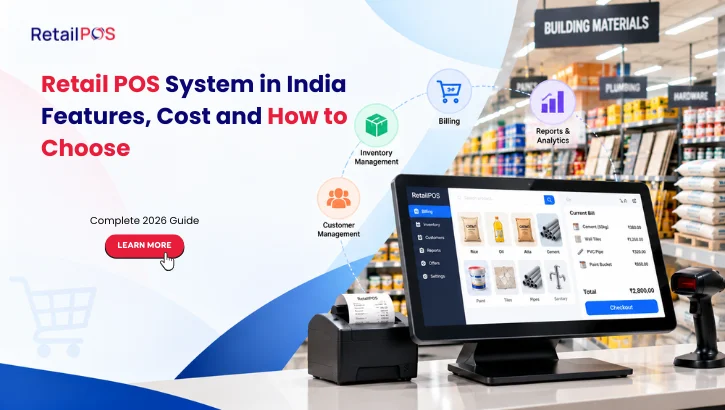
A retail POS system is no longer just a machine that prints bills. For a store in India today, it is the system that handles GST invoices, UPI and card payments, stock levels, supplier purchases and daily sales reports from one place.
Choosing the wrong one costs you in slow checkouts, wrong stock counts and hours spent reconciling spreadsheets. Choosing the right one pays off every day at the counter.
This guide explains what a retail POS system is, which features matter for Indian retailers, what drives the cost, and how to choose one without regretting it a year later.
What Is a Retail POS System?
A retail POS (point of sale) system is the combination of software and hardware that completes a sale and records it. The software handles billing, taxes, discounts, payments and inventory updates. The hardware usually includes a barcode scanner, a receipt printer, a cash drawer and a billing terminal such as a touchscreen, desktop or tablet.
Modern point of sale software also connects to the rest of your business. Every bill automatically reduces stock, updates your accounts and feeds your reports, so you are not entering the same sale in three places.
POS vs. billing software: Basic billing software generates invoices. A retail POS system goes further, with inventory, purchasing, multi-store control, customer loyalty and analytics. If you only need invoices, billing software may be enough. If you want to know which products make you money and which are sitting on the shelf, you need a POS.
Why Indian Retailers Need a Proper POS System
Indian retail has needs that generic international software often handles poorly:
- GST compliance. Every invoice needs the right GST rate, HSN code and CGST/SGST/IGST split. Larger businesses also need e-invoicing and e-way bills.
- Mixed payments. Customers pay with cash, cards, UPI, wallets or a mix of them on one bill.
- Unreliable internet. Your counter cannot stop because the connection dropped.
- Thin margins. Wastage, expiry, pilferage and wrong pricing eat profit quickly, especially in grocery.
- Fast growth. A single shop often becomes two or five. Your system should not need replacing when that happens.
A good retail store point of sale system addresses all of these from day one.
10 Features Every Retail POS System in India Should Have
1. Fast, GST-ready billing
Billing should take seconds, not minutes. Look for barcode scanning, quick item search, hold-and-recall bills, and automatic GST calculation. The system should produce compliant invoices without manual tax entry.
2. Offline billing
This matters more in India than almost anywhere else. Your POS should keep billing when the internet goes down and sync automatically when it returns. Ask any vendor to show offline mode working during the demo.
3. Multiple payment modes
Cash, debit and credit cards, UPI, wallets and split payments should all work on the same bill. Reconciliation should be automatic so cashiers are not matching settlements by hand at closing time.
4. Real-time inventory management
Stock should update the moment an item is sold. Useful capabilities include low-stock alerts, batch and expiry tracking, stock transfers between outlets, stock audits, and automated reorder suggestions.
5. Purchase and vendor management
Raising purchase orders, recording goods received (GRN), and tracking supplier payments should happen in the same system. This keeps your purchase data and stock data consistent.
6. Variant and serial number handling
This depends on what you sell. Apparel stores need size and colour variants. Electronics stores need serial numbers and warranty tracking. Pharmacies need batch and expiry control. Make sure the POS supports your category natively, not through workarounds.
7. Multi-store management
If you have, or plan to have, more than one outlet, look for centralised pricing and promotions, inter-store transfers, outlet-wise margin reports and head-office control. Retrofitting multi-store capability later is painful.
8. Reports and analytics
You should be able to see sales by product, category, cashier, hour and outlet, plus margins and slow-moving stock. A mobile dashboard that lets you check the day’s sales without visiting the store is a big advantage for owners.
9. CRM and loyalty
Customer records, loyalty points, memberships, SMS offers and repeat-purchase tracking turn one-time shoppers into regular customers. For many retailers this is where a POS system pays for itself beyond billing.
10. Security, roles and backup
Different staff should see different things. Cashiers should not be able to change prices or delete bills without permission. Look for role-based access, audit logs and regular cloud and local backups.
Types of Retail POS Systems: Cloud, On-Premise and Mobile
Type | How it works | Best for | Watch out for |
On-premise | Software and data run on your own server or PC | Stores that want local control and reliable offline billing | You manage backups and updates |
Cloud | Software and data are hosted online | Growing and multi-outlet businesses that want remote access | Needs good offline mode for outages |
Mobile/tablet | Runs on a tablet or phone | Small stores, pop-ups, field sales, tight counters | Make sure it supports your hardware |
Many Indian retailers end up with a hybrid: local billing for speed and reliability, with cloud sync for head-office reporting. Ask vendors whether they support this instead of forcing a choice.
How Much Does a Retail POS System Cost in India?
There is no single price for a retail POS system in India. Vendors price by business size and needs, so two stores can get very different quotes for the “same” software. Instead of chasing a headline number, understand what drives the cost and ask for a written quote based on your own setup.
What affects the price
- Number of outlets and billing terminals. More stores and counters usually mean a higher total.
- Modules you need. Billing alone costs less than a full system with inventory, purchasing, CRM and loyalty, accounting and analytics.
- Deployment type. Cloud, on-premise and mobile setups are priced differently.
- Retail category. Features like batch and expiry tracking, serial numbers or size and colour variants can change the scope.
- Integrations. Connecting accounting software, payment gateways, e-commerce platforms or delivery apps may add cost.
- Support level. Support hours, response times and on-site help vary by plan.
Common pricing models
Model | How it works | Suits |
Subscription | Regular payments (monthly or yearly) that include updates and support | Businesses that prefer lower upfront cost |
Licence plus support | One-time or per-terminal licence with an annual support charge | Businesses that prefer owning the software |
Custom quote | Priced by outlets, terminals and modules | Multi-store chains and enterprises |
Hardware is a separate one-time cost. A typical counter needs a billing terminal, barcode scanner and receipt printer. Many stores also add a cash drawer, a weighing scale or a customer display. If your existing hardware is compatible, you may not need to buy it all again, so ask the vendor to confirm.
Costs people forget to ask about
- Implementation and data migration (importing your product list and customer data)
- Staff training
- Annual support or maintenance charges
- Charges for extra modules, such as loyalty, e-commerce integration or mobile apps
- Fees for adding stores, terminals or users later
How to compare quotes fairly: Ask each vendor for the total cost over three years, including setup, training, support and any add-ons you expect to need. A cheaper licence with expensive extras can end up costing more than an all-inclusive system.
For a quote based on your store type and number of outlets, book a free demo and the RetailPOS team will tailor it to your setup.
How to Choose the Right POS System for Your Retail Store
Use this checklist when comparing options.
- Start with your category. A supermarket, a saree showroom, a pharmacy and an electronics store run very differently. Prefer a vendor with proven experience in your retail type.
- Test the checkout speed. Ask for a live demo using your real products. Count how many seconds a typical bill takes. Check weighing-scale billing if you sell loose goods.
- Confirm GST depth. Ask about GST invoicing, return-ready reports, e-invoicing and e-way bills. “GST compliant” should be backed by specifics.
- Verify offline mode. Switch off the Wi-Fi during the demo and see what happens.
- Check hardware compatibility. Make sure your existing scanners, printers and scales work, so you do not have to buy everything again.
- Plan for growth. Ask what happens when you open a second or tenth store. Can you add outlets without migrating to a new system?
- Look at integrations. Accounting software, payment gateways, e-commerce platforms and delivery apps should connect without custom development.
- Evaluate support. Support quality matters more than any feature when something goes wrong on a busy Saturday. Ask about response times, support hours, local-language help and on-site assistance.
- Ask for references. Speak to two or three current customers with a similar business, ideally ones who have used the software for several years.
- Understand the exit path. Make sure you can export your data if you ever switch.
Choosing a POS System by Retail Type
Supermarkets and grocery stores. Prioritise billing speed, weighing-scale integration, batch and expiry tracking, promotions, and handling hundreds of bills a day. See our guide to supermarket POS software.
Apparel and footwear. Look for size and colour variants, barcode label printing, slow-moving stock detection, and multi-branch stock balancing across seasons. See POS for apparel and footwear.
Electronics and appliances. You need serial number tracking, warranty management, and scheme or exchange handling. See POS for electronics stores.
Pharmacies and healthcare retail. Batch, expiry and strip-level handling are essential. See POS for pharma retail.
Home, hardware and furniture. Order booking, advance payments, credit accounts and delivery tracking matter more than raw checkout speed.
Small shops and pop-ups. A compact or mobile POS can cut hardware costs while still giving you GST billing and stock tracking.
Common Mistakes to Avoid When Buying a POS
- Buying on price alone. The cheapest option often lacks the features or support you need within a year.
- Ignoring offline capability. A cloud-only system with no offline mode risks lost sales during outages.
- Skipping staff training. Even the best system fails if cashiers are not comfortable with it. Budget time for training.
- Not cleaning your product data first. Duplicate items, missing barcodes and wrong GST rates will carry over into the new system. Tidy your master data before migration.
- Choosing for today only. If you plan to expand, pick a system that scales.
- Underusing the reports. Many retailers buy a POS for billing and never open the analytics. The insights on margins and slow stock are often where the real value is.
How Long Does Implementation Take?
For a typical single store, setup can be done within a few days: installing the software, importing products, configuring GST and payments, connecting hardware and training staff. Multi-outlet rollouts usually take one to three weeks, depending on the number of stores, how much data needs migrating and the hardware involved.
A sensible approach is to run the new system alongside your old process for a day or two, then switch over fully. Start on a quieter day, not before a festival rush.
Where RetailPOS Fits
RetailPOS, built by Unipro Tech Solutions in Chennai, is an enterprise-grade POS and ERP platform for retail chains, restaurants and distribution businesses in India. It covers billing, inventory, purchasing, CRM and loyalty, multi-store control, integrated accounting and analytics in one platform.
Some of what retailers use it for:
- GST-ready billing with offline support, on cloud, on-premise or mobile
- High-speed touchscreen billing for busy counters with TapZap
- A mobile app, CockPit, to monitor sales and stock across outlets from your phone
- Handheld stock audits and purchase workflows with UniBolt
- Analytics with 350+ reports across every outlet
- Integrations with accounting software, payment gateways, e-commerce platforms and delivery apps
You can explore the full retail ERP and POS suite, or see how it works for your type of store in a free, personalised demo.
Frequently Asked Questions
There is no single best option. The right one depends on your retail category, number of outlets, budget and growth plans. Prioritise GST compliance, offline billing, inventory depth, support quality and category-specific features, then test two or three options with a live demo.
It depends on the number of outlets and terminals, the modules you need, how you deploy it (cloud, on-premise or mobile) and the level of support. Hardware is an additional one-time cost. Ask each vendor for a written quote covering setup, training, support and add-ons, and compare the total over three years rather than only the first-year price.
Yes, if it supports offline billing. The system keeps recording sales locally and syncs when the connection returns. Always confirm this during a demo.
A good Indian POS handles GST invoicing, CGST/SGST/IGST calculations and GST-ready reports. Larger businesses should also check support for e-invoicing and e-way bills. Confirm the specifics with the vendor, since GST rules change.
At minimum, a billing terminal (PC, touchscreen or tablet), a barcode scanner and a receipt printer. Many stores also add a cash drawer, a weighing scale, a customer display and a card or UPI device.
A POS handles the sale at the counter. A retail ERP also covers purchasing, warehouse stock, accounting, multi-store control and analytics. Growing retailers usually need both, which is why many vendors, including RetailPOS, offer them as one platform.
A single store can usually go live within a few days. Multi-outlet rollouts typically take one to three weeks.
Cloud suits remote access and multi-store growth. On-premise suits stores that want local control and the most reliable offline billing. Many retailers use a hybrid.
Conclusion
The right retail POS system speeds up your billing, keeps stock accurate, keeps you GST-compliant, and shows you what is actually working in your business. Focus on fit for your category, offline reliability, support quality and room to grow, not just the lowest price.
The best next step is to see a system working with your own products. Book a free demo of RetailPOS and get a walkthrough tailored to your store.