
Powered by Unipro Tech
Retail POS System in India: The Complete Guide to Point of Sale Software for Stores (2026)
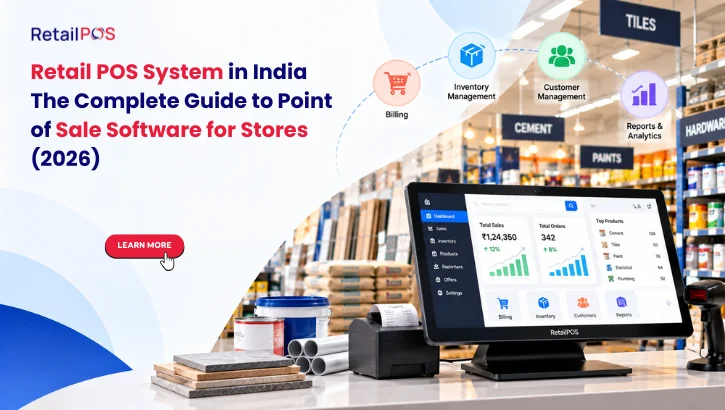
Every retail store has a point of sale, the exact spot where a customer pays and a sale becomes a record. For a small shop it might be a counter and a calculator. For a growing chain it is a network of billing terminals feeding data into one central system. The difference between those two setups often decides whether a retail business stays stuck managing daily chaos or scales with confidence.
A retail POS system is the software and hardware that handles this moment, and everything that depends on it: billing, stock updates, GST invoices, discounts, customer records, and reports. Choosing the right point of sale software is one of the most important operational decisions a retailer makes, because it touches every sale, every day, across every outlet.
This guide explains what a retail POS system is, what features matter, what hardware you need, how to compare options, and how to choose a POS system for your retail store in India without paying for features you will never use or missing ones you will desperately need later.
What Is a Retail POS System?
A retail POS system, short for point of sale system, is the combination of software and hardware a store uses to complete sales transactions and manage the information behind them. The “point of sale” is the place and moment where a customer pays for goods. Modern point of sale software does far more than ring up a total.
At its simplest, a retail POS system lets staff scan products, calculate totals with the correct GST, accept payment by cash, card, or UPI, and print or send an invoice. Behind that simple action, a good POS system also reduces stock automatically, records which customer bought what, applies discounts and offers, and feeds every sale into reports the owner can review at any time.
People search for this using many different phrases: pos retail system, point of sale retail system, retail systems pos, pos sales software, points of sale, or simply POS point of sale. They all point to the same need, a reliable system to run the checkout and the business data that flows from it.
Point of Sale vs POS Terminal vs POS Software
These terms are often used interchangeably, which creates confusion when comparing vendors.
Term | What it actually means |
Point of sale (POS) | The place and moment a retail transaction is completed |
POS software | The application that handles billing, stock, customers, and reporting |
POS terminal | The physical billing station, usually a computer or tablet with a screen, scanner, and printer |
POS system | The complete setup of software plus hardware working together |
Retail POS system | A POS system designed specifically for retail needs such as barcodes, variants, stock, and GST |
How Point of Sale Software Works, Step by Step
Understanding the flow of a sale makes it easier to judge which features genuinely matter.
- Product lookup. The cashier scans a barcode or searches by name. The system pulls up the product, price, and tax rate instantly.
- Cart building. Items are added, quantities adjusted, and applicable offers or discounts applied automatically.
- Customer capture. The customer’s phone number links the sale to a profile, enabling loyalty and repeat purchase tracking.
- Payment. The customer pays by cash, card, UPI, wallet, or a split of several methods, all recorded against the same invoice.
- Invoice generation. A GST compliant invoice is printed or sent digitally by SMS, WhatsApp, or email.
- Stock update. Inventory reduces immediately for the items sold, so stock counts stay accurate.
- Reporting. The sale flows into daily, weekly, and monthly reports covering sales, margin, taxes, and staff performance.
- Sync. For multi-outlet businesses, the data syncs to a central system so head office sees the same picture in real time.
When any of these steps depends on manual work, errors and delays creep in. The purpose of a retail POS system is to make every step automatic and consistent.
Core Features Every Retail POS System Needs
Not every feature matters equally for every store, but these are the foundation for any serious retail point of sale system.
1. Fast Barcode Based Billing
Speed at the counter directly affects customer experience and queue length. A good system supports barcode scanning, quick product search, keyboard shortcuts, and handles heavy footfall without lag.
2. GST Compliant Invoicing
Every invoice must carry the correct GST rate, HSN codes, and required fields. Software should apply tax automatically per product, support intra-state and inter-state billing, and keep data ready for return filing.
3. Real Time Inventory Management
Stock should reduce with each sale and increase with each purchase. Low stock alerts, reorder levels, batch tracking, and stock transfer between outlets keep shelves full and capital working.
4. Multiple Payment Modes
Customers pay by cash, debit and credit cards, UPI, wallets, and sometimes a combination. The POS system should support split payments and reconcile each mode at day end.
5. Discounts, Offers, and Promotions
Retail runs on offers: buy one get one, bill value discounts, category offers, coupon codes, and festival campaigns. Software should configure and apply these automatically, without manual calculation at the counter.
6. Customer Management and Loyalty
Linking sales to customers builds a database for loyalty points, targeted offers, and repeat purchase analysis, turning one time buyers into regular customers.
7. Returns, Exchanges, and Credit Notes
Retail has returns. A proper system handles them with correct tax treatment, stock adjustment, and audit trail instead of messy manual corrections.
8. Reports and Analytics
Owners need clear answers: what sold, what did not, what margin was earned, which staff or outlet performed best. Strong reporting turns daily sales data into business decisions.
9. Multi User Roles and Security
Cashiers, managers, and owners need different access levels. Role based permissions and activity logs protect against errors and misuse.
10. Offline Mode
Internet outages should never stop billing. The system should continue to work offline and sync automatically when connectivity returns.
11. Multi Store Control
For chains, centralized pricing, stock, and reporting across outlets is essential. This is where basic billing tools usually run out of capability.
Point of Sale Hardware: What a POS Terminal Setup Includes
Software needs hardware to work at a real counter. The right setup depends on store size and speed requirements.
Hardware component | Purpose | Notes for retail stores |
POS terminal (computer, all in one, or tablet) | Runs the billing software | All in one touchscreen units save counter space |
Barcode scanner | Reads product barcodes quickly | Laser or 2D imagers; 2D handles screens and damaged codes better |
Receipt printer | Prints invoices | Thermal printers are fast and low maintenance |
Cash drawer | Holds cash securely | Opens automatically on cash payments |
Card and UPI payment device | Accepts digital payments | UPI QR displays and card machines can integrate with billing |
Customer display | Shows items and totals to the buyer | Builds transparency and trust at checkout |
Weighing scale | Measures loose items | Integrates directly for grocery and produce billing |
Label printer | Prints barcode and price labels | Useful for loose items, apparel, and relabeling |
A good retail POS system works with standard, widely available hardware, so you are not locked into expensive proprietary equipment.
Grocery Billing: What Makes It Different
Grocery billing is one of the most demanding retail use cases, and one of the most searched. Supermarkets, kirana stores, and mini marts handle thousands of low value transactions with a huge range of products, so billing needs to be fast and flexible.
Key grocery billing requirements include:
- Weighing scale integration so loose items such as vegetables, fruit, and grains are billed by exact weight without manual entry
- Large product catalogs with fast search, since stores often carry thousands of SKUs
- Mixed GST rates in a single basket, with exempt, 5 percent, 12 percent, and higher slab items all billed correctly
- Expiry and batch tracking for packaged and perishable goods
- Quick repeat billing for regular customers with similar baskets
- Hold and recall bills so the counter keeps moving when a customer steps away
- Home delivery and mobile ordering support for stores serving neighborhood customers
Generic billing apps often struggle here. A purpose built grocery billing system handles these needs natively and keeps the queue moving during peak hours.
POS Systems for Different Retail Store Types
Different categories have different checkout and inventory needs. A retail POS system should adapt to the way your store actually sells.
Store type | Special POS requirements |
Supermarket and grocery | Weighing scale integration, mixed GST slabs, expiry tracking, fast barcode billing |
Apparel and fashion | Size and color variants, seasonal stock, exchange handling, barcode label printing |
Footwear | Size matrix, style and color grouping, returns and exchanges |
Electronics and mobile | Serial number and IMEI tracking, warranty management, scheme pricing |
Pharmacy | Batch and expiry tracking, drug schedule handling, near expiry alerts |
Hardware and building materials | Multiple units of measure, bulk pricing, credit sales |
Restaurant and QSR | Table management, kitchen order tickets, modifiers, delivery integration |
Books and stationery | Large catalogs, ISBN scanning, bulk and institutional billing |
Beauty and wellness | Combined product and service billing, packages, staff commission |
Multi category general retail | Flexible categories, department wise reports, centralized control |
Cash Register vs Basic Billing App vs Full Retail POS System
Many stores start with a cash register or a free billing app and outgrow it. Here is how the options compare.
Capability | Cash register | Basic billing app | Full retail POS system |
GST compliant invoices | Limited or manual | Yes, basic | Yes, complete with returns and filing support |
Inventory tracking | None | Basic stock counts | Real time, batch, variant, and multi location |
Barcode support | Rare | Limited | Full, including label printing |
Customer and loyalty management | None | Basic contact list | Full profiles, loyalty, and targeted offers |
Reporting | Daily totals only | Simple sales reports | Detailed sales, margin, stock, and staff analytics |
Multi store support | No | Rarely | Yes, with centralized control |
Offline operation | Yes | Varies | Yes, with automatic sync |
Integrations (accounting, ecommerce, payments) | No | Limited | Extensive |
Scalability | Very low | Low to moderate | High, grows with the business |
If you run one small counter with few products, a basic tool may be enough for now. If you carry hundreds of SKUs, plan a second outlet, or need real stock control and GST accuracy, a full retail POS system pays for itself quickly.
Cloud POS vs Desktop POS: Which Is Right for Your Store?
Another common decision is whether to choose cloud based or desktop installed point of sale software.
Factor | Cloud POS | Desktop POS |
Access | From anywhere with internet | Mostly at the store computer |
Multi store visibility | Excellent, real time | Limited unless specifically configured |
Internet dependency | Needs connectivity, ideally with offline mode | Works locally without internet |
Updates | Automatic | Manual installation |
Data backup | Handled in the cloud | Needs manual or scheduled backup |
Upfront setup | Usually lighter | Often heavier |
Best suited for | Growing chains and owners who want remote visibility | Single stores with stable, local operations |
The best modern systems combine both strengths: they run reliably offline at the counter and sync to the cloud for central control, so a power or internet cut never stops a sale.
What Affects the Cost of a POS System for a Retail Store
Pricing varies widely, so it helps to understand what drives it rather than chasing the lowest quote. Always get an exact, written quotation based on your own needs.
- Number of billing counters and outlets. More terminals and locations increase licensing and support needs.
- Feature depth. Basic billing costs less than systems with advanced inventory, CRM, analytics, and multi store control.
- Hardware requirements. Scanners, printers, scales, and terminals add to total setup cost.
- Deployment model. Cloud subscriptions and one time license models have different cost structures over time.
- Customization and integrations. Connecting accounting, ecommerce, or payment systems may add setup effort.
- Training and onboarding. Good implementation support reduces costly mistakes in the first months.
- Support and updates. Ongoing support and GST rule updates are part of long term value, not an extra to ignore.
Think in terms of total cost of ownership over several years, not just the first invoice. A cheaper system that causes stock errors, GST mistakes, or downtime usually costs far more in the long run.
How to Choose a Retail Shop POS System: A Practical Checklist
Use this checklist while comparing options or sitting through demos.
- Is it built specifically for retail, or adapted from restaurant or generic billing software?
- Does it handle your category’s special needs, such as variants, batches, serial numbers, or weighing scales?
- Is GST handling automatic, accurate, and updated as rules change?
- Does inventory update in real time across counters and outlets?
- Can it work offline and sync automatically when internet returns?
- Does it support your existing hardware, or require proprietary equipment?
- Can it grow with you from one counter to multiple outlets without switching platforms?
- Are reports clear enough for the owner to act on, not just export?
- What is included in onboarding, data migration, and staff training?
- How quickly and reliably does support respond, and in which languages?
- Can the vendor show real customers in your category and city?
- What is the total cost over three to five years, including support and updates?
Common Mistakes Retailers Make When Buying POS Software
- Choosing purely on price. The cheapest option often lacks inventory depth or GST accuracy, creating hidden costs later.
- Buying for today only. A system that cannot support a second outlet forces a painful migration at exactly the wrong time.
- Ignoring staff usability. If cashiers find the software slow or confusing, adoption suffers and errors increase.
- Skipping the demo with real products. Test with your own barcodes, variants, and billing scenarios, not a generic sample.
- Underestimating data migration. Moving existing products, prices, and customers needs planning to avoid errors on day one.
- Forgetting offline scenarios. Ask exactly what happens when the internet or power fails at the counter.
- Overlooking support quality. Billing downtime during peak hours is expensive, so responsive support matters.
How to Implement a New POS System Without Disrupting Sales
A smooth switch is mostly about preparation. Follow this sequence.
- Clean your product data first. Standardize names, barcodes, prices, GST rates, and categories before importing.
- Set up hardware and test it. Confirm scanners, printers, scales, and payment devices work with the software.
- Train staff before go live. Practice common scenarios such as returns, split payments, and holds.
- Run a parallel trial. Bill a few transactions in the new system alongside the old process to catch issues.
- Go live at a low traffic time. Avoid launching on a festival weekend or sale day.
- Review daily for the first two weeks. Check reports, stock counts, and invoices closely and correct early issues.
- Expand gradually. For multi outlet businesses, roll out store by store rather than all at once.
How RetailPOS Supports Retail Stores Across India
RetailPOS is a purpose built retail POS system and ERP platform designed for Indian retailers. It covers fast barcode billing, GST compliant invoicing, real time inventory, customer loyalty, detailed reporting, and centralized control across single stores and multi outlet chains.
From supermarket and grocery billing with weighing scale integration, to apparel with size and color variants, electronics with serial tracking, and restaurants with kitchen workflows, RetailPOS adapts to how each category actually sells. Offline billing with automatic sync keeps counters running through connectivity issues, and consolidated dashboards give owners a live view of every outlet.
With more than 20 years of retail specific experience and 10,000+ businesses served across India, RetailPOS is built for the real conditions of Indian retail: mixed GST slabs, high footfall counters, festival peaks, and rapid multi store growth.
For retailers planning to scale, explore how inventory management for retail chains and RetailPOS ERP multi store control extend the same system as your business grows.
Frequently Asked Questions
A retail POS system is the software and hardware a store uses to complete sales and manage the data behind them, including billing, GST invoices, stock updates, customer records, payments, and reports. It turns every sale at the counter into accurate, usable business information.
Point of sale software is the application that runs billing, inventory, and reporting. A POS terminal is the physical billing station, such as a computer or tablet with a scanner and printer, that runs the software at the counter. Together they form the complete POS system.
The best POS system is one built for retail with GST compliant billing, real time inventory, offline capability, and the ability to scale to multiple outlets. RetailPOS is designed specifically for Indian retail and is trusted by 10,000+ businesses. Book a free demo to test it with your own products.
Grocery billing works best with software that supports weighing scale integration, mixed GST slabs, large product catalogs, expiry tracking, and fast repeat billing. General billing apps often struggle with these needs, so a retail focused system is usually the better choice.
Yes. A well built retail POS system continues billing offline and syncs data automatically when connectivity returns, so power or internet cuts never stop sales at the counter.
A typical setup includes a POS terminal, barcode scanner, thermal receipt printer, cash drawer, and a payment device for cards and UPI. Grocery stores add a weighing scale, and many stores add a label printer and customer display.
Cost depends on the number of counters and outlets, feature depth, hardware, deployment model, and support. Request a written quotation based on your store and compare total cost of ownership over several years rather than only the first purchase price.
Yes. A multi store POS system centralizes pricing, stock, and reporting across outlets, with real time visibility for head office and support for stock transfers between branches.
A single counter store can often go live within days once product data and hardware are ready. Multi outlet rollouts take longer and are best done store by store with staff training at each step.
A proper retail POS system applies the correct GST rate per item, supports intra-state and inter-state billing, handles returns and credit notes correctly, and keeps data ready for GST return filing.
Ready to choose a retail POS system that fits your store today and scales with you tomorrow? Book your free RetailPOS demo today →