
Powered by Unipro Tech
Billing and POS Software for Hardware and Building Material Shops in India: The Complete 2026 Guide
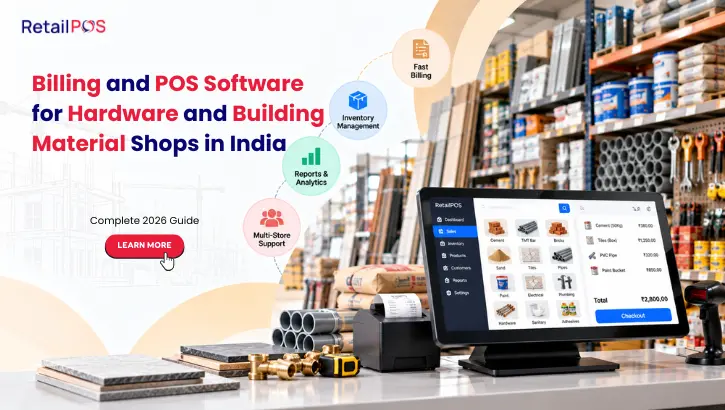
A contractor walks into your shop on a Monday morning and asks for 40 bags of cement, 200 feet of PVC pipe, two boxes of tiles and a set of fittings, all to be billed to his running account. By Wednesday he is back for more. By the end of the month he owes you a large amount across 14 separate bills, three partial payments and one disputed return, and nobody in the shop can say exactly what the balance is without opening a notebook.
This is normal life in hardware and building material retail. It is also exactly where generic billing software breaks down. Hardware, tiles, sanitaryware, plumbing and electrical supply businesses do not sell the way a grocery or garment store does. They sell in different units, on credit, in bulk, from several godowns, to repeat customers whose accounts matter as much as the stock on the shelf.
This guide explains what billing and POS software for hardware and building material businesses in India actually needs to do, where ordinary billing apps fall short, and how to choose a system that protects your cash flow instead of just printing invoices.
Why Hardware and Building Material Retail Is Different
Most billing software is designed around a simple picture: a customer picks a few items, pays at the counter and leaves. Hardware and building material businesses work differently in at least five ways.
A large share of sales is on credit. Contractors, plumbers, electricians, builders and repeat customers rarely pay at the time of purchase. They run accounts, settle in installments and expect you to track every rupee.
Products are sold in several units. Pipes may be bought by the piece, the foot or the bundle. Tiles by the box or the square foot. Cement by the bag or the ton. Wire by the coil or the meter. One item, several units, one correct price in each.
Orders are large and project driven. A single customer may buy materials for one site over several weeks, and expect consistent pricing and a clear running statement.
Stock sits in many places. Material is often split across the shop, one or more godowns and sometimes a second branch, which makes “do we have it?” a harder question than it looks.
Margins are tight and prices move. Steel, cement, pipes and cable prices shift with the market, so outdated rates on a bill can quietly wipe out profit.
Software that ignores these realities forces staff to work around it with notebooks, calculators and memory, and that is where money disappears.
The Seven Places Hardware Shops Quietly Lose Money
Understanding where the leaks happen makes it easier to judge what software needs to fix.
Where money leaks | What actually happens | What it costs |
Untracked credit | Customer balances live in notebooks, memory or scattered bills | Delayed collections, disputes and bad debt |
Unit conversion errors | Staff bill a box of tiles as individual pieces, or feet as meters | Undercharging or overcharging on every large order |
Outdated price lists | Old rates stay on the system while supplier costs rise | Margin erosion that nobody notices for weeks |
Stock in the wrong godown | Items are recorded in one location but sit in another | Lost sales, delayed deliveries and emergency purchases |
Dead and slow stock | Low demand items are reordered out of habit | Cash locked in material that does not move |
Discount leakage | Staff give verbal discounts without an approval trail | Margin lost without any record |
Manual reconciliation | Cash, credit and returns are matched by hand at month end | Hours of staff time and errors that are hard to trace |
None of these looks serious in isolation. Across a year of daily trading, they add up to a meaningful share of what the business should have earned.
Core Features Hardware and Building Material Billing Software Must Have
1. Credit Billing With Customer Ledgers
Every credit sale should post to a customer account automatically, with a running balance, payment history and a statement that can be shared instantly. Staff should see the outstanding amount before agreeing to a new credit sale.
2. Credit Limits and Overdue Alerts
The system should let you set a credit limit per customer and flag accounts that exceed it or fall overdue, so credit decisions are made with data, not goodwill alone.
3. Multiple Units of Measure With Automatic Conversion
One product should carry several selling units with defined conversions, so a box, a square foot and a piece all bill correctly from the same stock count, without anyone doing arithmetic at the counter.
4. Bulk and Slab Pricing
Contractors and repeat buyers often get different rates from walk-in customers. Customer-wise price lists and quantity-based slabs keep pricing consistent and approved.
5. Quotations and Estimates
Large jobs start with an estimate. The software should create a quotation, convert it into an order or invoice once approved and keep a record of what was quoted.
6. Multi-Godown and Multi-Location Inventory
Stock should be tracked by location, with transfers between godown, shop and branch recorded properly, so staff can see what is available and where.
7. Purchase and Supplier Management
Purchase orders, goods receipts, supplier rates and payables should sit in the same system, so you always know what you paid, what you owe and which supplier is giving the best price.
8. Returns, Credit Notes and Damage Handling
Material returns are common. Each one needs correct tax treatment, a stock adjustment and a clean trail, instead of an informal correction on a notebook page.
9. GST Compliant Invoicing
Hardware and building material shops sell items across different tax rates. The software should apply the correct rate per item and keep records ready for return filing.
10. Role Based Access and Discount Control
Cashiers, godown staff and managers should have different permissions. Discounts above a set limit should need approval, and every change should leave an audit trail.
11. Offline Billing
A busy shop cannot stop when the internet drops. Billing should continue offline and sync automatically when the connection returns.
Credit Billing and Contractor Accounts: The Heart of the Business
For many hardware and building material dealers, credit is not an exception, it is the business model. That makes the way credit is recorded, monitored and collected the single most important part of any software decision.
What a Proper Credit Workflow Looks Like
- A customer account is created once with contact details, GST number if applicable, credit limit and agreed price list.
- Every credit sale posts automatically to that account at the moment of billing, with the bill reference.
- Payments are recorded against the account, whether full, partial or advance, and matched to specific bills where needed.
- The running balance is visible instantly to the counter staff and the owner.
- Ageing reports show who owes what and for how long, so follow-up is prioritised by risk instead of memory.
- Statements can be shared on demand by print, SMS or WhatsApp, which cuts down disputes at settlement time.
Why Ageing Reports Matter
An ageing report groups outstanding amounts by how long they have been due. It turns a vague feeling that “a lot of money is stuck” into a specific list.
Ageing bucket | What it tells you | Typical action |
0 to 30 days | Normal credit cycle | Routine reminder before due date |
31 to 60 days | Payment is slowing | Personal follow-up call |
61 to 90 days | Real collection risk | Escalate, review fresh credit |
Over 90 days | High risk of bad debt | Stop further credit, formal follow-up |
Controlling Credit Risk
- Set a credit limit for every account and block or flag sales above it
- Review customers with rising balances and falling payments before approving new orders
- Record promised payment dates and follow up on them
- Keep disputed bills and returns documented so settlements are quick
- Review ageing weekly, not at month end
Better credit control often improves cash flow more than any increase in sales, because it brings in money you have already earned.
Multiple Units of Measure: Selling the Same Item Three Ways
Unit handling is one of the most common failure points for ordinary billing apps, and one of the easiest places to make costly mistakes in a hardware shop.
Product | Common selling units | Why billing goes wrong without conversion |
Floor and wall tiles | Box, square foot, square meter, piece | Staff price a box as individual pieces or mix up area and quantity |
PVC and metal pipes | Piece, foot, meter, bundle | Length and piece counts get confused on large orders |
Electrical wire and cable | Coil, meter, bundle | Partial coils are billed inconsistently |
Cement and bagged goods | Bag, ton | Bulk orders are entered in one unit and stocked in another |
Paints and chemicals | Litre, tin, drum | Different pack sizes share one stock record |
Plywood and boards | Sheet, square foot | Cut sizes are sold without adjusting remaining stock |
Nuts, bolts and fasteners | Piece, packet, kilogram | Loose and packed sales are tracked separately |
With proper unit conversion, the system holds stock in one base unit and converts automatically for each sale, purchase and return. The price per unit stays correct, and the stock count stays accurate whichever way an item is sold.
Stock Control Across Godowns and Showrooms
Many hardware and building material businesses keep heavy or bulky stock in a separate godown and display samples in a showroom or shop. That split creates a visibility problem: the person at the counter cannot easily tell what is available to deliver today.
What good multi-location stock control provides:
- Stock levels by shop, godown and branch, visible from one screen
- Recorded transfers between locations, so nothing moves without a trail
- Reservations for confirmed orders, so promised material is not sold twice
- Reorder alerts based on actual movement, not guesswork
- Batch or lot tracking where material variation matters, such as tile shades or paint batches
- Regular audits using barcodes or handheld devices to catch discrepancies early
Why batch and shade tracking matters for tiles and paints. Tiles and paints from different batches can vary slightly in shade. If a customer orders for a full room, mixing batches causes complaints and returns. Recording batch information at purchase and sale lets you supply a consistent lot to each job.
Dead stock deserves its own review. Hardware inventories hold thousands of items, and many of them barely move. A report that shows slow and non-moving stock by value lets you stop reordering them, bundle them into offers or negotiate returns with suppliers before they tie up more cash.
Software Needs by Type of Hardware and Building Material Business
The category label “hardware” covers many different shops. Their priorities vary.
Business type | Top priorities for software |
General hardware shop | Fast counter billing, large item catalogue, credit accounts, fasteners and loose item units |
Tiles and flooring showroom | Box and area conversion, batch and shade tracking, quotations, delivery scheduling |
Sanitaryware showroom | Brand and model catalogue, set and combo pricing, project quotations, warranty records |
Electrical supplies store | Cable by meter and coil, brand-wise pricing, contractor accounts, serial or batch tracking for key items |
Plumbing materials supplier | Pipe length units, fittings in bulk, credit billing, multi-godown stock |
Paint and chemical dealer | Pack size conversion, batch tracking, shade and tinting records, expiry where applicable |
Steel and cement dealer | Weight based units, rate updates, bulk invoicing, transport and delivery records |
Building materials trader with multiple branches | Central pricing, inter-branch transfers, consolidated reporting, regional manager access |
When you compare software, test it against your own category’s units, price structure and credit patterns, not a generic demo.
Notebook and Basic Billing App vs Purpose Built Retail ERP
Many hardware businesses begin with a notebook or a simple billing app. Both work at small scale and fail as the business grows.
Capability | Notebook and calculator | Basic billing app | Purpose built retail ERP |
Credit account tracking | Manual, error prone | Basic balances | Full ledgers, limits, ageing and statements |
Multiple units of measure | Done by hand | Limited or absent | Automatic conversion across all units |
Customer-wise pricing | Remembered by staff | Rarely supported | Price lists and quantity slabs |
Multi-godown stock | Not possible | Rarely supported | Location-wise stock with recorded transfers |
Quotations and estimates | Handwritten | Limited | Created, approved and converted to invoices |
GST compliant billing | Manual | Basic | Accurate per item, ready for filing |
Discount control and audit trail | None | Limited | Approval rules and activity logs |
Reports and ageing | None | Simple sales reports | Detailed sales, margin, stock and ageing |
Multi-branch control | None | Rarely | Centralised pricing, stock and reporting |
Growth readiness | Very low | Low | High |
A notebook cannot tell you which customers are slipping into overdue. A basic app cannot hold the same item in four units. A purpose built system is designed for exactly these demands.
GST and Compliance for Building Material Dealers
Hardware and building material shops stock items that can fall under different tax rates, and customers range from walk-in buyers to registered businesses that need compliant invoices to claim input credit.
- Apply the correct rate per item automatically instead of relying on staff to choose at the counter.
- Capture customer GST details for business buyers, so invoices meet their requirements.
- Handle returns and credit notes properly, with correct tax treatment and a record that matches your filing.
- Keep purchase and sales data consistent so return preparation does not require manual reconciliation.
- Check whether e-invoicing applies to your turnover, and confirm that your billing system supports it if it does.
Tax rates and rules change from time to time, so confirm the current treatment of specific items with your accountant, and choose software that is updated as rules evolve.
Reports a Hardware Business Owner Should Check Every Week
Good software should turn daily billing into clear weekly decisions. These reports matter most.
Report | The question it answers |
Customer outstanding and ageing | Who owes us money and how overdue is it? |
Sales by product and category | What sells and what does not? |
Margin by product and customer | Where are we actually earning profit? |
Stock by location | What do we have in each godown and shop? |
Slow and non-moving stock | Which items are tying up cash? |
Purchase and supplier summary | What are we buying and at what rate? |
Discount report | Who is giving discounts and how much? |
Daily collection and cash summary | How much came in today by mode? |
Branch comparison | Which location performs best? |
Reviewing even three of these weekly, outstanding and ageing, margin and slow stock, changes how a hardware business is managed.
Questions to Ask Before You Buy
- Can it hold one product in several units and convert automatically for billing, purchase and stock?
- Does it maintain customer ledgers with credit limits, ageing reports and shareable statements?
- Can I set different price lists for contractors, dealers and walk-in customers?
- Does it track stock by godown, shop and branch, with recorded transfers?
- Can it handle quotations and convert them into invoices?
- Does it support batch or shade tracking for tiles, paints and similar goods?
- Are discounts controlled by permissions with an audit trail?
- Is GST handled automatically per item, and is e-invoicing supported where applicable?
- Does it continue billing offline and sync later?
- What does data migration of my existing items, units and customer balances look like?
- Can it grow with me from one shop to multiple branches?
- What support is available during busy hours and in my language?
How to Switch Without Disrupting a Busy Shop
Hardware shops are busy through the day and cannot afford downtime. A structured switch avoids problems.
- Prepare clean data first. Standardise item names, units, conversions, tax rates and prices before importing.
- Record opening balances carefully. Verify every customer and supplier balance against your latest records, since errors here carry forward.
- Count stock by location. Do a fresh count of the shop and each godown, so the opening stock is correct.
- Configure units and price lists. Test conversions with real products, such as a box of tiles billed by area.
- Train counter and godown staff. Practice credit sales, returns, transfers and discount approvals before go live.
- Run in parallel for a few days. Bill on both systems to catch mismatches early.
- Go live on a quieter day. Avoid month end and peak project periods.
- Review daily for two weeks. Check balances, stock and invoices against expectations and fix issues quickly.
How RetailPOS Supports Hardware and Building Material Businesses
RetailPOS supports hardware shops, sanitaryware and tile showrooms, electrical supply stores and plumbing material suppliers with credit billing, contractor account tracking and multi-warehouse inventory visibility. Bulk transactions, vendor performance and ageing reports are part of the same platform that handles fast counter billing and GST compliant invoicing, so one system covers the shop floor, the godown and the accounts.
For businesses with more than one location, centralised pricing, stock transfers between outlets and consolidated reporting give owners a live view of the whole operation, rather than a set of separate shops reporting separately. Offline billing keeps counters running when connectivity drops, and role based access keeps discounts and sensitive actions under control.
With more than 20 years of retail specific experience and 10,000+ businesses served across India, RetailPOS is built for the way Indian retail actually works, including the credit, units and godown complexity that hardware and building material businesses deal with every day.
To see how this applies to your category, visit the hardware and building materials page. If you are planning to add shops or godowns, explore inventory management for retail chains and RetailPOS ERP multi store control.
Book a free demo and see it with your own products and customers →
Frequently Asked Questions
The best option is software built for retail that supports credit billing with customer ledgers, multiple units of measure, customer-wise pricing, multi-godown stock and GST compliant invoicing. RetailPOS supports hardware and building material businesses with these capabilities. Book a free demo to test it with your own items.
Yes. A proper system posts every credit sale to a customer account, tracks partial payments and advances, shows the running balance at billing and produces ageing reports and statements you can share.
Through unit conversion. The product is stocked in one base unit, with defined conversions to other units, so every sale, purchase and return calculates the correct quantity and price automatically.
Yes. Location-wise inventory shows stock in each shop, godown and branch, and recorded transfers keep movements traceable, so staff can see what is available and where.
By setting credit limits, flagging overdue accounts, showing balances before new credit sales and producing ageing reports, so follow-up is based on data and happens earlier.
Batch tracking is a standard capability in retail ERP systems and helps supply consistent lots to a job. Confirm the exact setup for your products during a demo.
A proper system applies the correct GST rate per item, supports business customers' GST details, and handles returns and credit notes correctly. Confirm current rates for specific items with your accountant.
Yes. Role based permissions can require approval above a set discount limit, and activity logs keep a trail of who changed what.
A well built retail POS continues billing offline and syncs data automatically when connectivity returns.
Yes. Centralised pricing, inter-branch stock transfers and consolidated reporting let owners manage all locations from one dashboard.
Ready to make this Diwali your smoothest and most profitable yet? Book your free RetailPOS demo today →