
Powered by Unipro Tech
How to Upgrade Your Retail Point of Sale Software Without Disrupting Your Chain Operations
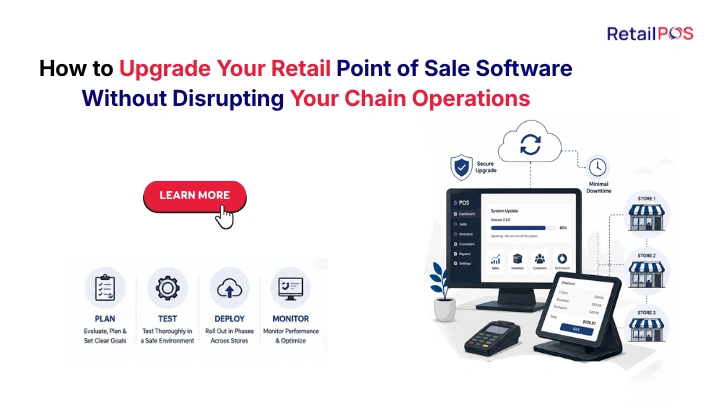
Section 1: The Real Reason Most Indian Retail Chains Stay on Outdated Software Too Long
If you are reading this guide, you already know your current retail point of sale software is not adequate for the chain you are running or the chain you are building. You know that managing stock across your five outlets through phone calls and WhatsApp messages is not scalable. You know that spending three days every month manually compiling GST returns from each branch is not how you should be spending your time. You know that your customers deserve a loyalty programme that works at every outlet, not just the one where they originally signed up.
You know all of this. And yet the software upgrade has not happened.
The reason is almost never budget. The reason is almost never lack of options. The reason is fear. Specifically, the fear of what happens to your business during the transition.
What if the new system loses all our historical transaction data? What if billing counters stop working at our busiest outlets during the migration? What if staff cannot figure out the new interface during Diwali rush? What if the new system has bugs that only appear after go-live and our GST filing for that month is wrong?
These fears are completely understandable. For a retail chain managing multiple outlets, a billing system failure during peak hours is not a minor inconvenience. It is a direct revenue loss, a customer experience disaster, and a staff crisis happening simultaneously. The stakes are real and the fear is proportionate to the stakes.
This guide is written to address that fear directly. Not to dismiss it but to show you that when a retail POS upgrade is planned and executed correctly, none of these disasters need to happen. The disruption that retail chain owners fear is almost always the result of poorly planned migrations, not inevitable consequences of upgrading. A well-managed upgrade is invisible to your customers and manageable for your staff.
Section 2: What You Are Actually Risking by Not Upgrading
Before getting into the upgrade process, it is worth being honest about what staying on your current software is actually costing you. The fear of migration disruption is real but it is being compared to a baseline that is not cost-free.
Every month you operate on inadequate software is a month where:
Financial costs you are absorbing silently:
- Manual GST compilation from multiple outlets costs your finance team 2 to 3 working days every month. At an accounting cost of Rs 50,000 per month, that is Rs 5,000 to Rs 7,500 of productive time spent on a task that takes 30 minutes with the right system.
- Pricing errors across outlets that are corrected only after customer complaints cause an estimated Rs 15,000 to Rs 40,000 in under-recovered revenue per month for a chain of 5 outlets.
- Dead stock that is invisible because there is no centralised inventory view accumulates across outlets until a physical audit reveals the problem, typically representing 4 to 8% of total inventory value.
- Inter-branch stock transfers managed through informal channels create discrepancies that result in annual inventory write-offs for most Indian retail chains.
Competitive costs you are accumulating:
Every month your competitors operate on enterprise retail software while you manage manually is a month they are making faster decisions, catching problems earlier, and delivering more consistent customer experiences. In Indian retail markets where national chains like Reliance Smart, D-Mart, and Apollo Pharmacy are expanding aggressively, the operational gap between chains with enterprise software and those without is widening every year.
The cost of upgrading later rather than now:
The more outlets you add on your current system, the harder the migration becomes. A chain moving from Tally to enterprise POS at three outlets has a manageable migration. The same chain making the same move at eight outlets has a significantly more complex and costly migration. Every new outlet added to an inadequate system makes the eventual upgrade more expensive and more disruptive.
The question is not whether to upgrade. The question is when. And the right answer is always earlier rather than later.
Section 3: The Truth About Software Migration: It Is Not as Disruptive as You Think
The horror stories about software migrations that retail chain owners share with each other are almost always stories about poorly planned migrations. They are stories about vendors who promised a two-week implementation and delivered in four months. Stories about data that was lost because no proper migration protocol was followed. Stories about staff who were handed a new system on a Monday morning with no training.
These stories are real and they are cautionary. But they describe what happens when a migration is not done properly, not what happens when it is.
A well-planned retail POS migration for an Indian chain follows a structured process that ensures:
- Billing operations never stop at any outlet at any point during the migration
- All historical transaction data is migrated before go-live, not after
- Staff are trained on the new system before it goes live, not on the day it goes live
- The old system and new system run in parallel for a minimum period before the old system is retired
- Every configuration is tested with actual product data before any live transactions are processed
When these five principles are followed, the migration experience is not a disaster. It is a planned transition that your customers never notice and your staff adapt to within a week.
The rest of this guide walks through exactly how this process works step by step.
Section 4: The Complete 7-Step Upgrade Framework for Indian Retail Chains
Step 1: Audit Your Current State Before You Touch Anything
The single most important investment you can make before any migration is a thorough audit of what you currently have. This means documenting your product master with every SKU, variant, barcode, and HSN code. It means cleaning your customer database and removing duplicates. It means reconciling your current stock counts at every outlet against your system records. It means documenting your current GST configuration including which rates apply to which product categories.
This audit is unglamorous work. It takes time. Most retail chain owners want to skip it and go straight to the new system. This is the single biggest mistake in any software migration.
The quality of your data going into the new system determines the quality of your operations coming out of it. A clean migration of accurate data takes two to three weeks of preparation work. A rushed migration of messy data creates months of correction work after go-live.
What to audit and clean before migration:
- Product master: correct names, HSN codes, GST rates, and barcodes for every item
- Supplier master: correct GSTIN, payment terms, and contact details for every supplier
- Customer master: remove duplicates, correct phone numbers, accurate loyalty balances
- Opening stock: physical count at every outlet matched against system records
- Outstanding purchase invoices: what is owed to suppliers at migration date
- Outstanding customer credit: what is owed by credit customers at migration date
Step 2: Define Your Go-Live Requirements Before Selecting a Vendor
Before evaluating any software vendor, define exactly what your new system must do on day one of go-live. Write this list in operational terms, not technical terms.
For a supermarket chain in Chennai moving from Tally, the day-one requirements might be:
- 6 billing counters at each of 5 outlets all operating simultaneously
- Weighing scale integration at all produce sections
- All 4,200 SKUs loaded with correct HSN codes and GST rates
- Customer loyalty balances for 8,400 registered customers migrated accurately
- GST configuration matching Tamil Nadu state requirements
This list becomes your acceptance criteria for any vendor demonstration. If a vendor cannot demonstrate every item on your list working with your actual product data, they are not ready to take your business live.
Step 3: Select Your Vendor Based on Migration Track Record, Not Just Features
Feature comparisons between retail POS systems are relatively easy to conduct. Implementation quality comparisons are harder but more important.
Ask every vendor you evaluate the following questions specifically about their migration process:
- How many retail chain migrations from Tally have you managed in the last 12 months? Can I speak with three of those customers specifically about the migration experience?
- What is your migration protocol for a chain of my size? Give me the document.
- What happens if data migration reveals errors after go-live? Who bears the cost and time of correction?
- What is the parallel run period in your standard implementation and what triggers the decision to retire the old system?
- Who is accountable for the migration: the vendor’s team or my team?
A vendor who has managed dozens of successful migrations from Tally for Indian retail chains will answer every one of these questions confidently and with specific examples. A vendor who struggles to answer them is telling you something important about their implementation capability.
Step 4: Build Your Product Master in the New System Before Migration Day
The product master is the foundation of everything else in a retail POS system. Every billing transaction, every inventory record, every GST report, and every analytics output is only as accurate as the product master it is built on.
Building the product master in the new system should happen weeks before go-live, not during it. This means:
- Every product loaded with correct name, barcode, HSN code, GST rate, category, and unit of measure
- All variants created for apparel and footwear: every size-colour combination with its individual barcode
- All supplier-product mappings established for purchase order generation
- All promotional pricing and discount rules configured and tested
- All loyalty programme point-earning rates configured per product category
For a mid-size retail chain with 2,000 to 5,000 SKUs, building the product master typically takes one to two weeks working in parallel with the vendor’s implementation team. This is preparation time well spent because it is the foundation that every subsequent step builds on.
Step 5: Load Opening Stock and Test Every Configuration Before Live Transactions
Once the product master is complete, load the opening stock for every outlet based on your physical count from Step 1. This gives the new system an accurate starting inventory position at every location.
Then test every configuration with real product data and real transaction scenarios before allowing any live customer transaction to be processed through the new system. Test the following specifically:
- A complete sale transaction at the billing counter including barcode scanning, discount application, loyalty point crediting, and receipt printing
- A product return and its effect on inventory
- An inter-branch stock transfer from request to receipt
- A purchase order and GRN from a supplier
- The GST calculation on a transaction involving products at different rates
- The apparel GST rate switching at Rs 1,000 if you are an apparel chain
- A festival promotion applying automatically at the correct time
Testing with real data reveals configuration errors before they affect live customers. Every error found during testing is an error that would otherwise have been found by a customer or an auditor.
Step 6: Train Every Staff Member Before Go-Live, Not After
Staff training is the most underestimated component of any retail POS migration. The most common reason migrations fail in practice is not data or configuration problems. It is undertrained staff who revert to workarounds, bypass the new system, or make consistent errors because they were not prepared adequately before going live.
Training must happen before go-live, using the actual new system configured with your actual products. Generic training on demonstration data is far less effective than hands-on training with the exact interface your staff will use every day.
Training requirements by role:
- Billing counter staff: complete sales transaction, return, exchange, loyalty redemption, split payment, end-of-day closing
- Store managers: stock receiving, inter-branch transfer, daily reports, low-stock alert response
- Purchase managers: purchase order generation, GRN processing, supplier reconciliation
- Head office team: Cockpit dashboard, chain-wide reports, pricing changes, promotion configuration
- Finance and accounts: GST report generation, monthly closing, reconciliation
Each role needs between 4 and 8 hours of focused hands-on training. Do not compress this. Undertrained staff during the first two weeks of a new system creates errors that take months to clean up.
Step 7: Go Live Outlet by Outlet, Not All at Once
For a retail chain with 5 or more outlets, going live at all outlets simultaneously on the same day is an unnecessary risk. A phased outlet-by-outlet go-live reduces risk significantly with minimal additional timeline cost.
Go live at one outlet first, typically your most operationally straightforward location rather than your highest-volume outlet. Run that outlet on the new system for one full week while all other outlets continue on the old system. Identify and resolve any issues that emerge at the first outlet before they repeat across the entire chain.
Then proceed to the remaining outlets in groups of two to three, with a brief stabilisation period between each group. By the time the highest-volume outlet goes live, the implementation team has already resolved every issue type that is likely to appear.
Section 5: The Parallel Run: The Most Important Safety Net in Your Migration
The parallel run is the period during which your old system and new system operate simultaneously. Every transaction is processed through both systems for a defined period, typically two to four weeks. This gives you complete protection against data loss and the ability to verify the new system’s output before relying on it exclusively.
During the parallel run:
- Every sale is entered into both the old and new systems
- Inventory counts are checked at the end of each day against both systems
- GST calculations are compared between old and new for the same transactions
- Any discrepancy between the two systems is investigated and resolved
The parallel run ends when you are confident that the new system’s output matches or exceeds the old system’s accuracy across all transaction types. The decision to end the parallel run should be data-driven, not calendar-driven. If issues are still appearing in Week 3, extend the parallel run rather than retiring the old system under schedule pressure.
What triggers the safe end of a parallel run:
- Zero unexplained discrepancies between old and new system inventory for five consecutive days
- GST output from new system verified against old system for two complete billing periods
- All billing counter staff comfortable operating independently on the new system
- At least one complete monthly closing cycle completed on the new system
- Implementation team confirms all configuration items have been verified
Section 6: What Data Moves With You and What Gets Left Behind
One of the most common concerns during a retail POS migration is what happens to historical data. Here is a realistic breakdown of what migrates, what stays, and what needs to be rebuilt.
Data Category | What Happens | Typical Migration Timeline |
Product master with barcodes and HSN codes | Full migration to new system | Week 1 to 2 of preparation |
Customer database with loyalty balances | Full migration with verification | Week 2 of preparation |
Opening stock at every outlet | Migrated based on physical count | Week 3 of preparation |
Supplier master with GSTIN and terms | Full migration | Week 1 of preparation |
Historical transaction data (last 3 years) | Migrated as read-only reference data | During parallel run |
Historical GST returns already filed | Not migrated, remains in old system as archive | Keep old system access for 7 years per GST rules |
Active outstanding purchase invoices | Migrated as opening balances | Week 3 of preparation |
Customer credit balances | Migrated as opening balances | Week 3 of preparation |
Promotional pricing rules | Rebuilt in new system with improved configuration | Week 2 of preparation |
Staff access credentials and roles | Rebuilt in new system | Week 3 of preparation |
The important principle is that you do not lose data in a well-managed migration. Historical data that does not actively migrate into the new system remains accessible in the old system, which you should maintain in read-only mode for at least 7 years for GST compliance purposes regardless of whether you continue to use it operationally.
Section 7: Staff Training: The Most Underestimated Part of Any Upgrade
The billing counter staff at your retail outlets are the people whose work will be most immediately affected by the new system. Their confidence and competence on the new interface from day one of go-live determines whether the transition is smooth or chaotic.
The training principles that distinguish successful migrations from failed ones:
Training should use your actual product data, not generic demonstration data. When your billing staff practice selling a Men’s Cotton T-Shirt Size Large Navy Blue on the new system using your actual barcode and your actual price, their training directly prepares them for the first real customer transaction. When they practise selling a generic Item 001 at a generic Rs 100, the training is abstract and transfers poorly to the real counter.
Training should cover failure scenarios, not just success scenarios. Teach billing staff what to do when a barcode does not scan. What to do when a customer wants to split a payment across UPI and cash. What to do when a product shows out of stock but the customer is holding the item. What to do when a transaction needs to be cancelled mid-way. These scenarios will happen in the first week of go-live and staff who have practised them handle them calmly.
Training should happen in the actual outlet environment, not in a training room. The billing counter at a busy Chennai supermarket during a mock service period is a different experience from a training room with a demonstration laptop. If possible, run a full mock service period at each outlet before go-live, with staff processing simulated transactions at the actual counters using the configured new system.
Section 8: How Long the Upgrade Actually Takes: Realistic Timelines by Chain Size
One of the most common causes of implementation failure is an unrealistic timeline. Vendors often understate timelines during the sales process and then struggle to deliver. Here are honest timelines for Indian retail chain migrations based on real-world implementation experience.
Chain Size | Preparation Phase | Parallel Run | Total Timeline |
2 to 3 outlets, 500 to 1,500 SKUs | 2 to 3 weeks | 2 weeks | 4 to 5 weeks total |
4 to 6 outlets, 1,500 to 3,500 SKUs | 3 to 4 weeks | 2 to 3 weeks | 5 to 7 weeks total |
7 to 10 outlets, 3,500 to 6,000 SKUs | 4 to 5 weeks | 3 weeks | 7 to 8 weeks total |
11 to 20 outlets, 6,000+ SKUs | 6 to 8 weeks | 3 to 4 weeks | 9 to 12 weeks total |
The best time of year to migrate for Indian retail chains:
The ideal migration window avoids the two highest-risk periods: festival season peaks and financial year-end. For most Indian retail chains, the best migration windows are:
January to February after the year-end festive rush and before the new financial year pressure begins. This gives time to be fully stable on the new system before the April financial year-end.
June to August is typically the slowest retail period for most Indian chains, providing a lower-risk environment for a new system to be tested under real but lower-volume conditions before the festive season begins in September and October.
Section 9: The Most Common Upgrade Mistakes Indian Retail Chains Make
Learning from mistakes that other chains have already made is one of the most valuable parts of any migration planning process. Here are the seven most common mistakes and how to avoid each one.
Mistake | Why It Happens | How to Avoid It |
Skipping the data audit | Feels like unnecessary delay before the exciting new system | Block 2 weeks for data cleaning before any vendor engagement |
Going live at the highest-volume outlet first | Wants to prove the system works under pressure immediately | Always go live at the lowest-risk outlet first |
Ending the parallel run on schedule rather than on readiness | Timeline pressure from management or vendor | Define readiness criteria at the start and only end parallel run when criteria are met |
Training staff on day of go-live | Timeline compression, training feels like it can happen alongside live use | Complete all staff training at least 3 days before go-live |
Migrating during festival season | Business pressure to have new system before Diwali or Onam | Plan the migration window at least 8 weeks before any major festival |
Assuming vendor will manage everything | Over-reliance on implementation team | Assign a dedicated internal migration manager from your chain |
Not testing with actual promotional scenarios | Testing feels complete after basic billing works | Test every promotion type that will run in the next 90 days before go-live |
Section 10: How RetailPOS Manages the Migration for You
RetailPOS by Unipro Tech Solutions has managed hundreds of retail chain migrations across India, including transitions from Tally, from basic billing applications, and from outdated POS systems across supermarket chains, apparel chains, electronics retailers, and pharmacy chains in Tamil Nadu, Karnataka, Kerala, Andhra Pradesh, Telangana, and across the country.
Here is how the RetailPOS implementation process addresses each step of the migration framework described in this guide.
Pre-migration audit support: The RetailPOS implementation team provides a structured audit template for product master cleaning, customer database verification, and opening stock reconciliation. For chains that require hands-on support during the audit phase, the implementation team can be engaged directly in the data preparation process.
Product master migration tools: RetailPOS provides Excel-based product master templates that allow your current product data, whether from Tally, from your existing POS system, or from a manual catalogue, to be imported directly into the RetailPOS database without manual re-entry. HSN code mapping is validated during import to catch errors before they reach the live system.
Structured parallel run protocol: Every RetailPOS implementation includes a defined parallel run period with daily reconciliation checks. The implementation team monitors the parallel run actively and confirms that all acceptance criteria are met before recommending the retirement of the old system.
Role-specific training materials: RetailPOS provides training guides and video walkthroughs for each staff role, customised to the specific configuration of your chain. Training materials use your actual product names and transaction scenarios rather than generic examples.
Phased outlet go-live support: The implementation team provides on-site or remote support for the first week of go-live at each outlet, with a dedicated support contact available during billing hours for any issue that requires immediate resolution.
Post-go-live support commitment: After the final outlet goes live, RetailPOS provides enhanced support availability for 30 days to address any issues that emerge during the stabilisation period. After 30 days, the standard support model applies with defined response time commitments for different severity levels.
Section 11: Frequently Asked Questions
Your Tally data does not disappear. RetailPOS migrates your product master, customer database, supplier master, and opening balances into the new system. Historical transaction data from Tally can be migrated as read-only reference data. Your Tally installation itself should be maintained in read-only archive mode for a minimum of 7 years to comply with GST record retention requirements. You will not lose access to historical financial records for compliance purposes.
Yes, and a phased outlet-by-outlet go-live is the recommended approach for chains with 4 or more outlets. Each outlet goes live on a planned schedule with a stabilisation period between outlet groups. Head office functions including centralised reporting, purchase management, and Cockpit analytics go live alongside the first outlet and automatically include each subsequent outlet as it migrates.
Every problem type that is going to emerge in a retail POS implementation will emerge during the parallel run period if the parallel run is conducted properly. This is why the parallel run is not optional. However, if an unexpected issue does emerge after full go-live, RetailPOS provides a defined escalation path with priority support availability for issues affecting billing operations.
RetailPOS generates a consolidated GST report from all transactions processed through the new system from the date of go-live. Transactions processed through the old system during the parallel run and any period before go-live are the responsibility of your existing accounting process. Your accountant will combine both datasets for the migration month. This is a one-time complexity that the RetailPOS implementation team provides guidance on as part of the migration support.
Transparency with staff is strongly recommended rather than treating the migration as a management secret. Staff who know the upgrade is coming and understand why it is happening are far more cooperative during training and go-live than staff who are surprised by a system change. Brief your team at every outlet at least three weeks before their outlet's go-live date. Explain the benefits in terms that are relevant to their daily work, faster billing speed, no more manual stock queries between outlets, and loyalty programme that works for every customer rather than just those who originally registered at that outlet.
Conclusion: The Chain That Upgrades Carefully Upgrades Once. The Chain That Delays Upgrades Under Pressure.
Every retail chain in India that is currently on Tally, a basic billing application, or an outdated POS system will eventually upgrade. The question is whether that upgrade happens on a planned timeline with careful preparation, or under the pressure of a crisis, which could be a missed GST filing deadline, a competitor pulling ahead operationally, or a festival season where the current system simply cannot handle the volume.
Planned upgrades, done carefully with the framework described in this guide, are smooth, low-risk, and largely invisible to customers and suppliers. The billing counters stay running. The data moves cleanly. The staff adapt quickly. The business continues operating and then immediately begins operating better.
Pressure upgrades, done reactively without adequate preparation, cause exactly the disruptions that retail chain owners fear. Data gaps, staff confusion, GST errors, and billing failures during peak periods.
The choice between these two outcomes is not about how difficult the upgrade is. It is about when you decide to start the process. The right time to start planning your retail POS upgrade is always before you need to, not after the limitations of your current system have already caused the problem you were trying to avoid.
If you are reading this guide, you have already started. The next step is a conversation with the RetailPOS implementation team to understand exactly what the upgrade process looks like for your specific chain, your current system, and your outlet count.

 Book your demo
 Talk to our POS experts
- 📧 Email: salesenquiry@uniprotech.co.in
Book a free demo and see how RetailPOS Dineazy gives you complete financial visibility across your restaurant operations..
Or WhatsApp our team directly – we respond within minutes.
Or call us at 95662 44611
About RetailPOS
RetailPOS is an enterprise retail POS and ERP solution by Unipro Tech Solutions Pvt Ltd, headquartered in Chennai, Tamil Nadu. With over 20 years of experience and 10,000 plus businesses served across India and globally, RetailPOS provides purpose-built technology for supermarket chains, apparel chains, electronics retailers, pharmacy chains, and multi-format retail groups across India. Products include RetailPOS Enterprise, Cockpit multi-outlet dashboard, TapZap mobile POS, WeighSense AI, Analytics, and consumer loyalty integration.