
1. Introduction
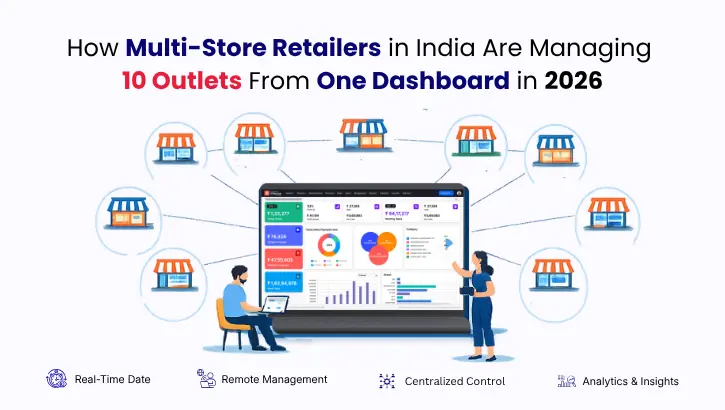
Picture this. A supermarket chain in Chennai has 10 outlets spread across T. Nagar, Anna Nagar, Velachery, Porur, Tambaram, Adyar, Perambur, Sholinganallur, Madipakkam, and OMR. Every morning at 9 AM, before the first customer walks into any of those stores, this owner opens one screen on their laptop, looks at yesterday’s consolidated revenue, checks which outlet ran a stockout on any product, reviews which cashier had a cash discrepancy, and approves the purchase orders that were automatically triggered overnight by the system.
By 9:15 AM, the owner has a clearer picture of 10 outlets than most single-store retailers have of their one location.
This is not a fantasy scenario. This is what multi-store retail management software in India is delivering for retail chains in 2026. The gap between retailers who have adopted centralised management platforms and those who are still running outlets through WhatsApp groups, manual stock sheets, and end-of-day phone calls is widening every month.
This guide explains exactly how it works, what the technology does, which retailers it suits, and how you can implement it for your own chain regardless of whether you currently have 2 outlets or 20.
2. Why Managing Multiple Outlets Was So Difficult Until Recently
To understand why centralised retail management matters so much in 2026, it helps to understand what multi-outlet management looked like just a few years ago for most Indian retail chains.
A pharmacy chain with 6 outlets in Hyderabad would typically operate each outlet as a semi-independent unit. Each store had its own billing system or even just a basic computer with Tally. The store manager would compile a daily report manually, sometimes on paper, and send it to the head office via WhatsApp or email every evening. The head office team would then consolidate six different reports into one spreadsheet, a process that took two to three hours and was always at least one day behind actual operations.
Stock transfers between outlets required a phone call, a manual entry at both the sending and receiving store, and a trust that the receiving store would actually enter it correctly into their local system. Pricing updates for a promotion required calling or messaging every store manager individually, hoping each one updated the system correctly before the promotion started. When one outlet forgot or applied the wrong price, customers got inconsistent experiences and the chain lost margin without knowing exactly where.
GST returns required the accounts team to collect billing data from every outlet, combine it into one file, reconcile discrepancies between outlets, and then file. This consumed most of the first two weeks of every month for chains with moderate transaction volumes.
This was the reality for the vast majority of Indian retail chains below 20 outlets as recently as 2022. It was not incompetence. It was the limitation of systems built for single stores and stretched beyond their design capacity to serve multiple locations.
The shift happened when purpose-built multi-store retail management software became accessible to mid-market Indian retail chains, not just large enterprises with technology budgets that smaller chains could not match.
3. What Centralised Multi-Store Management Actually Does
Multi-store retail management software is a platform that connects every outlet in your chain to a single backend system. Every transaction processed at any outlet, every stock movement, every purchase receipt, every customer interaction, writes to the same central database in real time. The head office sees everything. Store managers see what is relevant to their location. The system automates the functions that previously required manual coordination between locations.
Here is what this looks like across the four core operational areas of a retail chain:
3.1 Inventory Management Across All Outlets
In a centralised system, stock is not a per-outlet concept. It is a chain-wide asset that happens to be physically located at specific outlets at any given moment. When outlet 4 in Velachery sells 20 units of a product, that sale reduces the system-wide stock count for that outlet instantly. When outlet 7 in Perambur receives 100 units from the warehouse, that receipt increases the Perambur stock count immediately and creates an accounting entry simultaneously.
The head office can see, at any moment, how much of any product is available at every outlet. If Adyar is running low on a fast-moving product and Tambaram has excess, a stock transfer request can be raised from the central dashboard, approved by the head office, and tracked through to delivery without a single phone call.
3.2 Centralised Pricing and Promotion Management
This is one of the most operationally powerful features of multi-store management software and one that saves retail chains significant margin loss every month. In a centralised system, pricing is set once at the head office level and pushed to all outlets simultaneously. A promotional price for a Pongal sale goes live at all 10 outlets at the same moment, with the correct discount applied automatically at the billing counter, with no dependence on individual store managers updating their local systems correctly.
3.3 Real-Time Consolidated Reporting
The morning dashboard view described in the introduction is made possible by centralised reporting. Every outlet’s sales data flows into the central system in real time. The head office dashboard shows revenue by outlet, by category, by time period, by staff member, and by product without any manual compilation, without waiting for store managers to send their reports, and without a one-day delay between when events happen and when they appear in management data.
3.4 Centralised GST and Compliance Management
For retail chains operating under a single GSTIN, all outlet billing data is automatically aggregated into one compliance record. GSTR-1 preparation covers all outlets together. For chains with separate GSTINs per state, the system generates outlet-wise or GSTIN-wise return data automatically from the billing transactions at each location, without the accounts team needing to manually collect and combine data from each outlet separately.
4. Real Scenarios: How Indian Retail Chains Use This in Practice
4.1 A Supermarket Chain in Bengaluru
A supermarket chain with 8 outlets across Bengaluru, covering Indiranagar, Koramangala, Whitefield, Electronic City, Jayanagar, Rajajinagar, Hebbal, and Marathahalli, uses its central dashboard every morning to review the previous day’s outlet-wise performance.
The system automatically flags any outlet where cash reconciliation showed a variance above a set threshold amount. It highlights products that dropped below reorder level at any location overnight. It shows which outlet had the highest billing speed and which had the longest average transaction time, a useful indicator of counter efficiency issues or staff training needs.
The purchase manager reviews automatically generated purchase orders every morning, which the system has calculated based on current stock levels, average daily sales velocity over the past 14 days, and supplier lead times. Approving these orders takes 20 minutes instead of the 3 hours it previously required when done manually by comparing stock sheets to sales records outlet by outlet.
4.2 An Apparel Chain in Mumbai
An apparel chain with outlets in Andheri, Bandra, Thane, Navi Mumbai, Borivali, and Dadar manages one of retail’s most complex inventory challenges: size and colour variants. A single style of jeans might exist in 5 sizes and 4 colours, creating 20 individual SKUs that each need to be tracked separately across 6 outlets.
In a centralised system, the head office can see the complete variant-wise stock position across all outlets from one screen. If XL in black is running low in Bandra while Borivali has excess, an inter-outlet transfer is raised and tracked digitally with a complete document trail. No phone calls, no manual entries, no stock that disappears in transit without a system record.
Promotions are managed centrally. When an end-of-season sale begins, the discounted prices go live at all 6 outlets simultaneously at the exact start time, triggered automatically by the system, without requiring any store manager to log in and update prices manually.
4.3 A Pharmacy Chain in Hyderabad
A pharmacy chain with 12 outlets across Hyderabad, covering Banjara Hills, Jubilee Hills, Madhapur, Kondapur, Gachibowli, Secunderabad, Ameerpet, Kukatpally, LB Nagar, Dilsukhnagar, Uppal, and Miyapur, manages one of the most compliance-intensive retail environments in India.
Batch numbers and expiry dates must be tracked for every product at every outlet. The central dashboard shows, in real time, which outlets have products approaching expiry within the next 30 days. The system can automatically trigger a transfer of near-expiry stock to high-velocity outlets where it is more likely to be sold before expiry, reducing wastage and protecting margin across the entire chain simultaneously.
Multi-GSTIN compliance across Telangana is managed automatically. Each outlet’s billing data feeds into the correct GSTIN’s compliance record without any manual routing by the accounts team.
5. Key Features to Look for in Multi-Store Retail Management Software in India
Not all multi-store retail software delivers the same depth of centralised management. Use this table to evaluate any platform before making your decision:
Feature | What to Look For | Why It Matters for Indian Retail Chains |
Real-time inventory sync | Stock updates across all outlets within seconds of each transaction | Prevents overselling and enables accurate inter-outlet transfers without delays |
Centralised pricing control | Price and promotion updates pushed from HQ to all outlets instantly | Eliminates pricing inconsistency that damages customer trust and margin |
Outlet-wise reporting dashboard | Each outlet’s performance visible side by side in real time | Enables fast identification of underperforming or high-shrinkage locations |
Inter-outlet stock transfer | Digital transfer requests with approval workflow and delivery tracking | Creates full accountability for every stock movement between locations |
Multi-GSTIN support | Separate compliance records per GSTIN with consolidated chain overview | Essential for chains operating outlets across multiple states in India |
Role-based access control | Store managers see only their outlet, HQ team sees all outlets | Protects data integrity and enforces clear operational accountability |
Purchase order automation | Reorder alerts and purchase orders generated from real-time sales velocity | Reduces stockouts on fast movers and prevents overbuying on slow ones |
Offline billing capability | Counter continues billing accurately without internet connectivity | Prevents revenue loss during the connectivity issues common across Indian cities |
Chain-wide customer loyalty | Points earned at any outlet redeemable at any other outlet in the chain | Creates a unified chain-wide customer experience rather than per-outlet silos |
Mobile owner dashboard | Full chain performance dashboard accessible on mobile from anywhere | Gives owners real-time visibility without requiring physical presence at outlets |
Expiry and batch tracking | Batch number and expiry date management across all outlets centrally | Critical for pharmacy, FMCG, and food retail chains across India |
Consolidated GST reporting | Chain-wide GSTR-1 and GSTR-3B preparation from one system | Eliminates the manual data collection that currently consumes your accounts team |
6. How to Transition Your Retail Chain to Centralised Management
Moving from outlet-level disconnected systems to a centralised multi-store platform is a process that requires planning and sequencing. Here is a practical step-by-step approach designed for Indian retail chains of 3 to 20 outlets:
6.1 Step 1: Audit Your Current Systems at Each Outlet
Before moving to a new platform, document what each outlet currently uses for billing, inventory, and reporting. Identify which outlets have digital records and which rely on manual processes. Identify where data exists in usable formats and where it will need to be rebuilt. The quality and consistency of your current data determines how complex the migration will be and how long the preparation phase needs to be.
6.2 Step 2: Clean and Standardise Your Product Master
The most common and most costly challenge in multi-store migrations is an inconsistent product master. Outlet 1 calls a product by one name and code. Outlet 3 calls the same product by a different name or code. Before going live on a centralised system, all products must be standardised into a single master list with consistent naming, correct HSN codes, accurate GST rates, and agreed unit of measurement. This work is time-consuming but foundational. A centralised system is only as accurate as the data it is built on.
6.3 Step 3: Configure Outlet-Level Settings Centrally
Set up each outlet in the system with its correct address, GSTIN, printer configuration, and hardware integration. Define which staff members have access to which outlet’s data. Configure reorder levels for each product at each outlet based on that outlet’s historical sales patterns and physical storage capacity. Set up role-based access for head office staff, store managers, and counter operators separately.
6.4 Step 4: Run a Parallel Period at Pilot Outlets
Before going live across all outlets simultaneously, run the new system in parallel with the old one at two or three pilot outlets for two to four weeks. This parallel run validates that billing totals, inventory movements, and GST data in the new system match what the old system records for the same period. Discrepancies found during parallel running are significantly easier to trace and correct than discrepancies discovered after the full chain has gone live on the new platform.
6.5 Step 5: Roll Out Outlet by Outlet With On-Site Support
Once the pilot outlets are stable and validated, roll out to remaining outlets one or two at a time rather than all at once. Each outlet going live receives focused on-site or remote support for the first week to handle staff questions and any configuration adjustments needed for that location’s specific operation. A phased rollout ensures that a problem at one outlet does not affect the operation of others and keeps implementation risk manageable throughout the process.
6.6 Step 6: Train Staff at Three Levels
Counter staff need to know how to bill, process returns, accept multiple payment modes, and handle their end-of-day reconciliation accurately. Store managers need to know how to read their outlet dashboard, raise stock transfer requests, manage their team’s shift scheduling, and handle their outlet-level reporting. Head office staff need to know how to use the consolidated reporting, approve purchase orders, manage chain-wide pricing, and handle compliance reporting across all GSTINs. Each level of training is different in content and depth and should be conducted in separate sessions rather than combined into a single generic training.
7. Common Mistakes Indian Retail Chains Make During Multi-Store Software Implementation
Mistake | Why It Happens | How to Avoid It | Cost of Getting It Wrong |
Going live at all outlets simultaneously | Eagerness to complete the transition quickly | Phase the rollout one or two outlets at a time | One problem affects every outlet at once with no fallback |
Skipping the product master cleanup | Underestimating the complexity of inconsistent naming and codes | Dedicate two full weeks to data standardisation before configuration begins | Inventory inaccuracies from day one that take months to correct |
Not defining role-based access before go-live | Assuming all staff need the same level of system access | Map every staff role to specific system permissions during setup | Data security risks and accountability gaps across the chain |
Training only counter staff | Focusing on billing speed and ignoring management reporting training | Run separate training sessions for managers and head office teams | Store managers who cannot use the platform’s most valuable features |
Not testing offline billing before go-live | Assuming internet connectivity will always be available | Test offline mode at every outlet during the parallel run period | Revenue loss and billing disruption during every connectivity outage |
Migrating dirty historical data | Wanting to preserve all past records without cleaning them first | Migrate only clean validated data and archive the rest outside the system | Historical inaccuracies polluting new system reports from the start |
No defined support escalation process | Assuming post-go-live problems will resolve themselves | Agree a clear support process with your vendor before signing | Staff frustration leading to abandonment of the system within weeks |
8. What RetailPOS Delivers for Multi-Store Retail Chains in India
RetailPOS is purpose-built for the Indian retail chain environment, with multi-store management built into the core architecture rather than added as a feature to a system designed for single stores. The platform is trusted by retail chains across supermarkets, apparel, pharma, electronics, and food and beverage businesses across India, with more than 20 years of experience in the Indian retail technology market.
For multi-outlet retailers specifically, RetailPOS delivers the following out of the box:
- Real-time inventory visibility across all outlets from a single centralised dashboard with no manual data collection required
- Centralised pricing and promotion management with instant push to all locations at a scheduled time
- Outlet-wise and consolidated GST reporting with full multi-GSTIN support for chains across multiple states
- Automated purchase order generation based on outlet-level sales velocity, current stock position, and supplier lead time configuration
- Inter-outlet stock transfer management with digital approval workflow and end-to-end tracking
- Role-based access control with outlet-level and chain-level permission configuration for every staff role
- Chain-wide customer loyalty programme with unified point balance usable at any outlet
- Mobile dashboard for owners to monitor full chain performance from anywhere at any time
- Offline billing at every outlet with automatic data sync when connectivity is restored
- E-invoicing with direct IRP integration for B2B transactions across all outlets under all GSTINs
For retail chains currently managing operations through disconnected outlet-level systems, the shift to RetailPOS centralised management typically reduces manual reporting effort by more than 60% in the first quarter, reduces inventory discrepancies significantly within the first three months, and gives ownership the real-time visibility that changes how strategic decisions are made across the entire chain.
You can explore how RetailPOS handles multi-store management for your specific retail category by visiting our multi-store retail management page or reading our detailed guide on how retail ERP software works for Indian chains.
9. Conclusion
Managing 10 outlets from one dashboard is not a luxury that only large enterprise retailers in India can access in 2026. It is a practical operational reality for mid-market retail chains that have adopted the right multi-store retail management software India has to offer.
The Chennai supermarket owner checking 10 outlets in 15 minutes every morning is not doing something extraordinary. They are using a system designed to make exactly that possible. The retailers still running their chains through WhatsApp messages, manual stock sheets, and delayed reports are not behind because they lack the ambition to do better. They are behind because they have not yet made the technology decision that changes everything.
If your retail chain has two or more outlets and you are still managing operations through disconnected systems, the gap between where you are and where centralised management can take you is smaller than you think to bridge and larger than you realise in its impact on your profitability, your compliance accuracy, and your ability to scale predictably.
Book a free demo with the RetailPOS team and see exactly how your outlet structure, your product categories, and your compliance requirements look inside a platform built specifically for Indian retail chains.

 Book your demo
 Talk to our POS experts
- 📧 Email: salesenquiry@uniprotech.co.in
Run your store with confidence. Let technology handle the complexity.
Or WhatsApp our team directly – we respond within minutes.
Or call us at 95662 44611
10. Frequently Asked Question
Multi-store retail management software connects every outlet in your retail chain to a single backend platform, giving head office real-time visibility into inventory, sales, compliance, and staff performance across all locations simultaneously. A basic POS system manages transactions at a single counter and does not share data across locations without manual export and compilation. The fundamental difference is that a multi-store platform is designed for chain-wide management from the start, while a basic POS is designed for a single store and stretched to serve multiple locations as a workaround.
The practical answer for Indian retailers is two outlets. The moment you open a second location, the operational complexity of managing inventory, pricing, compliance, and reporting across two disconnected systems begins generating costs and errors that a centralised platform eliminates. Retailers who invest in multi-store capable software before opening their second outlet avoid the painful and expensive process of migrating systems mid-expansion. If you already have three or more outlets on disconnected systems, the investment in centralisation typically pays back within six to twelve months through shrinkage reduction and labour savings alone.
Yes, provided the software has been built with multi-GSTIN support as a core feature rather than an afterthought. RetailPOS supports separate GSTIN configuration at the outlet level, generates outlet-wise and GSTIN-wise GSTR-1 and GSTR-3B data automatically from billing transactions, and provides a consolidated compliance overview for the head office across all registrations. For retail chains expanding from a home state into new states, this capability eliminates the need to manage compliance for each state through separate systems or manual processes.
For a retail chain of 5 to 10 outlets, a typical implementation timeline runs six to ten weeks from contract signing to full chain go-live. This includes two weeks of data preparation and product master standardisation, one week of system configuration and user setup, two to three weeks of parallel running at pilot outlets, and two to three weeks of phased rollout to remaining outlets with training at each location. Chains that invest time in data cleaning before implementation begin consistently achieve faster and cleaner go-lives than those who attempt to migrate data as-is.
RetailPOS supports full offline billing at every outlet. When internet connectivity is lost, the billing counter continues operating normally with complete access to the product catalogue, pricing, GST rates, and payment processing. All transactions completed during the offline period are stored locally and automatically synchronised to the central system when connectivity is restored. No sales data is lost and no billing is disrupted, which is particularly important for retail outlets in Indian cities where connectivity can be intermittent during peak hours or adverse weather.
Yes. RetailPOS manages customer loyalty at the chain level rather than the outlet level. A customer who earns points at your Koramangala outlet can redeem them at your Whitefield outlet without any manual adjustment or phone call between store managers. The loyalty balance is maintained centrally and updated in real time after every transaction at every outlet. This chain-wide loyalty capability is one of the most powerful tools for driving repeat visits and building customer retention across your entire network rather than at individual locations in isolation.