
Powered by Unipro Tech
POS Sales Explained: How Indian Retail Chains Track, Report and Grow Sales Using a Point of Sale System (2026)
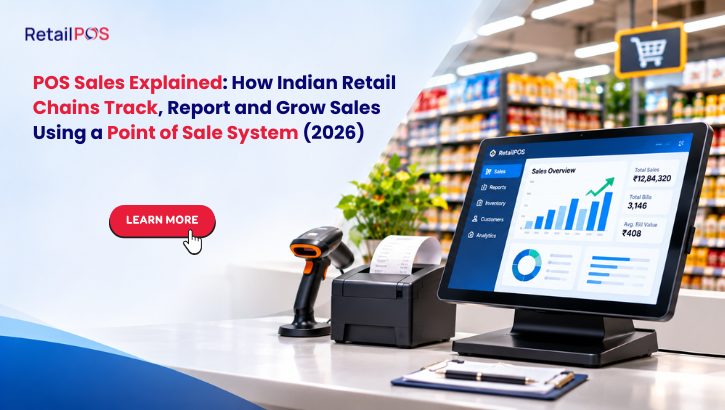
Most retail owners in India buy a point of sale system to print bills faster. Within a few months, the more valuable thing turns out to be the sales data the system collects. Every bill is a record of what sold, when, to whom, at what price, through which counter and with which cashier.
This guide explains what “POS sales” means, which numbers to watch every day, and how retail chains with 2 to 200 outlets use that data to grow sales without spending more on advertising.
What Does “POS Sales” Mean?
POS sales are all sales recorded through your point of sale system at the billing counter, whether the customer paid by cash, UPI, card or wallet. In practice, the phrase covers two things:
- The sales record. Each transaction is stored with its items, quantity, price, discount, tax, payment mode, cashier, counter and time stamp.
- The sales reports. The system turns those records into daily, weekly and monthly views by outlet, category, brand, item and hour.
A basic billing machine gives you the first. A proper point of sale system for a retail chain gives you both, plus the controls to act on what the reports show.
Why POS Sales Data Matters More in 2026
Three pressures have made guesswork expensive for Indian retailers.
- Quick commerce is taking the top up basket. Customers who used to pick up milk, snacks and personal care at the neighbourhood supermarket now order from an app. The store that knows which items it is losing can respond with sharper pricing and better availability.
- Rent and staff costs keep rising. In cities like Chennai, Bengaluru, Hyderabad and Pune, a weak outlet costs lakhs every month. You need to spot a slipping outlet in weeks, not at year end.
- GST compliance needs clean sales data. Wrong HSN codes, missing invoices and mismatched returns create notices and blocked input tax credit. The same data that drives growth also keeps filing clean.
The 10 POS Sales Numbers Every Retail Owner Should Check
Do not try to read 350 reports on day one. Start with these ten.
# | Metric | What it tells you | How often to check |
1 | Total sales by outlet | Which stores are growing or slipping | Daily |
2 | Number of bills (footfall proxy) | Whether traffic or basket size is the problem | Daily |
3 | Average bill value | How much each customer spends | Daily |
4 | Items per bill | Cross sell strength at the counter | Weekly |
5 | Sales by hour | When to roster staff and run offers | Weekly |
6 | Top 20 and bottom 20 items | What to promote, reorder or clear | Weekly |
7 | Category and brand sales | Where margin and volume come from | Weekly |
8 | Gross margin by item | Which sales actually make money | Weekly |
9 | Discounts and returns by cashier | Leakage and misuse | Daily |
10 | Payment mode split | Cash handling risk and UPI trends | Weekly |
If you check only these ten on a routine, you will already be ahead of most competitors in your city.
How to Read the Numbers: A Worked Example
The figures below are illustrative, to show how the logic works.
Take a supermarket outlet doing Rs 3,00,000 in sales on a weekday.
- Bills: 1,000
- Average bill value: Rs 300
- Items per bill: 5
Two ways to grow this outlet:
- Lift items per bill from 5 to 5.5 through counter suggestions and bundled offers. Average bill rises to about Rs 330, and sales to Rs 3,30,000. That is a gain of Rs 30,000 a day, or roughly Rs 9 lakh a month, with no extra footfall.
- Lift bills from 1,000 to 1,050 by fixing the evening rush with a second counter. That is another Rs 15,000 a day.
A POS that shows items per bill by cashier and by hour makes both moves possible. A tool that only prints receipts does not.
Where Retail Sales Leak, and How POS Data Exposes It
1. Discount leakage
Manual discounts at the counter are the most common leak. Check discount value by cashier every day. A cashier whose discounts run far above the outlet average needs a conversation, and the system should let you set maximum discount limits with manager approval above them.
2. Returns and voids
A high number of voided or deleted bills after payment is a warning sign. Good POS software logs who voided what and when, and restricts the action by role.
3. Stock outs on fast movers
If your top 20 items run out at 6 pm, you lose the evening rush. Sales by hour plus stock levels show you which items to refill before peak time.
4. Dead stock tied up as cash
The bottom 20 items by sales and the slow movers by days of stock show what to discount, bundle or return to the supplier. Cash locked in dead stock is a silent loss.
5. Price mismatches
When the shelf price, the system price and the supplier price disagree, you either lose margin or lose the customer’s trust. Central price control across outlets removes this.
6. Cash handling gaps
Compare payment mode split and the day end closing across counters. Big cash differences at one counter need review.
What a Retail Chain Should Expect From a Point of Sale System
Not every POS can do the job above. When comparing options, check for these capabilities.
Speed at the counter
- Fast scan to invoice. RetailPOS Enterprise completes a scan to invoice in under 3 seconds.
- Offline mode, so billing continues during internet drops and syncs afterwards.
Multi outlet control
- One dashboard for all stores, with outlet wise drill down.
- Central pricing, promotions and item master with outlet level exceptions.
- Stock transfers between outlets.
Reporting depth
- RetailPOS Analytics offers 350+ reports across sales, stock, margin, staff and customers.
- Live sales views, so you do not wait for end of day.
Customer data and loyalty
- CRM and loyalty so repeat customers are identified and rewarded.
- Targeted offers based on purchase history.
GST and compliance
- GST ready invoices with HSN, CGST, SGST and IGST handling.
- E invoicing and e way bill support where your turnover requires them.
- Clean data for GSTR 1 and GSTR 3B filing.
Integrations
- Payment options such as Paytm, Razorpay and HDFC.
- API ready connections for systems like SAP, Oracle, Shopify and WooCommerce.
POS Sales for Different Retail Formats
Supermarkets and grocery chains
Focus on items per bill, fast movers availability and weighing scale accuracy. Weighing integration avoids manual entry errors on loose items. Track category margin, because a few categories drive most of the profit.
Apparel and footwear
Watch size and colour wise sell through, season end stock and return rates. Check current GST slabs for your price bands with your CA, as rates have changed in recent revisions.
Pharmacy and medical stores
Batch and expiry tracking is essential. Sales by batch lets you sell near expiry stock first and avoid write offs.
Electronics and mobile accessories
Serial number tracking, warranty records and high value item controls matter most.
Bakeries, sweet shops and food retail
Fast billing at peak hours, recipe level costing and wastage tracking drive results. Festival periods like Diwali, Pongal and Onam create heavy spikes, so counter speed is critical.
The Festive Season Lesson
The last few weeks showed why POS data matters. Navratri, Dussehra and Diwali compress months of trading into days. Retailers who looked at hourly sales, item wise sell through and stock at each outlet could move stock between stores and add counters where queues built up. Those who relied on gut feel either ran out of fast movers or were left with unsold festive stock.
Use the post Diwali weeks to review which items sold out early, which outlets had billing queues, and which discounts actually moved stock. That review is the best planning input for Pongal and the next wedding season.
A 30 Day Plan to Grow Sales From Your POS Data
Week 1: Clean the base
- Fix item master duplicates and missing HSN codes.
- Standardise prices across outlets.
- Set role based permissions for discounts, voids and returns.
Week 2: Build the routine
- Start a daily five minute review of the first six metrics in the table above.
- Share a simple daily sales message with outlet managers.
Week 3: Act on the data
- Promote the top items with visible shelf placement.
- Bundle or discount the bottom 20 items.
- Roster staff by the sales by hour report.
Week 4: Turn on loyalty
- Capture customer mobile numbers at billing.
- Launch a simple points or repeat visit offer.
- Measure repeat bills as a percentage of total.
Common Mistakes Retailers Make With POS Sales Data
- Looking only at total sales. Total sales hide margin, discounts and stock problems.
- Reading reports monthly. By then the problem has cost you thirty days.
- No role based access. Everyone can discount, void and edit prices.
- Different item codes across outlets. Chain wide reports become unreliable.
- Ignoring slow movers. Dead stock is cash you cannot use.
- No customer capture. You cannot reward or win back people you cannot identify.
- Choosing on price alone. The cheapest billing software becomes the most expensive when it cannot give you reports or scale to a second outlet.
Which RetailPOS Option Fits Your Business?
- RetailPOS Enterprise suits multi outlet retail chains that need central control, deep analytics, loyalty, GST filing support and integrations.
- RetailPOS Nova is a cloud POS for small shops and single outlet owners, with a 30 day free trial and plans starting at Rs 999 per month.
- RetailPOS Analytics adds 350+ reports for chain wide decision making.
- UniMini suits single outlet businesses that need a simple, reliable billing setup.
Single store setup typically takes a few days. Multi outlet rollouts take 1 to 3 weeks. More than 10,000 retail businesses already use RetailPOS across 14+ verticals.
Frequently Asked Questions
POS sales are the sales recorded at your billing counter through a point of sale system, including item details, tax, discount, payment mode and time. They form the base for all your sales reports.
It is the combined software and hardware used for billing, which includes the billing screen, barcode scanner, receipt printer and cash drawer. It also manages stock, GST, customers and reports.
Check sales by outlet, number of bills, average bill value, and discounts and returns by cashier. These four catch most problems early.
It shows your best sellers, slow movers, peak hours and basket size, so you can improve availability, offers, staffing and cross selling. It also enables loyalty programmes that bring customers back.
RetailPOS Enterprise has an offline mode that lets counters keep billing and syncs data once the connection returns. Nova billing also continues if the internet drops.
Cloud POS lets you view sales from anywhere and needs less local IT work. Desktop systems can be faster in poor connectivity. The right choice depends on your size and connectivity, and RetailPOS offers options for both.
Small shop cloud plans start around Rs 999 per month with RetailPOS Nova. Chain deployments are quoted based on outlets, counters and modules, so contact the team for a plan that fits.
Yes. A GST ready POS stores HSN codes, applies CGST, SGST or IGST correctly and produces data for GSTR 1 and GSTR 3B. Always confirm filing details with your CA.
A single store setup takes a few days. Multi outlet rollouts usually take 1 to 3 weeks depending on item master, hardware and training.
Yes. Nova offers a 30 day free trial, and you can book a demo of RetailPOS Enterprise to see it on your own item data.
Book a Free Demo
See your own sales data the way your best outlet manager would. Book a demo and we will walk you through the reports, controls and loyalty tools using your retail format.
Book your free RetailPOS demo today →
Call: 95660 44300
Email: salesenquiry@uniprotech.co.in
Web: retailpos.co.in
About RetailPOS
RetailPOS is a retail and restaurant technology platform by Unipro Tech Solutions Pvt Ltd, Chennai. More than 10,000 retail businesses use RetailPOS across 14+ verticals, from single stores to chains of up to 200 outlets, with billing, inventory, analytics, loyalty and GST compliance in one platform.