
Powered by Unipro Tech
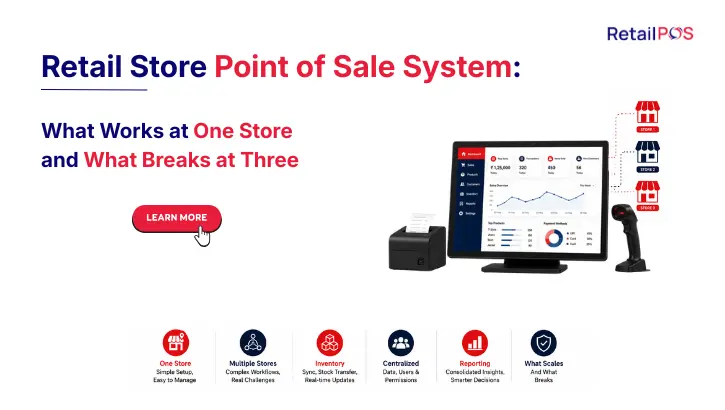
Retail Store Point of Sale System: What Works at One Store and What Breaks at Three
A complete guide for retail store owners across India evaluating their first POS system or outgrowing their current one
Section 1: The Retail Store POS Decision Is Not the Same Decision Twice
The first time a retail store owner chooses a point of sale system, the decision is relatively straightforward. You need something that bills customers accurately, handles GST correctly, tracks your stock, and does not break during the Saturday evening rush. Most retail store POS systems available in India in 2026 handle these requirements adequately.
The second time you make this decision, typically when the limitations of your first system have become operationally painful, the decision is completely different. By then you are likely managing more than one store, carrying a larger product catalogue, dealing with more complex promotional pricing, and trying to see what is happening across your business as a whole rather than at one counter at a time.
The reason so many Indian retail store owners end up making this decision twice, migrating from a first system to a more capable one mid-growth, is that they chose a system for the store they had rather than the business they were building. This guide is written to help you avoid that outcome. Whether you are choosing your first retail store point of sale system or evaluating whether your current one can take you further, this guide gives you the complete framework to make the right decision for where your retail business is going, not just where it is today.
Section 2: What a Retail Store Point of Sale System Must Do Well From Day One
A retail store point of sale system is the software, and in some configurations the hardware, that sits at the centre of every transaction your store processes. When it works well, it is invisible to the customer: fast, accurate, and reliable. When it does not work well, the customer experiences slow billing, wrong prices, incorrect invoices, and payment friction, all of which directly damage the customer relationship you have worked hard to build.
At the store level, the non-negotiable baseline for any retail POS system comes down to five things.
Speed at the billing counter. A barcode scanned in under a second. A price loaded instantly. A GST-compliant invoice generated in moments. A UPI or card payment processed and confirmed before the customer loses patience. This is the minimum standard, not a premium feature.
Accuracy on every transaction. The right price, the right discount, the right GST rate, applied automatically and consistently every time, without depending on the billing operator’s memory or attention to get it right.
Reliability when it matters most. Your busiest trading periods, festival evenings, weekend rushes, and year-end sales, are exactly when your retail store POS system must perform without slowing down, crashing, or losing transactions.
Offline capability for India’s connectivity reality. Power cuts, router failures, and patchy connectivity happen in every city and every retail corridor in India. A system that stops working when the internet drops is a direct revenue risk. Billing must continue at full speed offline with automatic synchronisation when connectivity returns.
GST compliance without manual work. Every invoice must carry the correct HSN code and the correct tax rate, applied automatically. Monthly returns must be generated from transaction data rather than compiled manually.
These five requirements are the floor. Everything else is about how well the system serves your specific store type, your specific product mix, and your growth plans beyond the first store.
Section 3: The Six Features Every Retail Store POS Needs in India in 2026
3.1 Barcode-Driven Billing
Manual product lookup at a billing counter is slow, error-prone, and creates customer frustration during busy periods. Every item in your store should have a barcode that loads the product name, price, and GST rate automatically when scanned, with no manual entry required.
For stores with thousands of SKUs, such as supermarkets and apparel showrooms, this is critical. For smaller specialty stores, it remains important because the discipline of barcode-driven billing prevents pricing errors that happen when staff type product details manually.
3.2 Automatic GST Rate Application
India’s GST framework requires every retail transaction to carry the correct HSN code and tax rate. Your POS must apply these automatically based on your product configuration, not based on your billing operator selecting the right rate from a list.
Specific considerations for Indian retail stores:
Store Type | GST Complexity | What the POS Must Handle |
General merchandise | Multiple rates across categories | HSN-based automatic rate application per product |
Apparel and fashion | 5% below Rs 1,000, 12% above | Automatic rate switch based on transaction selling price |
Pharmacy | 0%, 5%, 12%, 18% across drug categories | Batch-level rate mapping for every drug category |
Electronics | 18% on most categories, varies by product | HSN-level mapping with brand-specific scheme handling |
Grocery and supermarket | 0% on fresh produce, 5% on staples, 12% on packaged | Category-level automatic rate application |
3.3 Real-Time Inventory Tracking
Every item sold must deduct from your stock count immediately, not at the end of the day and not manually. This real-time deduction is what allows your system to tell you when stock is running low before the shelf is empty rather than after a customer has already been disappointed.
- Low-stock alerts fire automatically when any product falls below your configured minimum
- Purchase recommendations generated from sales velocity data help you order the right quantities
- Damage and shrinkage recorded in the system to keep stock counts accurate
3.4 Multi-Payment Mode Support
India’s payment landscape in 2026 is cashless across every income segment and every city. A retail store that cannot accept UPI seamlessly is losing customers to competitors who can.
- All UPI apps with QR code display at counter
- Card processing integrated with payment terminals
- Split payments across two or more modes in one transaction
- Loyalty point redemption as part of any payment
3.5 Customer Loyalty and Purchase History
Repeat customers are the foundation of a profitable retail store. A POS that has no mechanism to recognise, record, and reward your loyal customers is leaving money on the table every single day.
- Customer records linked to every transaction via phone number or loyalty card
- Points earned automatically at billing, redeemable at any future transaction
- Purchase history visible to staff for better customer service
- Targeted promotions based on actual buying behaviour
3.6 Daily Reports and GST Returns
A retail store owner who does not know their daily sales, their top-selling products, their slow movers, and their current stock position is managing by instinct. A good retail store POS generates these reports automatically from transaction data.
- Daily sales summary by category, by payment mode, and by staff member
- Inventory position report showing current stock and low-stock alerts
- GSTR-1 and GSTR-3B generated directly from transaction data
- End-of-day reconciliation matching physical cash against system records
Section 4: How a Retail Store POS System Works: The Complete Transaction Flow
Understanding exactly how a retail store POS processes a transaction helps store owners evaluate systems more accurately and train staff more effectively.
Stage | What Happens | What the System Does in the Background |
Product scan | Barcode scanned at the counter | Product record loaded: name, price, GST rate, current stock level |
Quantity entry | Quantity confirmed or adjusted | Line item total calculated with correct GST |
Promotion check | System checks if any active offer applies to this product at this quantity | Discount applied automatically if criteria are met, no manual selection needed |
Customer identification | Loyalty card scanned or phone number entered | Customer record loaded, previous purchase history available, loyalty balance displayed |
Payment | Customer selects payment mode | UPI, card, cash, or split payment processed and confirmed |
Invoice generation | Invoice printed or sent to WhatsApp | GST-compliant invoice with correct HSN codes and tax amount generated and archived |
Inventory update | Stock count for every scanned item reduced immediately | Low-stock alert fires if any item falls below configured minimum after this transaction |
Loyalty update | Points calculated on purchase value | Customer’s loyalty balance updated in real time |
Reporting feed | Transaction added to daily sales, GST records, and analytics | Available immediately in today’s sales report, tomorrow’s monthly return |
This transaction flow takes seconds at the counter. Every step after payment confirmation happens in the background without any action from the billing operator. The quality of the system is determined by how reliably each step executes, how accurately each calculation is made, and how completely each background update happens every single time.
Section 5: Retail Store POS by Category: What Each Store Type Needs Specifically
The baseline features described above apply to every retail store. Each store category has additional specific requirements that a general-purpose system may handle adequately, inadequately, or not at all.
Store Category | Essential Additional Requirement | Why Generic Systems Often Fall Short |
Supermarket and grocery | Weighing scale integration, batch and expiry tracking, loose item billing | Generic systems treat all products as fixed-unit items, cannot bill by weight accurately |
Apparel and fashion | Size-colour variant matrix, GST rate switch at Rs 1,000 | Generic systems require separate product records for every size-colour combination |
Electronics and mobile | Serial number tracking, IMEI recording, warranty management | Generic systems have no serial number field linked to the customer sale record |
Pharmacy | FEFO enforcement, Schedule H drug tracking, near-expiry alerts | Generic systems have no regulatory compliance modules for controlled substances |
Jewellery and gold | Weight-based pricing, making charge calculation, exchange handling | Generic systems use fixed-price billing with no weight-calculation field |
Footwear | Size and colour variant, pair management | Generic systems cannot natively manage size-colour pairs as a single inventory unit |
Hardware and tools | Unit-of-measure flexibility, bulk pricing tiers | Generic systems may not handle per-metre, per-kg, or per-roll billing accurately |
Section 6: When Your Retail Store POS System Stops Being Enough
Most retail store owners who are unhappy with their current POS system are not unhappy because the system is bad. They are unhappy because the system was designed for a single store and they are now running a business that is more complex than a single store.
The shift from one store to multiple stores is the single most common trigger for a retail POS upgrade in India. It happens when the features that were perfectly adequate for one location, a local product database, a local inventory count, a local customer list, become structurally inadequate for two or three locations that need to share information in real time.
What changes when you go from one store to multiple stores:
Function | Single Store | Multiple Stores |
Inventory | Local count sufficient | Must be visible across all stores simultaneously |
Pricing | One set of prices in one system | Changes must push to all stores at once |
Promotions | Configure locally | Must activate at all stores simultaneously |
Customer loyalty | Local database | Must be accessible at every store |
GST filing | One outlet’s data | Must consolidate all stores’ data into one return |
Management visibility | Owner is present | Must be visible remotely from a dashboard |
Stock transfers | Not applicable | Must be tracked between stores with documentation |
Performance comparison | Not applicable | Must compare stores side by side in one view |
Every one of these changes requires a fundamentally different system architecture, not a more expensive version of the same system. A retail store POS built on a local database model cannot be upgraded to support real-time centralised inventory across multiple stores. This architectural limitation is why so many Indian retail chains end up doing a full migration rather than an upgrade when they outgrow their initial system.
Section 7: The Seven Warning Signs Your Current Retail Store POS Is Holding You Back
Warning Sign 1: You call other stores to check stock availability instead of looking it up in your system.
If a customer at one store asks whether another store has their size or their product, and your staff answers by making a phone call, your stores are not connected and your customer experience is inconsistent.
Warning Sign 2: Pricing changes require you to manually update each store separately.
A price change or a promotional offer that must be configured at each outlet one by one is a manual process that creates pricing inconsistencies and consumes management time that should be spent on the business.
Warning Sign 3: Your GST return takes more than one working day per month to compile.
A properly integrated retail POS generates GST returns directly from transaction data. If your accountant spends more than a few hours compiling each month’s return, your system is not doing this work automatically.
Warning Sign 4: You have discovered a pricing error at one store only after a customer complained.
If a wrong price has to reach a customer before anyone in your team detects it, you have no centralised pricing management and no system-generated price consistency check.
Warning Sign 5: Customers who shop across your stores do not have their loyalty points recognised at the other location.
Loyalty that is outlet-specific rather than chain-wide is a customer experience failure that your stores are delivering every day to your most valuable repeat customers.
Warning Sign 6: You do not know today’s stock position across all stores without calling each store manager.
If real-time inventory visibility requires phone calls, your stores are data silos rather than a connected chain.
Warning Sign 7: Your system slows down or becomes unreliable during peak trading hours or when internet connectivity is intermittent.
Performance under peak load and offline billing capability are non-negotiable requirements. A system that fails at these moments is failing at the moments that matter most.
Section 8: What Changes in a POS System When You Go From One Store to Multiple Stores
This is the section most POS guides do not cover honestly. The features that make a great single-store retail POS and the features that make a great multi-store retail POS are meaningfully different, not just different in quantity.
Feature | Why It Is Different for Multiple Stores |
Database architecture | A single store uses a local database. Multiple stores require a centralised shared database that every store updates simultaneously. This is an architectural difference, not a configuration difference |
Inventory management | Single store tracks local stock. Multiple stores require a single inventory count shared and updated by all stores in real time |
Pricing management | Single store configures prices locally. Multiple stores require centralised pricing that pushes changes to all stores simultaneously |
Loyalty programme | Single store recognises its own customers. Multiple stores require a unified customer database accessible at every location |
GST compliance | Single store files one return. Multiple stores must consolidate transaction data from all locations into one return |
Analytics | Single store views its own data. Multiple stores require a comparative view showing all locations side by side |
Management visibility | Single store owner is present. Multiple stores require a remote dashboard accessible from any device |
The most important thing to understand is that a retail store POS built on a local database model cannot simply be expanded to cover multiple stores by buying more licenses. The architectural change required to support centralised multi-store management typically means moving to a different system entirely, which is why choosing a scalable system from the beginning saves the disruption of a full migration later.
Section 9: How to Choose the Right Point of Sale System for Your Retail Store
Step 1: Define your store category and its specific requirements.
Use the category table in Section 5 to identify what your store type needs beyond the baseline features. If you run an apparel store, variant management is non-negotiable. If you run a pharmacy, FEFO and Schedule H tracking are required. A generic system without these capabilities will require workarounds from day one.
Step 2: Be honest about your growth plans.
If you plan to open a second store within the next 18 months, evaluate the system at two-store scale today. The cost of migrating mid-growth is always higher than choosing the right system before you need it.
Step 3: Test offline capability during the demonstration.
Physically disconnect the internet. Complete a full transaction including barcode scan, GST calculation, payment, and receipt. If anything pauses or requires a workaround, the system cannot be relied upon for Indian retail operations.
Step 4: Test the GST output.
Ask the vendor to generate a GSTR-1 report from sample transaction data during the demonstration. If they cannot show you a live report, the compliance automation is not ready.
Step 5: Calculate the real cost at your target scale.
Cost Component | What to Include |
Software license or subscription | Per outlet, per user, or fixed at your growth target |
Implementation and data migration | One-time cost to get live |
Hardware per counter | Terminal, scanner, printer, weighing scale if applicable |
Training | All staff across all current and planned stores |
Annual maintenance | Ongoing support and updates |
Cost of staying on the wrong system | The operational cost of managing limitations for another year |
Section 10: How RetailPOS Serves Retail Stores and Retail Chains Across India
RetailPOS by Unipro Tech Solutions, headquartered in Chennai with over 20 years of experience serving retail businesses across India, provides retail store point of sale software that is built to serve a single store today and a chain of stores tomorrow, without requiring a system change as the business grows.
For single-outlet retail stores: RetailPOS delivers fast barcode-driven billing, automatic GST compliance with HSN mapping, real-time inventory tracking, multi-payment mode support including UPI, loyalty programme management, and daily reports and GSTR generation, all in a system that operates at full speed offline.
For retail chains: RetailPOS connects every outlet through a centralised database with real-time shared inventory, centralised pricing and promotion management, inter-branch transfer documentation, consolidated GST compliance, unified customer loyalty, and the Cockpit dashboard showing all outlets’ performance simultaneously from one screen on any device.
For specific retail categories:
Retail Category | Key RetailPOS Capability |
Supermarket and grocery | WeighSense AI weighing scale integration, batch and expiry tracking |
Apparel and fashion | Size-colour variant matrix, GST rate auto-switch at Rs 1,000 |
Electronics | Serial number and IMEI tracking, warranty management |
Pharmacy | FEFO enforcement, Schedule H drug tracking |
Jewellery | Weight-based pricing, unique item tracking |
The same platform that handles a single-store retail operation today scales to a 50-outlet chain tomorrow without any system replacement, staff retraining, or data migration.
Section 11: Frequently Asked Questions
A retail store POS system manages the transaction at the billing counter: billing, inventory deduction, payment, receipt, and basic reporting. A retail ERP connects billing to every other business function including purchasing, supplier management, financial accounting, multi-outlet operations, and advanced analytics. For a single-outlet store, a strong POS is typically sufficient. For a multi-outlet chain, an ERP that includes a POS front end manages the full operational complexity of running multiple locations from one system.
A mid-range retail store POS system in India typically costs between Rs 15,000 and Rs 40,000 per year for a single outlet, covering software, basic support, and updates. Enterprise systems for chains are priced based on outlet count and user count, typically starting from Rs 40,000 per year and scaling with the size of the chain. Hardware costs including a billing terminal, barcode scanner, receipt printer, and any category-specific hardware like a weighing scale are separate from the software investment.
The answer depends on how the system is architecturally built. If your current system uses a local database at each installation, adding a second outlet will give you two independent systems that do not share inventory, pricing, or customer data in real time. This is not multi-outlet management. It is two single-outlet systems. A genuine multi-outlet capability requires a centralised database that all outlets connect to simultaneously, which is an architectural characteristic of the software, not a setting you can turn on in a single-store system.
The best retail store POS systems for India operate at full speed offline, processing transactions, updating inventory, accepting payments, and generating receipts without any internet connection. Data synchronises to the central system automatically when connectivity is restored. This offline capability is a non-negotiable requirement for Indian retail operations.
For a single-outlet retail store implementing a POS system for the first time, the process including product catalogue setup, GST configuration, staff training, and initial stock loading typically takes five to ten working days. For a chain migrating from an existing system, add two to four weeks for data migration and a parallel run period where both systems operate simultaneously to verify accuracy.
Conclusion: Choose the System for the Store You Are Building, Not Just the Store You Have Today
Every retail store in India that is growing faces the same decision twice: once when choosing their first point of sale system and again when the first system can no longer keep up with the business it helped build. The second decision is almost always more expensive and more disruptive than the first because it happens mid-operation with customers to serve, staff to manage, and inventory to track the entire time.
The way to make this decision once rather than twice is to choose a retail store point of sale system that is built for the retail business you are building, with the store formats you serve, the outlet count you are heading toward, and the compliance requirements of the Indian retail environment in 2026. The technology that powers fast billing, accurate GST compliance, and real-time inventory at one store is the same technology that, with the right architecture, connects five stores, ten stores, and beyond to one management view without ever requiring you to start over.

 Book your demo
 Talk to our POS experts
- 📧 Email: salesenquiry@uniprotech.co.in
Book a free demo and see how RetailPOS gives you complete financial visibility across your operations..
Or WhatsApp our team directly – we respond within minutes.
Or call us at 95662 44611
About RetailPOS
RetailPOS is an enterprise retail POS and ERP solution by Unipro Tech Solutions Pvt Ltd, headquartered in Chennai, Tamil Nadu. With over 20 years of experience and 10,000 plus businesses served across India and globally, RetailPOS provides retail store point of sale systems for supermarket chains, apparel and fashion chains, electronics retailers, pharmacy chains, and multi-format retail groups across India. Products include RetailPOS Enterprise, Cockpit multi-outlet dashboard, TapZap mobile POS, WeighSense AI, Analytics, and consumer loyalty integration.